在 MongoDB 中,读取操作包括查询数据库。此页面提供示例。
您可以使用以下方法在MongoDB中查询文档:
您的编程语言的驱动程序。
The MongoDB Atlas UI. To learn more, see Query for Null or Missing Fields with MongoDB Atlas.
➤ 使用右上角的 Select your language(选择语言)下拉菜单,设置以下示例的语言或选择 MongoDB Compass。
This page provides examples of query operations using the db.collection.find() method in mongosh.
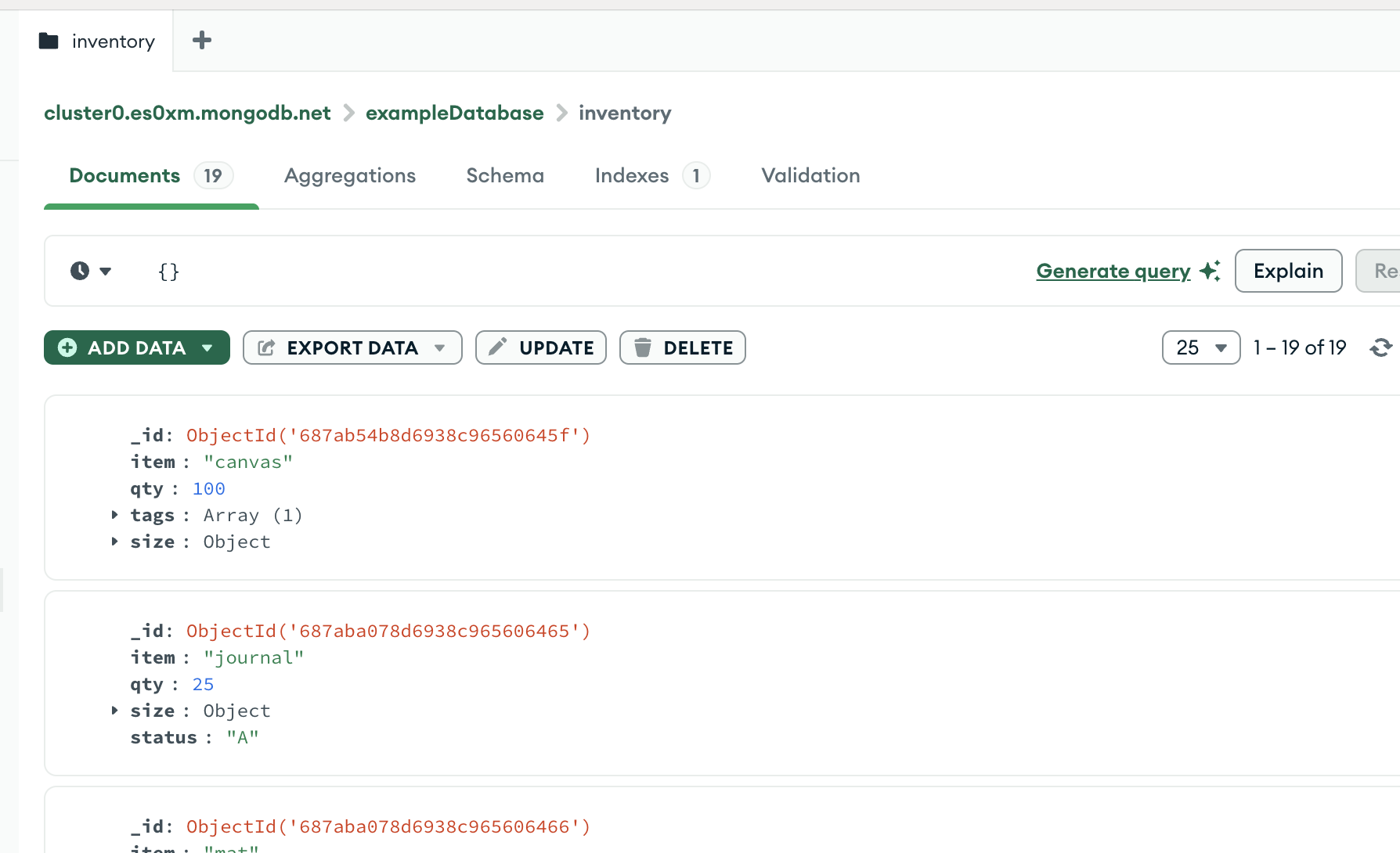
This page provides examples of query operations using MongoDB Compass.
此页面上的示例使用的是 inventory 集合。连接到 MongoDB 实例中的测试数据库,然后创建 inventory 集合:
本页提供了使用 mongoc_collection_find_with_opts 进行查询操作的示例。
此页面上的示例使用的是 inventory 集合。连接到 MongoDB 实例中的测试数据库,然后创建 inventory 集合:
本页面提供的示例展示使用 MongoCollection.Find() 方法在 MongoDB .NET/C# 驱动程序 中执行查询操作。
此页面上的示例使用的是 inventory 集合。连接到 MongoDB 实例中的测试数据库,然后创建 inventory 集合:
本页面提供的示例展示使用 Collection.Find 函数在 MongoDB Go Driver 中执行查询操作。
此页面上的示例使用的是 inventory 集合。连接到 MongoDB 实例中的测试数据库,然后创建 inventory 集合:
本页面提供的示例展示使用 com.mongodb.reactivestreams.client.MongoCollection.find 方法在 MongoDB Java Reactive Streams 驱动程序中执行查询操作。
此页面上的示例使用的是 inventory 集合。连接到 MongoDB 实例中的测试数据库,然后创建 inventory 集合:
本页提供了使用 com.mongodb 进行查询操作的示例。 MongoDB Java同步驱动程序中的客户端方法。
提示
此驱动程序提供了 com.mongodb.client.model.Filters 辅助方法,以便于创建筛选器文档。此页面中的示例使用这些方法创建筛选器文档。
此页面上的示例使用的是 inventory 集合。连接到 MongoDB 实例中的测试数据库,然后创建 inventory 集合:
本页提供了使用 MongoCollection.find() 进行查询操作的示例。MongoDB Kotlin协程驱动程序中的方法。
提示
此驱动程序提供了 com.mongodb.client.model.Filters 辅助方法,以便于创建筛选器文档。此页面中的示例使用这些方法创建筛选器文档。
此页面上的示例使用的是 inventory 集合。连接到 MongoDB 实例中的测试数据库,然后创建 inventory 集合:
pymongo.asynchronous.collection.AsyncCollection.find本页面提供了使用PyMongo 异步 API中的 方法进行查询操作的示例。
此页面上的示例使用的是 inventory 集合。连接到 MongoDB 实例中的测试数据库,然后创建 inventory 集合:
本页提供的查询展示了使用Collection.find()MongoDB Node.js驱动程序中的方法。
此页面上的示例使用的是 inventory 集合。连接到 MongoDB 实例中的测试数据库,然后创建 inventory 集合:
This page provides examples of query operations using the MongoDB\\Collection::find() method in the MongoDB PHP Library.
此页面上的示例使用的是 inventory 集合。连接到 MongoDB 实例中的测试数据库,然后创建 inventory 集合:
本页提供了使用PyMongo Python驾驶员中的 pymongo.collection.Collection.find 方法查询操作的示例。
此页面上的示例使用的是 inventory 集合。连接到 MongoDB 实例中的测试数据库,然后创建 inventory 集合:
This page provides examples of query operations using the Mongo::Collection#find() method in the MongoDB Ruby Driver.
此页面上的示例使用的是 inventory 集合。连接到 MongoDB 实例中的测试数据库,然后创建 inventory 集合:
本页面提供的示例展示使用 collection.find() 方法在 MongoDB Scala 驱动程序中执行查询操作。
此页面上的示例使用的是 inventory 集合。连接到 MongoDB 实例中的测试数据库,然后创建 inventory 集合:
本页上的示例使用来自 sample_mflix 数据集的数据。有关如何将此数据集加载到您的自管理 MongoDB 部署中的详细信息,请参阅 加载示例数据集。如果您对示例数据库进行了任何修改,您可能需要删除并重新创建数据库,才能运行此页面上的示例。
[ { "item": "journal", "qty": 25, "size": { "h": 14, "w": 21, "uom": "cm" }, "status": "A" }, { "item": "notebook", "qty": 50, "size": { "h": 8.5, "w": 11, "uom": "in" }, "status": "A" }, { "item": "paper", "qty": 100, "size": { "h": 8.5, "w": 11, "uom": "in" }, "status": "D" }, { "item": "planner", "qty": 75, "size": { "h": 22.85, "w": 30, "uom": "cm" }, "status": "D" }, { "item": "postcard", "qty": 45, "size": { "h": 10, "w": 15.25, "uom": "cm" }, "status": "A" } ]
有关在 MongoDB Compass 中插入文档的说明,请参阅插入文档。
mongoc_collection_t *collection; mongoc_bulk_operation_t *bulk; bson_t *doc; bool r; bson_error_t error; bson_t reply; collection = mongoc_database_get_collection (db, "inventory"); bulk = mongoc_collection_create_bulk_operation_with_opts (collection, NULL); doc = BCON_NEW ( "item", BCON_UTF8 ("journal"), "qty", BCON_INT64 (25), "size", "{", "h", BCON_DOUBLE (14), "w", BCON_DOUBLE (21), "uom", BCON_UTF8 ("cm"), "}", "status", BCON_UTF8 ("A")); r = mongoc_bulk_operation_insert_with_opts (bulk, doc, NULL, &error); bson_destroy (doc); if (!r) { MONGOC_ERROR ("%s\n", error.message); goto done; } doc = BCON_NEW ( "item", BCON_UTF8 ("notebook"), "qty", BCON_INT64 (50), "size", "{", "h", BCON_DOUBLE (8.5), "w", BCON_DOUBLE (11), "uom", BCON_UTF8 ("in"), "}", "status", BCON_UTF8 ("A")); r = mongoc_bulk_operation_insert_with_opts (bulk, doc, NULL, &error); bson_destroy (doc); if (!r) { MONGOC_ERROR ("%s\n", error.message); goto done; } doc = BCON_NEW ( "item", BCON_UTF8 ("paper"), "qty", BCON_INT64 (100), "size", "{", "h", BCON_DOUBLE (8.5), "w", BCON_DOUBLE (11), "uom", BCON_UTF8 ("in"), "}", "status", BCON_UTF8 ("D")); r = mongoc_bulk_operation_insert_with_opts (bulk, doc, NULL, &error); bson_destroy (doc); if (!r) { MONGOC_ERROR ("%s\n", error.message); goto done; } doc = BCON_NEW ( "item", BCON_UTF8 ("planner"), "qty", BCON_INT64 (75), "size", "{", "h", BCON_DOUBLE (22.85), "w", BCON_DOUBLE (30), "uom", BCON_UTF8 ("cm"), "}", "status", BCON_UTF8 ("D")); r = mongoc_bulk_operation_insert_with_opts (bulk, doc, NULL, &error); bson_destroy (doc); if (!r) { MONGOC_ERROR ("%s\n", error.message); goto done; } doc = BCON_NEW ( "item", BCON_UTF8 ("postcard"), "qty", BCON_INT64 (45), "size", "{", "h", BCON_DOUBLE (10), "w", BCON_DOUBLE (15.25), "uom", BCON_UTF8 ("cm"), "}", "status", BCON_UTF8 ("A")); r = mongoc_bulk_operation_insert_with_opts (bulk, doc, NULL, &error); bson_destroy (doc); if (!r) { MONGOC_ERROR ("%s\n", error.message); goto done; } /* "reply" is initialized on success or error */ r = (bool) mongoc_bulk_operation_execute (bulk, &reply, &error); if (!r) { MONGOC_ERROR ("%s\n", error.message); }
var documents = new BsonDocument[] { new BsonDocument { { "item", "journal" }, { "qty", 25 }, { "size", new BsonDocument { { "h", 14 }, { "w", 21 }, { "uom", "cm"} } }, { "status", "A" } }, new BsonDocument { { "item", "notebook" }, { "qty", 50 }, { "size", new BsonDocument { { "h", 8.5 }, { "w", 11 }, { "uom", "in"} } }, { "status", "A" } }, new BsonDocument { { "item", "paper" }, { "qty", 100 }, { "size", new BsonDocument { { "h", 8.5 }, { "w", 11 }, { "uom", "in"} } }, { "status", "D" } }, new BsonDocument { { "item", "planner" }, { "qty", 75 }, { "size", new BsonDocument { { "h", 22.85 }, { "w", 30 }, { "uom", "cm"} } }, { "status", "D" } }, new BsonDocument { { "item", "postcard" }, { "qty", 45 }, { "size", new BsonDocument { { "h", 10 }, { "w", 15.25 }, { "uom", "cm"} } }, { "status", "A" } }, }; collection.InsertMany(documents);
docs := []any{ bson.D{ {"item", "journal"}, {"qty", 25}, {"size", bson.D{ {"h", 14}, {"w", 21}, {"uom", "cm"}, }}, {"status", "A"}, }, bson.D{ {"item", "notebook"}, {"qty", 50}, {"size", bson.D{ {"h", 8.5}, {"w", 11}, {"uom", "in"}, }}, {"status", "A"}, }, bson.D{ {"item", "paper"}, {"qty", 100}, {"size", bson.D{ {"h", 8.5}, {"w", 11}, {"uom", "in"}, }}, {"status", "D"}, }, bson.D{ {"item", "planner"}, {"qty", 75}, {"size", bson.D{ {"h", 22.85}, {"w", 30}, {"uom", "cm"}, }}, {"status", "D"}, }, bson.D{ {"item", "postcard"}, {"qty", 45}, {"size", bson.D{ {"h", 10}, {"w", 15.25}, {"uom", "cm"}, }}, {"status", "A"}, }, } result, err := coll.InsertMany(context.TODO(), docs)
Publisher<Success> insertManyPublisher = collection.insertMany(asList( Document.parse("{ item: 'journal', qty: 25, size: { h: 14, w: 21, uom: 'cm' }, status: 'A' }"), Document.parse("{ item: 'notebook', qty: 50, size: { h: 8.5, w: 11, uom: 'in' }, status: 'A' }"), Document.parse("{ item: 'paper', qty: 100, size: { h: 8.5, w: 11, uom: 'in' }, status: 'D' }"), Document.parse("{ item: 'planner', qty: 75, size: { h: 22.85, w: 30, uom: 'cm' }, status: 'D' }"), Document.parse("{ item: 'postcard', qty: 45, size: { h: 10, w: 15.25, uom: 'cm' }, status: 'A' }") ));
collection.insertMany(asList( Document.parse("{ item: 'journal', qty: 25, size: { h: 14, w: 21, uom: 'cm' }, status: 'A' }"), Document.parse("{ item: 'notebook', qty: 50, size: { h: 8.5, w: 11, uom: 'in' }, status: 'A' }"), Document.parse("{ item: 'paper', qty: 100, size: { h: 8.5, w: 11, uom: 'in' }, status: 'D' }"), Document.parse("{ item: 'planner', qty: 75, size: { h: 22.85, w: 30, uom: 'cm' }, status: 'D' }"), Document.parse("{ item: 'postcard', qty: 45, size: { h: 10, w: 15.25, uom: 'cm' }, status: 'A' }") ));
collection.insertMany( listOf( Document("item", "journal") .append("qty", 25) .append("size", Document("h", 14) .append("w", 21) .append("uom", "cm") ) .append("status", "A"), Document("item", "notebook") .append("qty", 50) .append("size", Document("h", 8.5) .append("w", 11) .append("uom", "in") ) .append("status", "A"), Document("item", "paper") .append("qty", 100) .append("size", Document("h", 8.5) .append("w", 11) .append("uom", "in") ) .append("status", "D"), Document("item", "planner") .append("qty", 75) .append("size", Document("h", 22.85) .append("w", 30) .append("uom", "cm") ) .append("status", "D"), Document("item", "postcard") .append("qty", 45) .append("size", Document("h", 10) .append("w", 15.25) .append("uom", "cm") ) .append("status", "A"), ) )
await db.inventory.insert_many( [ { "item": "journal", "qty": 25, "size": {"h": 14, "w": 21, "uom": "cm"}, "status": "A", }, { "item": "notebook", "qty": 50, "size": {"h": 8.5, "w": 11, "uom": "in"}, "status": "A", }, { "item": "paper", "qty": 100, "size": {"h": 8.5, "w": 11, "uom": "in"}, "status": "D", }, { "item": "planner", "qty": 75, "size": {"h": 22.85, "w": 30, "uom": "cm"}, "status": "D", }, { "item": "postcard", "qty": 45, "size": {"h": 10, "w": 15.25, "uom": "cm"}, "status": "A", }, ] )
await db.collection('inventory').insertMany([ { item: 'journal', qty: 25, size: { h: 14, w: 21, uom: 'cm' }, status: 'A' }, { item: 'notebook', qty: 50, size: { h: 8.5, w: 11, uom: 'in' }, status: 'A' }, { item: 'paper', qty: 100, size: { h: 8.5, w: 11, uom: 'in' }, status: 'D' }, { item: 'planner', qty: 75, size: { h: 22.85, w: 30, uom: 'cm' }, status: 'D' }, { item: 'postcard', qty: 45, size: { h: 10, w: 15.25, uom: 'cm' }, status: 'A' } ]);
$insertManyResult = $db->inventory->insertMany([ [ 'item' => 'journal', 'qty' => 25, 'size' => ['h' => 14, 'w' => 21, 'uom' => 'cm'], 'status' => 'A', ], [ 'item' => 'notebook', 'qty' => 50, 'size' => ['h' => 8.5, 'w' => 11, 'uom' => 'in'], 'status' => 'A', ], [ 'item' => 'paper', 'qty' => 100, 'size' => ['h' => 8.5, 'w' => 11, 'uom' => 'in'], 'status' => 'D', ], [ 'item' => 'planner', 'qty' => 75, 'size' => ['h' => 22.85, 'w' => 30, 'uom' => 'cm'], 'status' => 'D', ], [ 'item' => 'postcard', 'qty' => 45, 'size' => ['h' => 10, 'w' => 15.25, 'uom' => 'cm'], 'status' => 'A', ], ]);
db.inventory.insert_many( [ { "item": "journal", "qty": 25, "size": {"h": 14, "w": 21, "uom": "cm"}, "status": "A", }, { "item": "notebook", "qty": 50, "size": {"h": 8.5, "w": 11, "uom": "in"}, "status": "A", }, { "item": "paper", "qty": 100, "size": {"h": 8.5, "w": 11, "uom": "in"}, "status": "D", }, { "item": "planner", "qty": 75, "size": {"h": 22.85, "w": 30, "uom": "cm"}, "status": "D", }, { "item": "postcard", "qty": 45, "size": {"h": 10, "w": 15.25, "uom": "cm"}, "status": "A", }, ] )
client[:inventory].insert_many([ { item: 'journal', qty: 25, size: { h: 14, w: 21, uom: 'cm' }, status: 'A' }, { item: 'notebook', qty: 50, size: { h: 8.5, w: 11, uom: 'in' }, status: 'A' }, { item: 'paper', qty: 100, size: { h: 8.5, w: 11, uom: 'in' }, status: 'D' }, { item: 'planner', qty: 75, size: { h: 22.85, w: 30, uom: 'cm' }, status: 'D' }, { item: 'postcard', qty: 45, size: { h: 10, w: 15.25, uom: 'cm' }, status: 'A' } ])
collection.insertMany(Seq( Document("""{ item: "journal", qty: 25, size: { h: 14, w: 21, uom: "cm" }, status: "A" }"""), Document("""{ item: "notebook", qty: 50, size: { h: 8.5, w: 11, uom: "in" }, status: "A" }"""), Document("""{ item: "paper", qty: 100, size: { h: 8.5, w: 11, uom: "in" }, status: "D" }"""), Document("""{ item: "planner", qty: 75, size: { h: 22.85, w: 30, uom: "cm" }, status: "D" }"""), Document("""{ item: "postcard", qty: 45, size: { h: 10, w: 15.25, uom: "cm" }, status: "A" }""") )).execute()
选择集合中的所有文档
要选择集合中的所有文档,请将空的文档作为查询筛选器参数传递给 find 方法。查询筛选器参数决定选择条件:
To select all documents in the collection, pass an empty document as the query filter parameter to the query bar. The query filter parameter determines the select criteria:
要选择集合中的所有文档,请将空的文档作为查询筛选器参数传递给 find 方法。查询筛选器参数决定选择条件:
要选择集合中的所有文档,请将空的文档作为查询筛选器参数传递给 find 方法。查询筛选器参数决定选择条件:
要选择集合中的所有文档,请将空的文档作为查询筛选器参数传递给 find 方法。查询筛选器参数决定选择条件:
要选择集合中的所有文档,请将空的文档作为查询筛选器参数传递给 find 方法。查询筛选器参数决定选择条件:
要选择集合中的所有文档,请将空的文档作为查询筛选器参数传递给 find 方法。查询筛选器参数决定选择条件:
要选择集合中的所有文档,请将空的文档作为查询筛选器参数传递给 find 方法。查询筛选器参数决定选择条件:
要选择集合中的所有文档,请将空的文档作为查询筛选器参数传递给 find 方法。查询筛选器参数决定选择条件:
要选择集合中的所有文档,请将空的文档作为查询筛选器参数传递给 find 方法。查询筛选器参数决定选择条件:
要选择集合中的所有文档,请将空的文档作为查询筛选器参数传递给 find 方法。查询筛选器参数决定选择条件:
要选择集合中的所有文档,请将空的文档作为查询筛选器参数传递给 find 方法。查询筛选器参数决定选择条件:
要选择集合中的所有文档,请将空的文档作为查询筛选器参数传递给 find 方法。查询筛选器参数决定选择条件:
要选择集合中的所有文档,请将空的文档作为查询筛选器参数传递给 find 方法。查询筛选器参数决定选择条件:
db.movies.find( {} )
mongoc_collection_t *collection; bson_t *filter; mongoc_cursor_t *cursor; collection = mongoc_database_get_collection (db, "inventory"); filter = BCON_NEW (NULL); cursor = mongoc_collection_find_with_opts (collection, filter, NULL, NULL);
根据需要调用以下方法,清理所有打开的资源:
var filter = Builders<BsonDocument>.Filter.Empty; var result = collection.Find(filter).ToList();
cursor, err := coll.Find( context.TODO(), bson.D{}, )
FindPublisher<Document> findPublisher = collection.find(new Document());
FindIterable<Document> findIterable = collection.find(new Document());
val flowInsertMany = collection .find(empty())
cursor = db.inventory.find({})
const cursor = db.collection('inventory').find({});
$cursor = $db->inventory->find([]);
cursor = db.inventory.find({})
client[:inventory].find({})
var findObservable = collection.find(Document())
此操作使用 {} 的空 查询谓词,对应以下 SQL 声明:
SELECT * FROM movies
SELECT * FROM inventory
SELECT * FROM inventory
SELECT * FROM inventory
SELECT * FROM inventory
SELECT * FROM inventory
SELECT * FROM inventory
SELECT * FROM inventory
SELECT * FROM inventory
SELECT * FROM inventory
SELECT * FROM inventory
SELECT * FROM inventory
SELECT * FROM inventory
SELECT * FROM inventory
有关更多信息,请参阅 find()。
For more information, see Query Bar.
有关更多信息,请参阅 mongoc_collection_find_with_opts。
有关详细信息,请参阅 Find().
有关详细信息,请参阅 集合.Find。
有关更多信息,请参阅 com.mongodb.客户端.MongoCollection.find。
有关更多信息,请参阅 MongoCollection.find().
有关更多信息,请参阅 find。
有关更多信息,请参阅 find().。
有关更多信息,请参阅 find()。
有关更多信息,请参阅 find。
For more information, see find().
有关更多信息,请参阅集合.find()。
指定相等条件
要指定相等条件,请在查询筛选器文档中使用 <field>:<value> 表达式:
{ <field1>: <value1>, ... }
要指定相等条件,请在查询筛选器文档中使用 <field>:<value> 表达式:
{ <field1>: <value1>, ... }
要指定相等条件,请在查询筛选器文档中使用 <field>:<value> 表达式:
{ <field1>: <value1>, ... }
要指定相等条件,请使用 Eq 方法构建过滤器:
Builders<BsonDocument>.Filter.Eq(<field>, <value>);
要指定相等条件,请使用 bson.D 类型创建过滤器文档:
filter := bson.D{{"<field>", <value>}}
要指定相等条件,请使用 com.mongodb.client.model.Filters.eq 方法创建查询筛选条件文档:
and(eq( <field1>, <value1>), eq( <field2>, <value2>) ...)
要指定相等条件,请使用 com.mongodb.client.model.Filters.eq_ 方法创建查询筛选器文档:
and(eq( <field1>, <value1>), eq( <field2>, <value2>) ...)
要指定相等条件,请使用 Filters.eq()创建查询过滤文档的方法:
and(eq(<field1>, <value1>), eq(<field2>, <value2>) ...)
要指定相等条件,请在查询筛选器文档中使用 <field>:<value> 表达式:
{ <field1>: <value1>, ... }
要指定相等条件,请在查询筛选器文档中使用 <field>:<value> 表达式:
{ <field1>: <value1>, ... }
要指定相等条件,请在查询筛选器文档中使用 <field> => <value> 表达式:
[ <field1> => <value1>, ... ]
要指定相等条件,请在查询筛选器文档中使用 <field>:<value> 表达式:
{ <field1>: <value1>, ... }
要指定相等条件,请在查询筛选器文档中使用 <field> => <value> 表达式:
{ <field1> => <value1>, ... }
要指定相等条件,请使用 com.mongodb.client.model.Filters.eq_ 方法创建查询筛选器文档:
and(equal(<field1>, <value1>), equal(<field2>, <value2>) ...)
以下示例从 sample_mflix.movies集合中选择所有文档,其中 rated 等于 "PG-13":
以下示例从 inventory集合中选择所有文档,其中 status 等于 "D":
以下示例从 inventory集合中选择所有文档,其中 status 等于 "D":
以下示例从 inventory集合中选择所有文档,其中 status 等于 "D":
以下示例从 inventory集合中选择所有文档,其中 status 等于 "D":
以下示例从 inventory集合中选择所有文档,其中 status 等于 "D":
以下示例从 inventory集合中选择所有文档,其中 status 等于 "D":
以下示例从 inventory集合中选择所有文档,其中 status 等于 "D":
以下示例从 inventory集合中选择所有文档,其中 status 等于 "D":
以下示例从 inventory集合中选择所有文档,其中 status 等于 "D":
以下示例从 inventory集合中选择所有文档,其中 status 等于 "D":
以下示例从 inventory集合中选择所有文档,其中 status 等于 "D":
以下示例从 inventory集合中选择所有文档,其中 status 等于 "D":
以下示例从 inventory集合中选择所有文档,其中 status 等于 "D":
db.movies.find( { rated: "PG-13" } )
将以下过滤器复制到 Compass 查询栏中,然后单击 Find:
{ status: "D" }
注意
MongoDB Compass 查询栏根据集合文档中的键(包括嵌入式子文档中的键)自动完成当前查询。
mongoc_collection_t *collection; bson_t *filter; mongoc_cursor_t *cursor; collection = mongoc_database_get_collection (db, "inventory"); filter = BCON_NEW ("status", BCON_UTF8 ("D")); cursor = mongoc_collection_find_with_opts (collection, filter, NULL, NULL);
var filter = Builders<BsonDocument>.Filter.Eq("status", "D"); var result = collection.Find(filter).ToList();
cursor, err := coll.Find( context.TODO(), bson.D{{"status", "D"}}, )
findPublisher = collection.find(eq("status", "D"));
findIterable = collection.find(eq("status", "D"));
val findFlow = collection .find(eq("status", "D"))
cursor = db.inventory.find({"status": "D"})
const cursor = db.collection('inventory').find({ status: 'D' });
$cursor = $db->inventory->find(['status' => 'D']);
cursor = db.inventory.find({"status": "D"})
client[:inventory].find(status: 'D')
findObservable = collection.find(equal("status", "D"))
该操作使用 { rated: "PG-13" } 的查询谓词,对应以下 SQL 声明:
SELECT * FROM movies WHERE rated = "PG-13"
该操作使用 { status: "D" } 的查询谓词,对应以下 SQL 声明:
SELECT * FROM inventory WHERE status = "D"
该操作使用 { status: "D" } 的查询谓词,对应以下 SQL 声明:
SELECT * FROM inventory WHERE status = "D"
该操作使用 { status: "D" } 的查询谓词,对应以下 SQL 声明:
SELECT * FROM inventory WHERE status = "D"
该操作使用 { status: "D" } 的查询谓词,对应以下 SQL 声明:
SELECT * FROM inventory WHERE status = "D"
该操作使用 { status: "D" } 的查询谓词,对应以下 SQL 声明:
SELECT * FROM inventory WHERE status = "D"
该操作使用 { status: "D" } 的查询谓词,对应以下 SQL 声明:
SELECT * FROM inventory WHERE status = "D"
该操作使用 { status: "D" } 的查询谓词,对应以下 SQL 声明:
SELECT * FROM inventory WHERE status = "D"
该操作使用 { status: "D" } 的查询谓词,对应以下 SQL 声明:
SELECT * FROM inventory WHERE status = "D"
该操作使用 { status: "D" } 的查询谓词,对应以下 SQL 声明:
SELECT * FROM inventory WHERE status = "D"
该操作使用 { status: "D" } 的查询谓词,对应以下 SQL 声明:
SELECT * FROM inventory WHERE status = "D"
该操作使用 { status: "D" } 的查询谓词,对应以下 SQL 声明:
SELECT * FROM inventory WHERE status = "D"
该操作使用 { status: "D" } 的查询谓词,对应以下 SQL 声明:
SELECT * FROM inventory WHERE status = "D"
该操作使用 { status: "D" } 的查询谓词,对应以下 SQL 声明:
SELECT * FROM inventory WHERE status = "D"
使用查询操作符指定条件
除了相等过滤条件外,MongoDB 还提供各种查询操作符来指定过滤条件。使用 FilterDefinitionBuilder 方法创建过滤器文档。例如:
var builder = Builders<BsonDocument>.Filter; builder.And(builder.Eq(<field1>, <value1>), builder.Lt(<field2>, <value2>));
除了相等过滤之外, MongoDB还提供各种查询运算符来指定过滤条件。使用BSON包为过滤文档创建查询操作符。 示例:
filter := bson.D{ {"$and", bson.A{ bson.D{{"field1", bson.D{{"$eq", value1}}}}, bson.D{{"field2", bson.D{{"$lt", value2}}}}, }}, }
除了相等条件外,MongoDB 还提供各种查询运算符来指定筛选条件。使用 com.mongodb.client.model.Filters 辅助方法,以便于创建筛选器文档。例如:
and(gte(<field1>, <value1>), lt(<field2>, <value2>), eq(<field3>, <value3>))
除了相等条件外,MongoDB 还提供各种查询运算符来指定筛选条件。使用 com.mongodb.client.model.Filters 辅助方法,以便于创建筛选器文档。例如:
and(gte(<field1>, <value1>), lt(<field2>, <value2>), eq(<field3>, <value3>))
除了相等条件外,MongoDB 还提供各种查询运算符来指定筛选条件。使用 com.mongodb.client.model.Filters 辅助方法,以便于创建筛选器文档。例如:
and(gte(<field1>, <value1>), lt(<field2>, <value2>), eq(<field3>, <value3>))
除了相等条件外,MongoDB 还提供各种查询操作符来指定过滤条件。使用 com.mongodb.client.model.Filters_ 辅助方法促进过滤器文档的创建。例如:
and(gte(<field1>, <value1>), lt(<field2>, <value2>), equal(<field3>, <value3>))
以下示例从 sample_mflix.movies 集合中检索所有文档。其中 rated 等于 "G" 或 "PG-13":
以下示例从 inventory 集合中检索所有文档。其中 status 等于 "A" 或 "D":
以下示例从 inventory 集合中检索所有文档。其中 status 等于 "A" 或 "D":
以下示例从 inventory 集合中检索所有文档。其中 status 等于 "A" 或 "D":
以下示例从 inventory 集合中检索所有文档。其中 status 等于 "A" 或 "D":
以下示例从 inventory 集合中检索所有文档。其中 status 等于 "A" 或 "D":
以下示例从 inventory 集合中检索所有文档。其中 status 等于 "A" 或 "D":
以下示例从 inventory 集合中检索所有文档。其中 status 等于 "A" 或 "D":
以下示例从 inventory 集合中检索所有文档。其中 status 等于 "A" 或 "D":
以下示例从 inventory 集合中检索所有文档。其中 status 等于 "A" 或 "D":
以下示例从 inventory 集合中检索所有文档。其中 status 等于 "A" 或 "D":
以下示例从 inventory 集合中检索所有文档。其中 status 等于 "A" 或 "D":
以下示例从 inventory 集合中检索所有文档。其中 status 等于 "A" 或 "D":
以下示例从 inventory 集合中检索所有文档。其中 status 等于 "A" 或 "D":
db.movies.find( { rated: { $in: [ "G", "PG-13" ] } } )
将以下过滤器复制到 Compass 查询栏中,然后单击 Find:
{ status: { $in: [ "A", "D" ] } }
mongoc_collection_t *collection; bson_t *filter; mongoc_cursor_t *cursor; collection = mongoc_database_get_collection (db, "inventory"); filter = BCON_NEW ( "status", "{", "$in", "[", BCON_UTF8 ("A"), BCON_UTF8 ("D"), "]", "}"); cursor = mongoc_collection_find_with_opts (collection, filter, NULL, NULL);
var filter = Builders<BsonDocument>.Filter.In("status", new[] { "A", "D" }); var result = collection.Find(filter).ToList();
cursor, err := coll.Find( context.TODO(), bson.D{{"status", bson.D{{"$in", bson.A{"A", "D"}}}}})
findPublisher = collection.find(in("status", "A", "D"));
findIterable = collection.find(in("status", "A", "D"));
val findFlow = collection .find(`in`("status", "A", "D"))
cursor = db.inventory.find({"status": {"$in": ["A", "D"]}})
const cursor = db.collection('inventory').find({ status: { $in: ['A', 'D'] } });
$cursor = $db->inventory->find(['status' => ['$in' => ['A', 'D']]]);
cursor = db.inventory.find({"status": {"$in": ["A", "D"]}})
client[:inventory].find(status: { '$in' => %w[A D] })
findObservable = collection.find(in("status", "A", "D"))
该操作使用 { rated: { $in: [ "G", "PG-13" ] } } 的查询谓词,对应以下 SQL 声明:
SELECT * FROM movies WHERE rated in ("G", "PG-13")
该操作使用 { status: { $in: [ "A", "D" ] } } 的查询谓词,对应以下 SQL 声明:
SELECT * FROM inventory WHERE status in ("A", "D")
该操作使用 { status: { $in: [ "A", "D" ] } } 的查询谓词,对应以下 SQL 声明:
SELECT * FROM inventory WHERE status in ("A", "D")
该操作使用 { status: { $in: [ "A", "D" ] } } 的查询谓词,对应以下 SQL 声明:
SELECT * FROM inventory WHERE status in ("A", "D")
该操作使用 { status: { $in: [ "A", "D" ] } } 的查询谓词,对应以下 SQL 声明:
SELECT * FROM inventory WHERE status in ("A", "D")
该操作使用 { status: { $in: [ "A", "D" ] } } 的查询谓词,对应以下 SQL 声明:
SELECT * FROM inventory WHERE status in ("A", "D")
该操作使用 { status: { $in: [ "A", "D" ] } } 的查询谓词,对应以下 SQL 声明:
SELECT * FROM inventory WHERE status in ("A", "D")
该操作使用 { status: { $in: [ "A", "D" ] } } 的查询谓词,对应以下 SQL 声明:
SELECT * FROM inventory WHERE status in ("A", "D")
该操作使用 { status: { $in: [ "A", "D" ] } } 的查询谓词,对应以下 SQL 声明:
SELECT * FROM inventory WHERE status in ("A", "D")
该操作使用 { status: { $in: [ "A", "D" ] } } 的查询谓词,对应以下 SQL 声明:
SELECT * FROM inventory WHERE status in ("A", "D")
该操作使用 { status: { $in: [ "A", "D" ] } } 的查询谓词,对应以下 SQL 声明:
SELECT * FROM inventory WHERE status in ("A", "D")
该操作使用 { status: { $in: [ "A", "D" ] } } 的查询谓词,对应以下 SQL 声明:
SELECT * FROM inventory WHERE status in ("A", "D")
该操作使用 { status: { $in: [ "A", "D" ] } } 的查询谓词,对应以下 SQL 声明:
SELECT * FROM inventory WHERE status in ("A", "D")
该操作使用 { status: { $in: [ "A", "D" ] } } 的查询谓词,对应以下 SQL 声明:
SELECT * FROM inventory WHERE status in ("A", "D")
有关MongoDB查询运算符的完整列表,请参阅查询谓词。
指定 AND 条件
复合查询可以为集合文档中的多个字段指定条件。逻辑 AND 连接词隐式地连接复合查询的子句,以便该查询选择集合中与所有条件匹配的文档。
以下示例检索 sample_mflix.movies集合中的所有文档,其中 rated 等于 "G" 且 runtime 小于 ($lt) 90:
以下示例检索 inventory集合中的所有文档,其中 status 等于 "A" 且 qty 小于 ($lt) 30:
以下示例检索 inventory集合中的所有文档,其中 status 等于 "A" 且 qty 小于 ($lt) 30:
以下示例检索 inventory集合中的所有文档,其中 status 等于 "A" 且 qty 小于 ($lt) 30:
以下示例检索 inventory集合中的所有文档,其中 status 等于 "A" 且 qty 小于 ($lt) 30:
以下示例检索 inventory集合中的所有文档,其中 status 等于 "A" 且 qty 小于 ($lt) 30:
以下示例检索 inventory集合中的所有文档,其中 status 等于 "A" 且 qty 小于 ($lt) 30:
以下示例检索 inventory集合中的所有文档,其中 status 等于 "A" 且 qty 小于 ($lt) 30:
以下示例检索 inventory集合中的所有文档,其中 status 等于 "A" 且 qty 小于 ($lt) 30:
以下示例检索 inventory集合中的所有文档,其中 status 等于 "A" 且 qty 小于 ($lt) 30:
以下示例检索 inventory集合中的所有文档,其中 status 等于 "A" 且 qty 小于 ($lt) 30:
以下示例检索 inventory集合中的所有文档,其中 status 等于 "A" 且 qty 小于 ($lt) 30:
以下示例检索 inventory集合中的所有文档,其中 status 等于 "A" 且 qty 小于 ($lt) 30:
以下示例检索 inventory集合中的所有文档,其中 status 等于 "A" 且 qty 小于 ($lt) 30:
db.movies.find( { rated: "G", runtime: { $lt: 90 } } )
将以下过滤器复制到 Compass 查询栏中,然后单击 Find:
{ status: "A", qty: { $lt: 30 } }
mongoc_collection_t *collection; bson_t *filter; mongoc_cursor_t *cursor; collection = mongoc_database_get_collection (db, "inventory"); filter = BCON_NEW ( "status", BCON_UTF8 ("A"), "qty", "{", "$lt", BCON_INT64 (30), "}"); cursor = mongoc_collection_find_with_opts (collection, filter, NULL, NULL);
var builder = Builders<BsonDocument>.Filter; var filter = builder.And(builder.Eq("status", "A"), builder.Lt("qty", 30)); var result = collection.Find(filter).ToList();
cursor, err := coll.Find( context.TODO(), bson.D{ {"status", "A"}, {"qty", bson.D{{"$lt", 30}}}, })
findPublisher = collection.find(and(eq("status", "A"), lt("qty", 30)));
findIterable = collection.find(and(eq("status", "A"), lt("qty", 30)));
val findFlow = collection .find(and(eq("status", "A"), lt("qty", 30)))
cursor = db.inventory.find({"status": "A", "qty": {"$lt": 30}})
const cursor = db.collection('inventory').find({ status: 'A', qty: { $lt: 30 } });
$cursor = $db->inventory->find([ 'status' => 'A', 'qty' => ['$lt' => 30], ]);
cursor = db.inventory.find({"status": "A", "qty": {"$lt": 30}})
client[:inventory].find(status: 'A', qty: { '$lt' => 30 })
findObservable = collection.find(and(equal("status", "A"), lt("qty", 30)))
该操作使用 { rated: "G", runtime: { $lt: 90 } } 的查询谓词,对应以下 SQL 声明:
SELECT * FROM movies WHERE rated = "G" AND runtime < 90
该操作使用 { status: "A", qty: { $lt: 30 } } 的查询谓词,对应以下 SQL 声明:
SELECT * FROM inventory WHERE status = "A" AND qty < 30
该操作使用 { status: "A", qty: { $lt: 30 } } 的查询谓词,对应以下 SQL 声明:
SELECT * FROM inventory WHERE status = "A" AND qty < 30
该操作使用 { status: "A", qty: { $lt: 30 } } 的查询谓词,对应以下 SQL 声明:
SELECT * FROM inventory WHERE status = "A" AND qty < 30
该操作使用 { status: "A", qty: { $lt: 30 } } 的查询谓词,对应以下 SQL 声明:
SELECT * FROM inventory WHERE status = "A" AND qty < 30
该操作使用 { status: "A", qty: { $lt: 30 } } 的查询谓词,对应以下 SQL 声明:
SELECT * FROM inventory WHERE status = "A" AND qty < 30
该操作使用 { status: "A", qty: { $lt: 30 } } 的查询谓词,对应以下 SQL 声明:
SELECT * FROM inventory WHERE status = "A" AND qty < 30
该操作使用 { status: "A", qty: { $lt: 30 } } 的查询谓词,对应以下 SQL 声明:
SELECT * FROM inventory WHERE status = "A" AND qty < 30
该操作使用 { status: "A", qty: { $lt: 30 } } 的查询谓词,对应以下 SQL 声明:
SELECT * FROM inventory WHERE status = "A" AND qty < 30
该操作使用 { status: "A", qty: { $lt: 30 } } 的查询谓词,对应以下 SQL 声明:
SELECT * FROM inventory WHERE status = "A" AND qty < 30
该操作使用 { status: "A", qty: { $lt: 30 } } 的查询谓词,对应以下 SQL 声明:
SELECT * FROM inventory WHERE status = "A" AND qty < 30
该操作使用 { status: "A", qty: { $lt: 30 } } 的查询谓词,对应以下 SQL 声明:
SELECT * FROM inventory WHERE status = "A" AND qty < 30
该操作使用 { status: "A", qty: { $lt: 30 } } 的查询谓词,对应以下 SQL 声明:
SELECT * FROM inventory WHERE status = "A" AND qty < 30
该操作使用 { status: "A", qty: { $lt: 30 } } 的查询谓词,对应以下 SQL 声明:
SELECT * FROM inventory WHERE status = "A" AND qty < 30
有关其他 MongoDB 比较运算符,请参阅比较运算符。
指定 OR 条件
使用 $or 操作符指定复合查询使用逻辑 OR 连词连接每个子句。该查询会选择至少匹配一个条件的文档。
以下示例检索 sample_mflix.movies集合中的所有文档,其中 rated 等于 "G" 或 runtime 小于 ($lt) 90:
以下示例检索集合中 status 等于 "A" 或 qty 小于 ($lt) 30 的所有文档:
以下示例检索集合中 status 等于 "A" 或 qty 小于 ($lt) 30 的所有文档:
以下示例检索集合中 status 等于 "A" 或 qty 小于 ($lt) 30 的所有文档:
以下示例检索集合中 status 等于 "A" 或 qty 小于 ($lt) 30 的所有文档:
以下示例检索集合中 status 等于 "A" 或 qty 小于 ($lt) 30 的所有文档:
以下示例检索集合中 status 等于 "A" 或 qty 小于 ($lt) 30 的所有文档:
以下示例检索集合中 status 等于 "A" 或 qty 小于 ($lt) 30 的所有文档:
以下示例检索集合中 status 等于 "A" 或 qty 小于 ($lt) 30 的所有文档:
以下示例检索集合中 status 等于 "A" 或 qty 小于 ($lt) 30 的所有文档:
以下示例检索集合中 status 等于 "A" 或 qty 小于 ($lt) 30 的所有文档:
以下示例检索集合中 status 等于 "A" 或 qty 小于 ($lt) 30 的所有文档:
以下示例检索集合中 status 等于 "A" 或 qty 小于 ($lt) 30 的所有文档:
以下示例检索集合中 status 等于 "A" 或 qty 小于 ($lt) 30 的所有文档:
db.movies.find( { $or: [ { rated: "G" }, { runtime: { $lt: 90 } } ] } )
将以下过滤器复制到 Compass 查询栏中,然后单击 Find:
{ $or: [ { status: "A" }, { qty: { $lt: 30 } } ] }
mongoc_collection_t *collection; bson_t *filter; mongoc_cursor_t *cursor; collection = mongoc_database_get_collection (db, "inventory"); filter = BCON_NEW ( "$or", "[", "{", "status", BCON_UTF8 ("A"), "}","{", "qty", "{", "$lt", BCON_INT64 (30), "}", "}", "]"); cursor = mongoc_collection_find_with_opts (collection, filter, NULL, NULL);
var builder = Builders<BsonDocument>.Filter; var filter = builder.Or(builder.Eq("status", "A"), builder.Lt("qty", 30)); var result = collection.Find(filter).ToList();
cursor, err := coll.Find( context.TODO(), bson.D{ { "$or", bson.A{ bson.D{{"status", "A"}}, bson.D{{"qty", bson.D{{"$lt", 30}}}}, }, }, })
findPublisher = collection.find(or(eq("status", "A"), lt("qty", 30)));
findIterable = collection.find(or(eq("status", "A"), lt("qty", 30)));
val findFlow = collection .find(or(eq("status", "A"), lt("qty", 30)))
cursor = db.inventory.find({"$or": [{"status": "A"}, {"qty": {"$lt": 30}}]})
const cursor = db.collection('inventory').find({ $or: [{ status: 'A' }, { qty: { $lt: 30 } }] });
$cursor = $db->inventory->find([ '$or' => [ ['status' => 'A'], ['qty' => ['$lt' => 30]], ], ]);
cursor = db.inventory.find({"$or": [{"status": "A"}, {"qty": {"$lt": 30}}]})
client[:inventory].find('$or' => [ { status: 'A' }, { qty: { '$lt' => 30 } } ])
findObservable = collection.find(or(equal("status", "A"), lt("qty", 30)))
该操作使用 { $or: [ { rated: 'G' }, { runtime: { $lt: 90 } } ] } 的查询谓词,对应以下 SQL 声明:
SELECT * FROM movies WHERE rated = "G" OR runtime < 90
该操作使用 { $or: [ { status: 'A' }, { qty: { $lt: 30 } } ] } 的查询谓词,对应以下 SQL 声明:
SELECT * FROM inventory WHERE status = "A" OR qty < 30
该操作使用 { $or: [ { status: 'A' }, { qty: { $lt: 30 } } ] } 的查询谓词,对应以下 SQL 声明:
SELECT * FROM inventory WHERE status = "A" OR qty < 30
该操作使用 { $or: [ { status: 'A' }, { qty: { $lt: 30 } } ] } 的查询谓词,对应以下 SQL 声明:
SELECT * FROM inventory WHERE status = "A" OR qty < 30
该操作使用 { $or: [ { status: 'A' }, { qty: { $lt: 30 } } ] } 的查询谓词,对应以下 SQL 声明:
SELECT * FROM inventory WHERE status = "A" OR qty < 30
该操作使用 { $or: [ { status: 'A' }, { qty: { $lt: 30 } } ] } 的查询谓词,对应以下 SQL 声明:
SELECT * FROM inventory WHERE status = "A" OR qty < 30
该操作使用 { $or: [ { status: 'A' }, { qty: { $lt: 30 } } ] } 的查询谓词,对应以下 SQL 声明:
SELECT * FROM inventory WHERE status = "A" OR qty < 30
该操作使用 { $or: [ { status: 'A' }, { qty: { $lt: 30 } } ] } 的查询谓词,对应以下 SQL 声明:
SELECT * FROM inventory WHERE status = "A" OR qty < 30
该操作使用 { $or: [ { status: 'A' }, { qty: { $lt: 30 } } ] } 的查询谓词,对应以下 SQL 声明:
SELECT * FROM inventory WHERE status = "A" OR qty < 30
该操作使用 { $or: [ { status: 'A' }, { qty: { $lt: 30 } } ] } 的查询谓词,对应以下 SQL 声明:
SELECT * FROM inventory WHERE status = "A" OR qty < 30
该操作使用 { $or: [ { status: 'A' }, { qty: { $lt: 30 } } ] } 的查询谓词,对应以下 SQL 声明:
SELECT * FROM inventory WHERE status = "A" OR qty < 30
该操作使用 { $or: [ { status: 'A' }, { qty: { $lt: 30 } } ] } 的查询谓词,对应以下 SQL 声明:
SELECT * FROM inventory WHERE status = "A" OR qty < 30
该操作使用 { $or: [ { status: 'A' }, { qty: { $lt: 30 } } ] } 的查询谓词,对应以下 SQL 声明:
SELECT * FROM inventory WHERE status = "A" OR qty < 30
该操作使用 { $or: [ { status: 'A' }, { qty: { $lt: 30 } } ] } 的查询谓词,对应以下 SQL 声明:
SELECT * FROM inventory WHERE status = "A" OR qty < 30
注意
使用比较操作符的查询受查询谓词中的类型范围限制。
指定 AND 和 OR 条件
在以下示例中,复合查询文档选择 sample_mflix.movies集合中的所有文档,其中 rated 等于 "G" 且 要么 runtime 小于 ($lt) 90 或 title 以字符开头T:
在以下示例中,复合查询文档选择集合中的所有文档,其中 status 等于 "A" 且 qty 小于 ($lt) 30 或 item 以字符 p 开头:
在以下示例中,复合查询文档选择集合中的所有文档,其中 status 等于 "A" 且 qty 小于 ($lt) 30 或 item 以字符 p 开头:
在以下示例中,复合查询文档选择集合中的所有文档,其中 status 等于 "A" 且 qty 小于 ($lt) 30 或 item 以字符 p 开头:
在以下示例中,复合查询文档选择集合中的所有文档,其中 status 等于 "A" 且 qty 小于 ($lt) 30 或 item 以字符 p 开头:
在以下示例中,复合查询文档选择集合中的所有文档,其中 status 等于 "A" 且 qty 小于 ($lt) 30 或 item 以字符 p 开头:
在以下示例中,复合查询文档选择集合中的所有文档,其中 status 等于 "A" 且 qty 小于 ($lt) 30 或 item 以字符 p 开头:
在以下示例中,复合查询文档选择集合中的所有文档,其中 status 等于 "A" 且 qty 小于 ($lt) 30 或 item 以字符 p 开头:
在以下示例中,复合查询文档选择集合中的所有文档,其中 status 等于 "A" 且 qty 小于 ($lt) 30 或 item 以字符 p 开头:
在以下示例中,复合查询文档选择集合中的所有文档,其中 status 等于 "A" 且 qty 小于 ($lt) 30 或 item 以字符 p 开头:
在以下示例中,复合查询文档选择集合中的所有文档,其中 status 等于 "A" 且 qty 小于 ($lt) 30 或 item 以字符 p 开头:
在以下示例中,复合查询文档选择集合中的所有文档,其中 status 等于 "A" 且 qty 小于 ($lt) 30 或 item 以字符 p 开头:
在以下示例中,复合查询文档选择集合中的所有文档,其中 status 等于 "A" 且 qty 小于 ($lt) 30 或 item 以字符 p 开头:
在以下示例中,复合查询文档选择集合中的所有文档,其中 status 等于 "A" 且 qty 小于 ($lt) 30 或 item 以字符 p 开头:
db.movies.find( { rated: "G", $or: [ { runtime: { $lt: 90 } }, { title: /^T/ } ] } )
将以下过滤器复制到 Compass 查询栏中,然后单击 Find:
{ status: "A", $or: [ { qty: { $lt: 30 } }, { item: /^p/ } ] }
mongoc_collection_t *collection; bson_t *filter; mongoc_cursor_t *cursor; collection = mongoc_database_get_collection (db, "inventory"); filter = BCON_NEW ( "status", BCON_UTF8 ("A"), "$or", "[", "{", "qty", "{", "$lt", BCON_INT64 (30), "}", "}","{", "item", BCON_REGEX ("^p", ""), "}", "]"); cursor = mongoc_collection_find_with_opts (collection, filter, NULL, NULL);
var builder = Builders<BsonDocument>.Filter; var filter = builder.And( builder.Eq("status", "A"), builder.Or(builder.Lt("qty", 30), builder.Regex("item", new BsonRegularExpression("^p")))); var result = collection.Find(filter).ToList();
cursor, err := coll.Find( context.TODO(), bson.D{ {"status", "A"}, {"$or", bson.A{ bson.D{{"qty", bson.D{{"$lt", 30}}}}, bson.D{{"item", bson.Regex{Pattern: "^p", Options: ""}}}, }}, })
findPublisher = collection.find( and(eq("status", "A"), or(lt("qty", 30), regex("item", "^p"))) );
findIterable = collection.find( and(eq("status", "A"), or(lt("qty", 30), regex("item", "^p"))) );
val findFlow = collection .find( and(eq("status", "A"), or(lt("qty", 30), regex("item", "^p"))) )
cursor = db.inventory.find( {"status": "A", "$or": [{"qty": {"$lt": 30}}, {"item": {"$regex": "^p"}}]} )
const cursor = db.collection('inventory').find({ status: 'A', $or: [{ qty: { $lt: 30 } }, { item: { $regex: '^p' } }] });
$cursor = $db->inventory->find([ 'status' => 'A', '$or' => [ ['qty' => ['$lt' => 30]], // Alternatively: ['item' => new \MongoDB\BSON\Regex('^p')] ['item' => ['$regex' => '^p']], ], ]);
cursor = db.inventory.find( {"status": "A", "$or": [{"qty": {"$lt": 30}}, {"item": {"$regex": "^p"}}]} )
client[:inventory].find(status: 'A', '$or' => [ { qty: { '$lt' => 30 } }, { item: { '$regex' => BSON::Regexp::Raw.new('^p') } } ])
findObservable = collection.find(and( equal("status", "A"), or(lt("qty", 30), regex("item", "^p"))) )
该操作使用以下查询谓词:
{ rated: 'G', $or: [ { runtime: { $lt: 90 } }, { title: { $regex: '^T' } } ] }
对应如下 SQL 语句:
SELECT * FROM movies WHERE rated = "G" AND ( runtime < 90 OR title LIKE "T%")
{ status: 'A', $or: [ { qty: { $lt: 30 } }, { item: { $regex: '^p' } } ] }
对应如下 SQL 语句:
SELECT * FROM inventory WHERE status = "A" AND ( qty < 30 OR item LIKE "p%")
{ status: 'A', $or: [ { qty: { $lt: 30 } }, { item: { $regex: '^p' } } ] }
对应如下 SQL 语句:
SELECT * FROM inventory WHERE status = "A" AND ( qty < 30 OR item LIKE "p%")
{ status: 'A', $or: [ { qty: { $lt: 30 } }, { item: { $regex: '^p' } } ] }
对应如下 SQL 语句:
SELECT * FROM inventory WHERE status = "A" AND ( qty < 30 OR item LIKE "p%")
{ status: 'A', $or: [ { qty: { $lt: 30 } }, { item: { $regex: '^p' } } ] }
对应如下 SQL 语句:
SELECT * FROM inventory WHERE status = "A" AND ( qty < 30 OR item LIKE "p%")
{ status: 'A', $or: [ { qty: { $lt: 30 } }, { item: { $regex: '^p' } } ] }
对应如下 SQL 语句:
SELECT * FROM inventory WHERE status = "A" AND ( qty < 30 OR item LIKE "p%")
{ status: 'A', $or: [ { qty: { $lt: 30 } }, { item: { $regex: '^p' } } ] }
对应如下 SQL 语句:
SELECT * FROM inventory WHERE status = "A" AND ( qty < 30 OR item LIKE "p%")
{ status: 'A', $or: [ { qty: { $lt: 30 } }, { item: { $regex: '^p' } } ] }
对应如下 SQL 语句:
SELECT * FROM inventory WHERE status = "A" AND ( qty < 30 OR item LIKE "p%")
{ status: 'A', $or: [ { qty: { $lt: 30 } }, { item: { $regex: '^p' } } ] }
对应如下 SQL 语句:
SELECT * FROM inventory WHERE status = "A" AND ( qty < 30 OR item LIKE "p%")
{ status: 'A', $or: [ { qty: { $lt: 30 } }, { item: { $regex: '^p' } } ] }
对应如下 SQL 语句:
SELECT * FROM inventory WHERE status = "A" AND ( qty < 30 OR item LIKE "p%")
{ status: 'A', $or: [ { qty: { $lt: 30 } }, { item: { $regex: '^p' } } ] }
对应如下 SQL 语句:
SELECT * FROM inventory WHERE status = "A" AND ( qty < 30 OR item LIKE "p%")
{ status: 'A', $or: [ { qty: { $lt: 30 } }, { item: { $regex: '^p' } } ] }
对应如下 SQL 语句:
SELECT * FROM inventory WHERE status = "A" AND ( qty < 30 OR item LIKE "p%")
{ status: 'A', $or: [ { qty: { $lt: 30 } }, { item: { $regex: '^p' } } ] }
对应如下 SQL 语句:
SELECT * FROM inventory WHERE status = "A" AND ( qty < 30 OR item LIKE "p%")
{ status: 'A', $or: [ { qty: { $lt: 30 } }, { item: { $regex: '^p' } } ] }
对应如下 SQL 语句:
SELECT * FROM inventory WHERE status = "A" AND ( qty < 30 OR item LIKE "p%")
注意
MongoDB 支持正则表达式 $regex 查询,以执行 string 模式匹配。
mongosh 与驱动程序之间的正则表达式语法有所不同。mongosh 使用 JavaScript 正则表达式字面量(例如:{ title: /^T/ })。驱动程序使用等效的 $regex 操作符(例如:{ title: { $regex: '^T' } })。
使用 MongoDB Atlas 查询文档
This example uses the sample movies dataset. To load the sample dataset into your MongoDB Atlas deployment, see Load Sample Data.
要在MongoDB Atlas中项目查询的字段,请按照以下步骤操作:
在 MongoDB Atlas 用户界面中,转到您项目的 Clusters(集群)页面。
如果尚未显示,请从导航栏上的 Organizations 菜单中选择包含所需项目的组织。
如果尚未显示,请从导航栏的 Projects 菜单中选择您的项目。
在侧边栏中,单击 Database 标题下的 Clusters。
会显示集群页面。
其他查询教程
有关更多查询示例,请参阅:
行为
Cursor
db.collection.find() 方法会返回指向匹配文档的游标。
Find 操作根据查找查询打开指向集合中匹配文档的游标。
For more information on sampling, see the Compass FAQ.
mongoc_collection_find_with_opts 方法返回游标匹配文档的游标。
MongoCollection.Find() 方法返回指向匹配文档的游标。有关遍历游标的信息,请参阅MongoDB .NET/ C#驱动程序文档。
The Collection.Find 函数返回指向匹配文档的 游标。有关更多信息,请参阅游标文档。
MongoCollection.find() 方法返回 FindFlow 类的实例。
The MongoDB\\Collection::find() method returns a cursor to the matching documents. See the MongoDB PHP Library documentation for iterating over a cursor.
pymongo.collection.Collection.find方法返回游标。有关遍历游标的信息,请参阅PyMongo文档。
The Mongo::Collection#find() method returns a CollectionView, which is an Enumerable. A Cursor is created when the View is enumerated; for example, by calling #to_a() or #each(). You can also get an Enumerator by calling #to_enum() on the View. See the Ruby driver API documentation for iterating over a cursor.
集合.find() 方法返回 find Observable 。
使用游标时的并发更新
当游标返回文档时,其他操作可能会在背景运行并影响结果,具体取决于读关注(read concern)级别。 有关详细信息,请参阅读取隔离性、一致性和新近度。
读取隔离性
对于对副本集和副本集分片的读取,读关注(read concern)允许客户端为其读取选择隔离性级别。有关更多信息,请参阅读关注(read concern)。
查询结果格式
当您使用MongoDB驱动程序或 mongosh 运行查找操作时,MongoDB会返回一个用于管理查询结果的游标。查询结果不会以文档数组的形式返回。
To learn how to iterate through documents in a cursor, see your driver's documentation. If you are using mongosh, see Iterate a Cursor in mongosh.
其他方法和选项
您还可以使用以下命令读取集合中的文档:
您还可以使用以下命令读取集合中的文档:
聚合管道
$match中的 管道阶段。有关更多信息,请参阅 集合.Aggregate。
您还可以使用聚合管道中的$match 管道阶段从集合中读取文档。有关更多信息,请参阅Java异步驱动程序聚合示例。
您还可以使用聚合管道中的$match 管道阶段从集合中读取文档。有关更多信息,请参阅Java同步驱动程序聚合示例。
You can also read documents from a collection with the $match pipeline stage in an aggregation pipeline. For more information, see the Kotlin Coroutine Driver Find Operation Examples.
您还可以使用以下命令读取集合中的文档:
您还可以使用以下命令读取集合中的文档:
注意
The MongoDB\\Collection::findOne() method performs the same operation as MongoDB\\Collection::find() with a limit of 1.
您还可以使用以下命令读取集合中的文档:
聚合管道
$match中的 管道阶段。请参阅PyMongo聚合示例。
注意
pymongo.collection.Collection.find_one 方法执行与 pymongo.collection.Collection.find 方法相同的操作,但限值为 1。
You can also read documents from a collection with the $match pipeline stage in an aggregation pipeline. For more information, see the aggregation examples.