在本指南中,您学习;了解如何使用 Voyage AI生成第一个向量嵌入并构建基本应用程序。
创建模型API密钥
要访问Voyage AI模型,请在MongoDB Atlas用户界面中创建模型API密钥。
1
2
为您的项目创建模型API密钥。
在Atlas项目中,从导航栏中选择 AI Model APIs。
单击 Create model API key(连接)。
为API密钥命名,然后单击 Create。
要了解更多,请参阅 管理 Voyage AI 模型 API 密钥。
生成您的第一个嵌入
在本部分中,您将使用 Voyage AI嵌入模型和Python客户端生成向量嵌入。
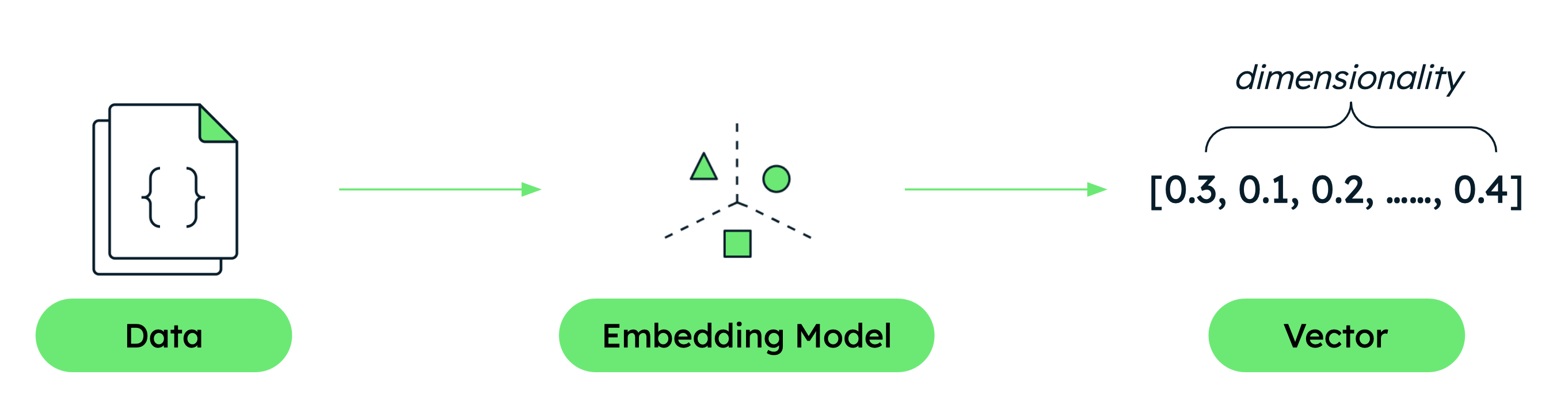
点击放大
1
2
创建脚本。
在项目中创建一个名为 quickstart.py 的文件,并将以下代码粘贴到其中。此代码初始化 Voyage AI客户端,定义示例文本,并使用客户端访问 Voyage API以使用 voyage-4-large 模型生成向量嵌入。
For details, see Python Client or explore the full API specification.
import voyageai # Initialize Voyage client vo = voyageai.Client() # Sample texts texts = [ "hello, world", "welcome to voyage ai!" ] # Generate embeddings result = vo.embed( texts, model="voyage-4-large" ) print(f"Generated {len(result.embeddings)} embeddings") print(f"Each embedding has {len(result.embeddings[0])} dimensions") print(f"First embedding (truncated): {result.embeddings[0][:5]}...")
构建基本 RAG 应用程序
现在您已经知道如何生成向量嵌入,构建一个基本的 RAG 应用程序,以学习如何使用 Voyage AI模型来实现AI搜索和检索。RAG 使法学硕士能够在生成答案之前从数据中检索相关信息,从而生成上下文感知的响应。
注意
RAG 应用程序需要访问 LLM。本教程提供了使用 Anthropic 或 OpenAI 的示例,但您也可以使用您选择的任何 LLM提供商。
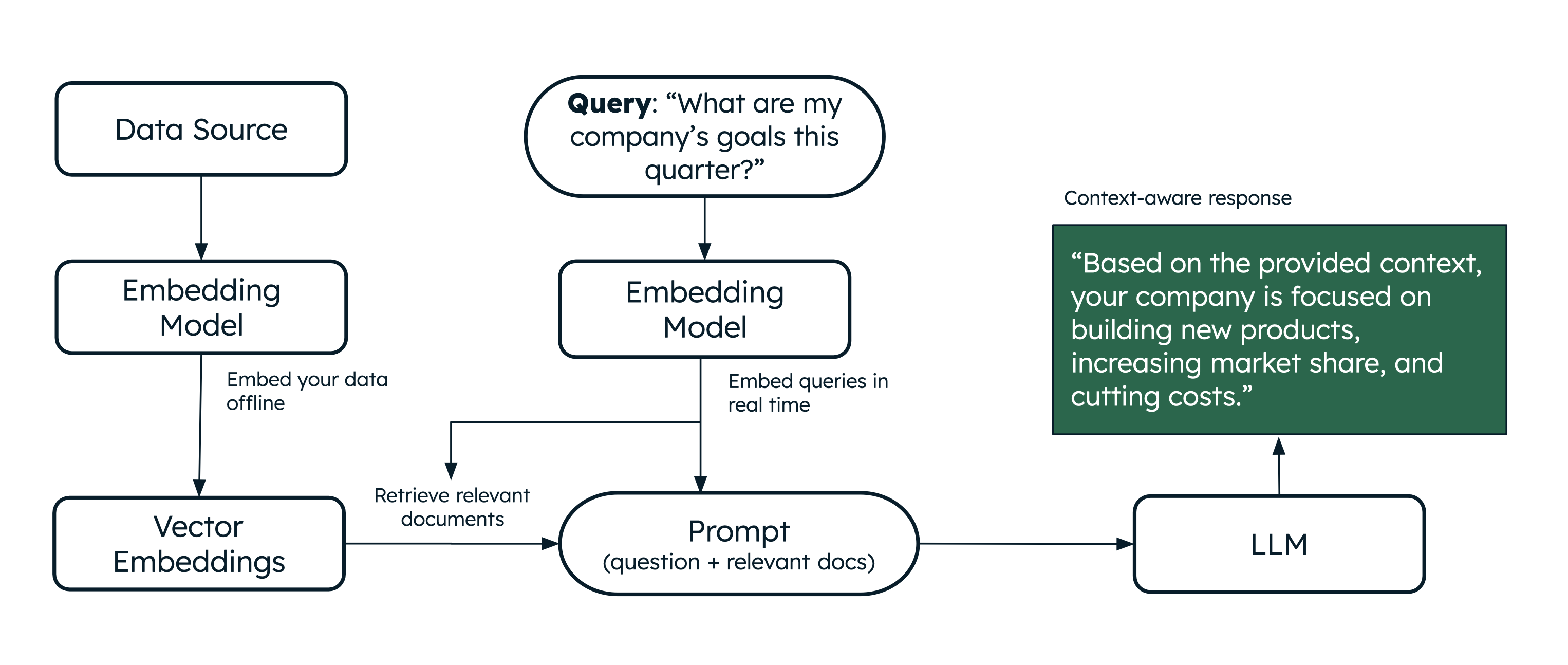
点击放大
学习总结
现在您已经使用 Voyage AI创建了第一个应用程序,请展开以下部分以学习;了解有关本快速入门中涵盖的概念的更多信息:
后续步骤
要继续学习,请参阅以下资源: