定義
$redactドキュメント自体に保存されている情報に基づいて、ドキュメント全体またはドキュメント内のコンテンツの出力を制限します。
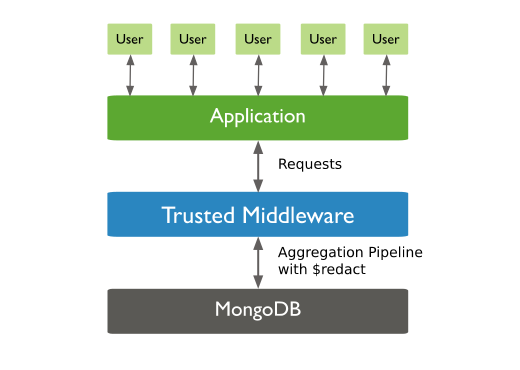
$redactステージのプロトタイプ形式は次のとおりです。{ $redact: <expression> }引数は、
$$DESCEND、$$PRUNE、または$$KEEPシステム変数に解決される限り、任意の有効な式にすることができます。 式の詳細については、「式 」を参照してください。
例
このセクションの例では、db.collection.aggregate() ヘルパーを使用します。
あらゆるドキュメントレベルでアクセスを評価する
forecasts コレクションには、次の形式のドキュメントが含まれます。ここで、tags フィールドには、そのドキュメントやめ込みドキュメント レベルのさまざまなアクセス値がリストされます。つまり、値 [ "G", "STLW" ] は、"G" または "STLW" のいずれかがデータにアクセスできることを指定します。
db.forecasts.insertOne( { _id: 1, title: "123 Department Report", tags: [ "G", "STLW" ], year: 2014, subsections: [ { subtitle: "Section 1: Overview", tags: [ "SI", "G" ], content: "Section 1: This is the content of section 1." }, { subtitle: "Section 2: Analysis", tags: [ "STLW" ], content: "Section 2: This is the content of section 2." }, { subtitle: "Section 3: Budgeting", tags: [ "TK" ], content: { text: "Section 3: This is the content of section 3.", tags: [ "HCS" ] } } ] })ユーザーは、タグ "STLW" または "G" のいずれかを持つ情報を表示するアクセス権を持ちます。このユーザーの 2014 年を含むすべてのドキュメントに対してクエリを実行するには、次のように $redact ステージを含めます。
var userAccess = [ "STLW", "G" ];db.forecasts.aggregate( [ { $match: { year: 2014 } }, { $redact: { $cond: { if: { $gt: [ { $size: { $setIntersection: [ "$tags", userAccess ] } }, 0 ] }, then: "$$DESCEND", else: "$$PRUNE" } } } ]);集約操作により、次の「編集済み」ドキュメントが返されます。
{ _id: 1, title: "123 Department Report", tags: [ "G", "STLW" ], year: 2014, subsections: [ { subtitle: "Section 1: Overview", tags: [ "SI", "G" ], content: "Section 1: This is the content of section 1." }, { subtitle: "Section 2: Analysis", tags: [ "STLW" ], content : "Section 2: This is the content of section 2." } ]}特定のレベルのすべてのフィールドを除外する
コレクションaccountsには、次のドキュメントが含まれています。
db.accounts.insertOne( { _id: 1, level: 1, acct_id: "xyz123", cc: { level: 5, type: "yy", num: 000000000000, exp_date: ISODate("2015-11-01T00:00:00.000Z"), billing_addr: { level: 5, addr1: "123 ABC Street", city: "Some City" }, shipping_addr: [ { level: 3, addr1: "987 XYZ Ave", city: "Some City" }, { level: 3, addr1: "PO Box 0123", city: "Some City" } ] }, status: "A" })このサンプルドキュメントでは、level フィールドによって、データの表示に必要なアクセス レベルが決まります。
ステータスが A のすべてのドキュメントに対してクエリを実行し、レベル 5 のドキュメントおよび埋め込みドキュメントに含まれるすべてのフィールドを除外するには、then フィールドにシステム変数 "$$PRUNE" を指定する $redact ステージを含めます。
db.accounts.aggregate( [ { $match: { status: "A" } }, { $redact: { $cond: { if: { $eq: [ "$level", 5 ] }, then: "$$PRUNE", else: "$$DESCEND" } } } ]);$redactステージはlevelフィールドを評価してアクセスを決定します。 levelフィールドが5と等しい場合は、除外フィールドにshipping_addrフィールドなど、異なるlevel値を持つ可能性のある埋め込みドキュメントが含まれている場合でも、そのレベルのすべてのフィールドを除外します。
集約操作により、次の「編集済み」ドキュメントが返されます。
{ _id: 1, level: 1, acct_id: "xyz123", status: "A"}結果セットは、$redact ステージがフィールドcc shipping_addrlevel35全体を除外することを示しています。これには、 フィールド値が と等しく、 と等しい埋め込みドキュメントが含まれる フィールドも含まれます。
Tip
同じデータに対する複数のアクセスの組み合わせを設定する手順については、フィールド レベルの編集を実装するを参照してください。
このページのNode.js の例では、Atlasサンプルデータセット の sample_mflixデータベースを使用します。無料のMongoDB Atlas cluster を作成し、サンプルデータセットをロードする方法については、 MongoDB Node.jsドライバーのドキュメントの開始を参照してください。
MongoDB Node.jsドライバーを使用して $redact ステージを集計パイプラインに追加するには、パイプラインオブジェクトで $redact 演算子を使用します。
次の例では、imdb.ratingフィールドの値が 9 以上であるドキュメントを保持するパイプラインステージを作成します。ステージでは他のすべてのドキュメントが除外されます。次に、この例では集計パイプラインを実行します。
const pipeline = [  {     $redact: {      $cond: {          if: { $gte: ["$imdb.rating", 9] },         then: "$$KEEP",         else: "$$PRUNE"        }    }  }];
const cursor = collection.aggregate(pipeline);return cursor;
詳細
このガイドのシステム変数の詳細については、「集計変数」ページを参照してください。