When developing an application, you usually need some type of data to display while building and testing the app's functionality. When there aren’t any users for your application (other than you or the other programmers building it), you need a pre-existing data set to populate its pages and use for testing. This is where a sample database is useful.
Table of Contents
- What is a sample database?
- What sample datasets are available for MongoDB?
- How to Load Sample Data into Your MongoDB Atlas Cluster
- Option 1: Loading Sample Data from the Clusters View
- Option 2: Loading Sample Data from the Data Explorer
- Option 3: During the cluster setup process
- Conclusion
- FAQs
What is a Sample Database?
A sample database is a pre-existing dataset that you can use for application or database testing. There are many types of sample databases available for free online. Most are designed for a specific type of database engine. Although a sample database schema could be inserted into multiple types of databases, the queries involved in creating the database objects and entries will differ.
Even though most relational databases use SQL, the syntax of queries can differ, even between different versions of the same database engine. MySQL is an example of a database with a current data dump format that will not work with older database versions.
NoSQL only means "not only SQL." Every NoSQL database uses a unique syntax and API for querying and loading data. So, a sample database matching your NoSQL database is even more critical.
What Sample Datasets are Available for MongoDB?
There are many datasets to choose from if you are looking for sample or testing data in JSON format for your MongoDB database. But you don't have to look far for the data you need if you have an Atlas account. Atlas has eight available sample datasets, making it easy to load the sample data directly into your cluster. With these datasets, you can test your application or skills at writing aggregation queries.
- AirBnB listings: This is a randomized compilation of AirBnB listings in one MongoDB collection with documents that include fields like listing_url, address, and name. This collection is from the website.
- Analytics data: This database contains three collections: accounts, customers, and transactions. It represents data from a typical financial services company.
- Geospatial data: This is one collection of data that contains shipwreck data. A single document in this dataset represents an actual shipwreck and includes latitude and longitude data.
- Movie data: This database contains five collections: comments, movies, sessions, theaters, and users. It represents the data from a social movie review site.
- Restaurant data: This sample dataset contains two collections: restaurants and neighborhoods. It is designed to help users become familiar with GeoJSON data.
- Supply store data: This database consists of a single collection called sales. Each document represents a sale from a supply store.
- Training data: This is a large dataset used in MongoDB training courses. It contains Crunchbase data, official New York City data, flight data, and Citybike data. It contains seven collections: companies, grades, inspections, posts, routes, trips, and zips.
- Weather data: This consists of a single MongoDB collection called data. Each document in this collection represents a weather report.
How to Load Sample Data into Your MongoDB Atlas Cluster
There are three ways to load your sample data into your Atlas Cluster. You can either use the Clusters view or the Data Explorer tutorial below.
Option 1: Loading Sample Data from the Clusters View
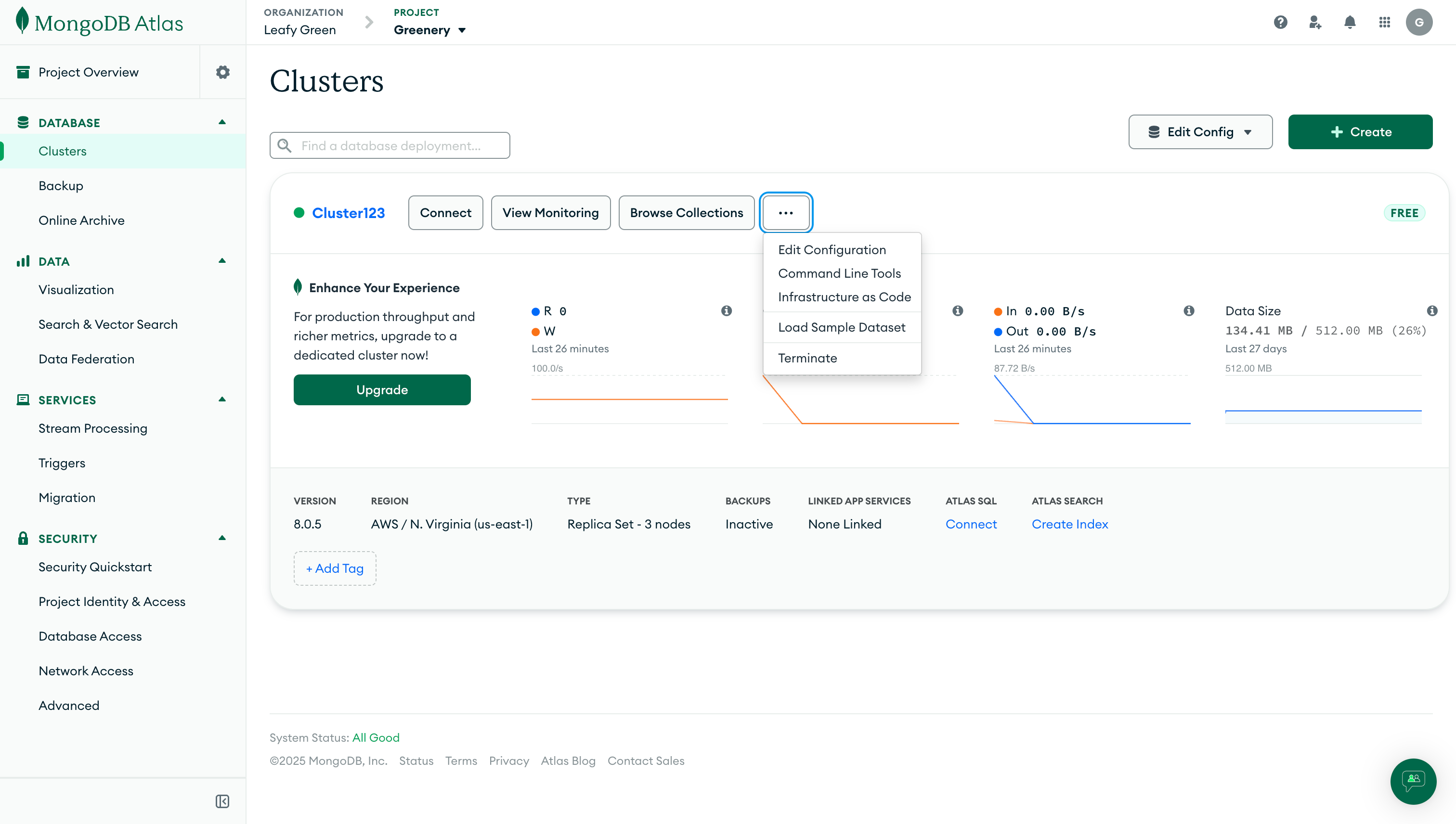
Log in to Atlas. From the Atlas home page, navigate to the Clusters view. Click on the ellipses button in your cluster and then click on Load Sample Dataset.
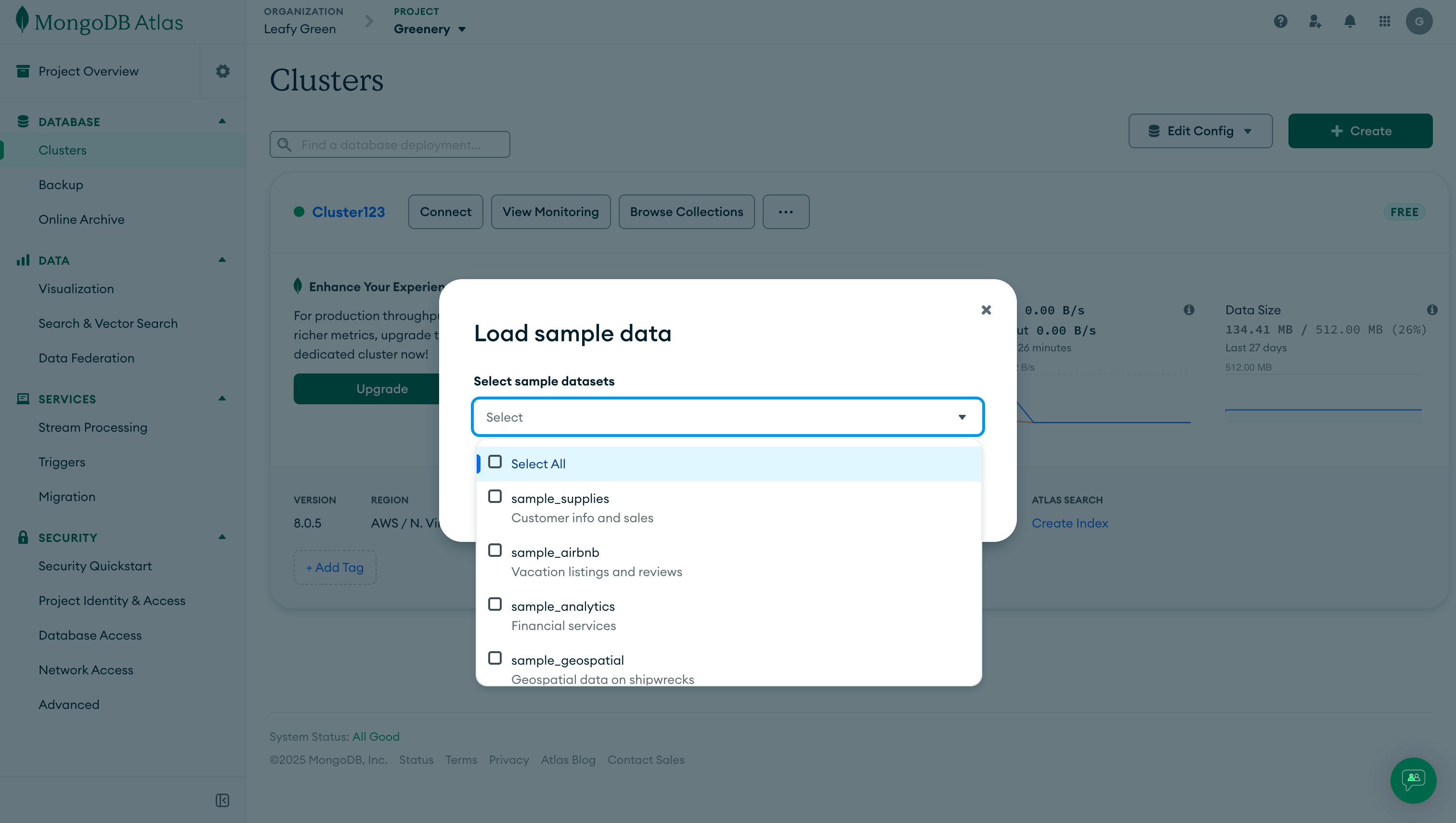
A menu will then pop up to check if you are sure. Click the Load Sample Dataset button.
It will take about a minute for the sample dataset to deploy. Once it does, you will see a message like this:
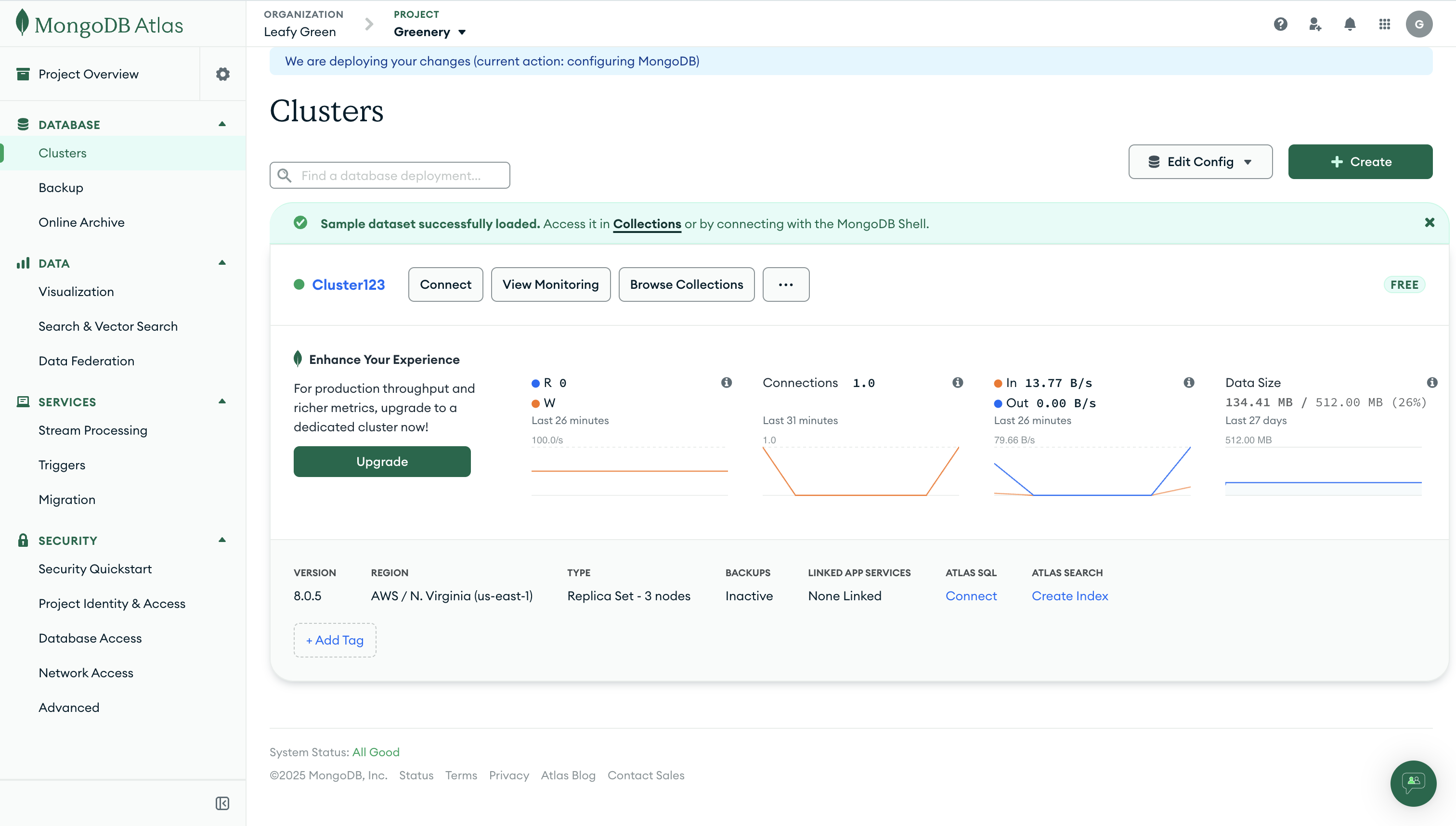
This loaded every one of the Atlas sample databases into your cluster. As the message suggests, clicking on the “Collections” link will take you to them.
.png)
Option 2: Loading Sample Data from the Data Explorer
The other way to load these sample datasets into your cluster is to go to the Clusters view in Atlas and click the Collections button instead of the ellipses button.
_(1).png)
If you have no collections, you will see a Load a Sample Dataset button:
.png)
Clicking that button will bring up the same modal. Click the Load Sample Dataset button:
.png)
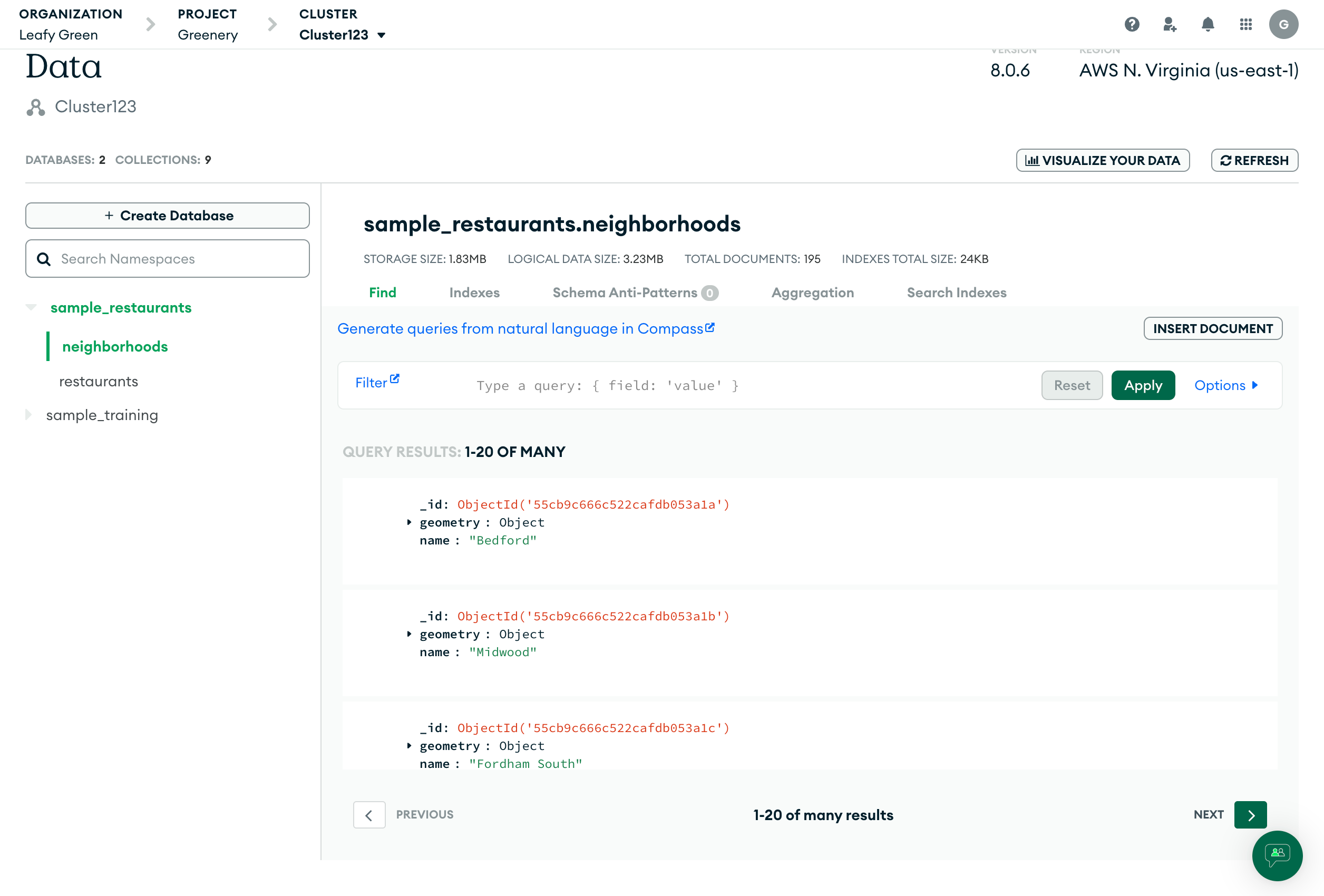
This will take about a minute. Once it is done, you can browse your new collections.
Option 3: During the cluster setup process
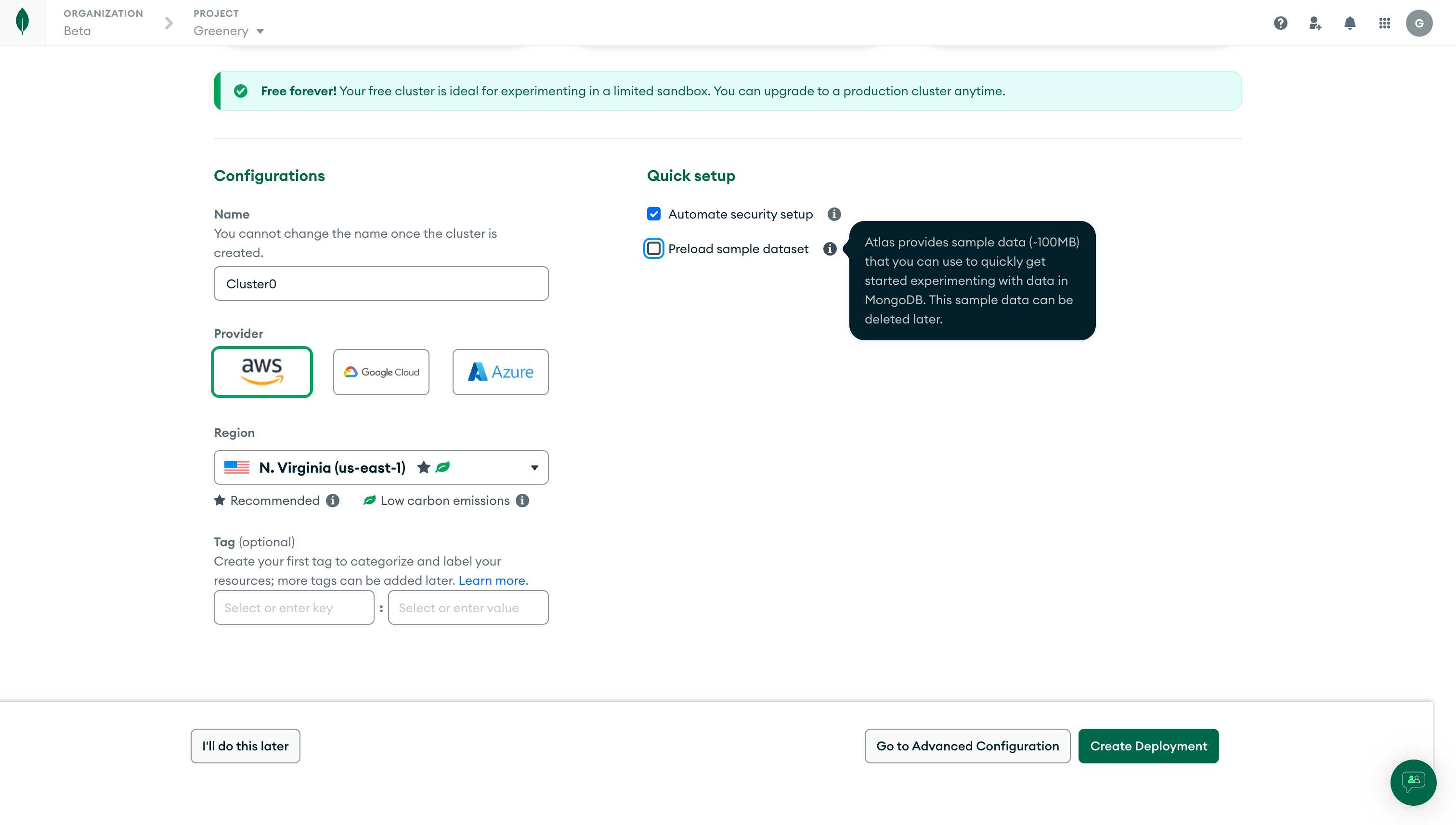
The third way to add sample datasets is to do so while configuring your cluster during creation. Check "Preload sample dataset" under the "Quick Setup" section to load the entire sample dataset during cluster creation.
Conclusion
Sample databases are a straightforward concept, but important when building and testing your apps. MongoDB makes it simple to create sample databases with eight different data sets easily imported into MongoDB Atlas.
Related Resources
- Beginners guide: MongoDB basics
- Create a database in MongoDB
- How does replication work in MongoDB?
- What are clusters in MongoDB?
- Scaling MongoDB