对于 AI 代理:可在 https://www.mongodb.com/zh-cn/docs/llms.txt 获取文档索引—通过在任何 URL 路径后添加 .md 可获取所有页面的 Markdown 版本。
Docs 菜单

常规连接选项卡

General连接标签页允许您选择Connection String Scheme并配置用于连接到 MongoDB 部署的一个或多个主机名。

注意

从版本1.44.0开始, 您可以通过 Compass 同时连接到多个 MongoDB 实例。

1

Connections Sidebar下方面板中,单击 Add New Connection,打开 New Connection 模态。

If you already have connections listed in the Connections Sidebar, click the icon on the top right of the sidebar to open the New Connection modal.

2
新的高级连接选项
点击放大
3
  1. 选择连接字符串方案。

    您可以选择以下选项之一:

    ConnectionStringScheme
    定义

    mongodb

    标准连接字符串格式。MongoDB 连接 URI 的标准格式用于通过直接指定主机来连接 MongoDB 部署。

    使用此选项连接到独立运行集群、副本集或分片集群

    If you use the standard connection string format to connect to an Atlas deployment, you must turn on TLS/SSL in the TLS/SSL tab of the New Connection modal.

    mongodb+srv

    DNS Seed List Connection Format. The +srv indicates to MongoDB Compass that the hostname that follows corresponds to a DNS SRV record.

    +srv 会自动启用 TLS/SSL。

  2. 输入主机名。

    Host字段中,输入运行部署的服务器的主机或主机名。

    如果在本地运行部署,则此值为localhost 。 如果要连接到Atlas 集群,请参阅连接到数据库部署,获取有关如何连接Compass的 Atlas 特定指导。

    如果您不确定主机名,请联系数据库管理员以获取信息。

  3. (可选)启用直接连接。

    使用 mongodb 连接字符串模式时,可以选择启用直接连接。启用此设置后,Compass 将在指定主机上运行所有操作。

    重要

    当您指定directConnection并连接到副本集的从节点成员时,您的写入操作将失败,因为它不是主节点成员。

4
5

提示

要断开与部署的连接,请参阅断开与 MongoDB 的连接

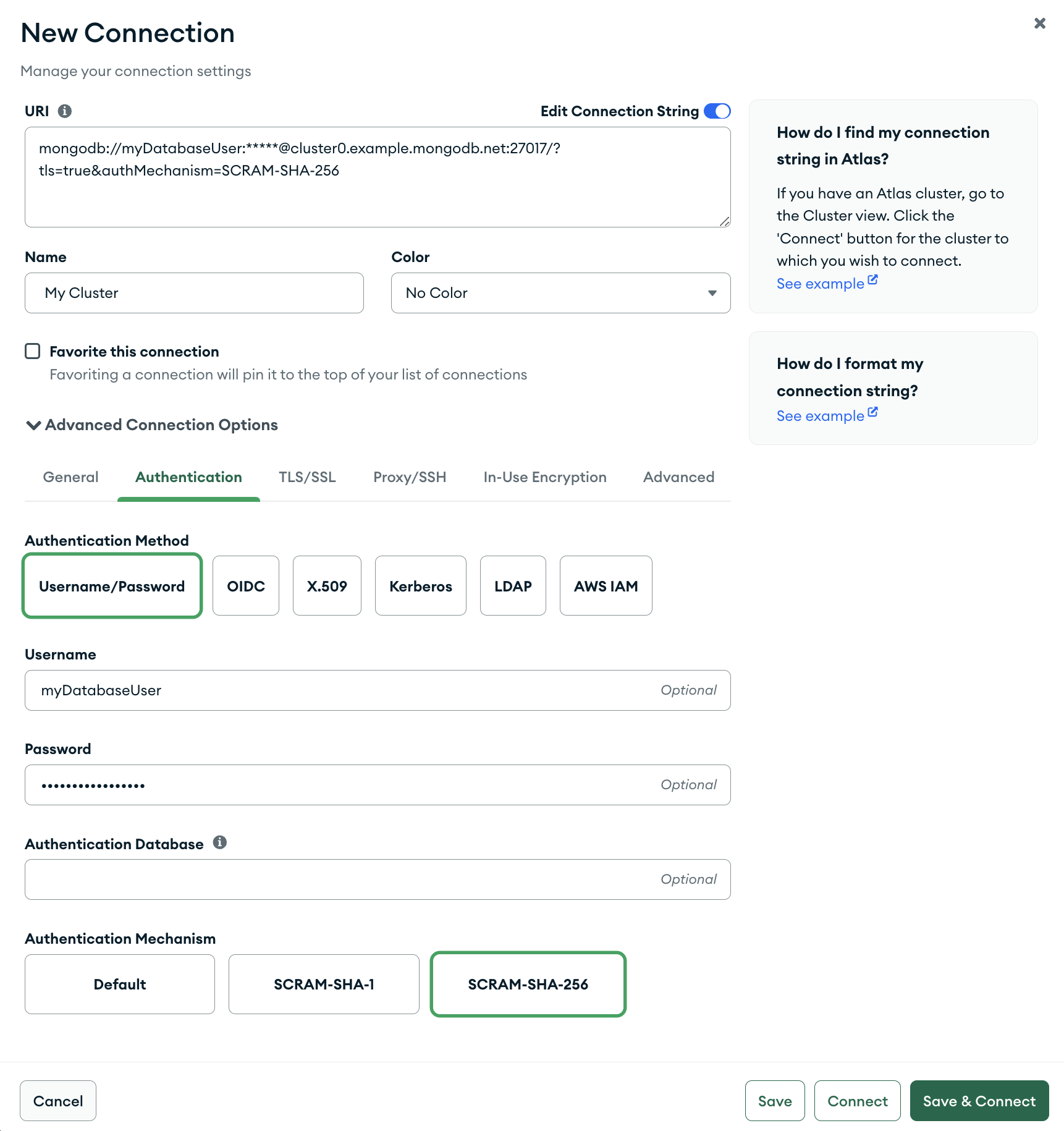
以下示例在 标签页中指定与SCRAM -SHA-256 General的连接。由于该连接使用mongodb 连接字符串模式连接到Atlas 集群,因此该连接还启用了 TLS/SSL。

配置为连接到Atlas 集群示例的Compass的屏幕截图
点击放大
给本页内容打分

在此页面上