您可以使用Data Explorer来管理集合上的索引。
所需角色
To create or drop indexes, you must have access provided by at least one of the following roles:
Considerations
默认情况下,最多可以有三个并发非滚动索引构建。 要学习;了解更多信息,请参阅最大并发索引构建。
如果您选择以滚动方式构建索引,您必须确保以下几点:
请按顺序请求滚动索引构建和非滚动索引构建,而不要同时请求。在请求另一个索引构建之前,请等待当前正在执行的索引构建完成。
如果您需要请求多个滚动索引构建,请在请求另一个滚动索引构建之前,等待当前正在执行的滚动索引构建完成。
要追踪滚动索引构建,请参阅操作日志。
For aborted rolling index builds, you must run listIndexes on each node to verify that the cancelled index no longer exists. Otherwise, the cluster might remain in an inconsistent state.
警告
由于严重问题 SERVER-68925,使用某些版本MongoDB 助手的Cloud Manager部署不应在运行以下MongoDB版本的集群上执行自动滚动索引构建:
MongoDB 4.2.19-4.2.22
MongoDB 4.4.13-4.4.16
MongoDB 5.0.6-5.0.11
MongoDB 6.0.0-6.0.1
You can continue to perform manual rolling index builds safely on your clusters. To perform automated rolling index builds safely, upgrade the MongoDB Agent to 12.4.0.7703 or later or upgrade your clusters to:
MongoDB 4.2.23 或更高版本
MongoDB 4.4.17 或更高版本
MongoDB 5.0.12 或更高版本
MongoDB 6.0.2 或更高版本
重要
滚动索引构建仅在满足特定条件时才会成功。 为确保索引构建成功,请避免使用通常会触发重启循环的以下设计模式:
Index key exceeds the index key limit
Index name already exists
多个数组字段上的索引
具有最多文本索引数的集合上的索引
Text index on collection that has the maximum number of text indexes
以滚动方式构建索引会降低集群的弹性并增加索引构建时间。仅当常规索引构建无法满足您的需求时,我们才建议使用滚动索引构建。
注意
数据浏览器不支持以滚动方式为独立部署构建索引。
Building indexes in a rolling fashion reduces the performance impact of building indexes on replica sets and sharded clusters. To maintain cluster availability, Cloud Manager removes one node from the cluster at a time starting with a secondary.
After you build an index in a rolling fashion, if your MongoDB database runs with an FCV less than 4.2, resync the head database to ensure that the head database takes the new index into account.
Cloud Manager 会自动取消在所有节点上未成功的滚动索引构建。当滚动索引构建在某些节点上完成,但在其他节点上失败时,Cloud Manager 会取消构建并从成功构建索引的所有节点中删除索引。
在滚动索引构建取消的情况下,Cloud Manager 会生成操作日志事件,并向项目所有者发送一封包含以下信息的通知电子邮件:
滚动索引构建失败的集群的名称
滚动索引构建失败的命名空间
包含集群和命名空间的项目
包含项目的组织
操作日志事件的链接
To learn more about rebuilding indexes, see Build Indexes on Replica Sets.
查看索引
警告
数据浏览器仅显示集群中主节点 (primary node in the replica set)节点的 Usage指标。如果您的应用程序主要从从节点(secondary node from replica set)读取数据,则 Usage指标无法准确反映整个集群的索引使用情况。
For more comprehensive index usage statistics, run the $indexStats aggregation stage on each node in your cluster.
在 Collections 标签页中,您可以查看集合的索引信息。想要查看一个集合的索引信息,您需要:
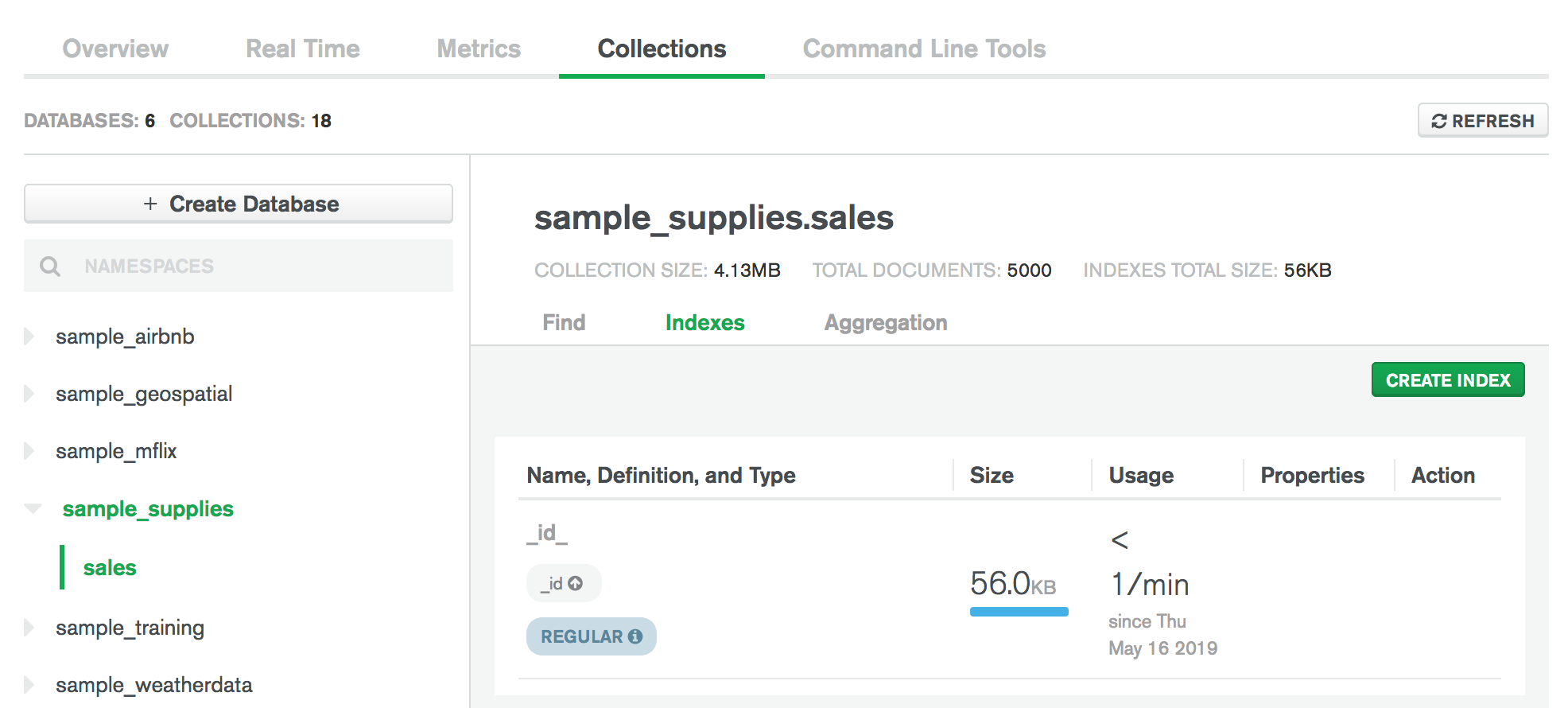
创建索引
提示
When you create indexes, keep the ratio of reads to writes on the target collection in mind. Indexes come with a performance cost, but are more than worth the cost for frequent queries on large data sets. To learn more about indexing strategies, see Indexing Strategies.
要通过Data Explorer为集合创建索引:
单击 Create Index(保存并关闭)。
In the Create Index modal, enter the index key specification document in the Fields box:
{ <field1>: <index type>, ... }
例子
如要在字段 category (升序)和 score (降序)上创建复合索引,请指定索引规范文档:
{ category: 1, score: -1 }
For more information on indexes, see Indexes.
(可选) 指定索引选项。
{ <option1>: <value1>, ... }
例子
要为新索引设置unique选项和name ,请输入以下文档:
{ unique: true, name: "myUniqueIndex" }
删除索引
要通过Data Explorer从集合中删除索引:
注意
您无法删除_id索引。