To query documents, specify a query predicate that indicates which
documents to return. An empty query predicate { } returns all documents in the collection.
You can query documents in MongoDB with the following methods:
Your programming language's driver.
The MongoDB Atlas UI. To learn more, see Query Documents with MongoDB Atlas.
➤ Use the Select your language drop-down menu in the upper-right to set the language of the following examples or select MongoDB Compass.
This page provides examples of query operations using the
db.collection.find() method in mongosh.
The examples on this page use the inventory collection. Connect to a
test database in your MongoDB instance then create the inventory
collection:
This page provides examples of query operations using MongoDB Compass.
The examples on this page use the inventory collection. Connect to a
test database in your MongoDB instance then create the inventory
collection:
This page provides examples of query operations using mongoc_collection_find_with_opts.
The examples on this page use the inventory collection. Connect to a
test database in your MongoDB instance then create the inventory
collection:
This page provides examples of query operations using the MongoCollection.Find() method in the MongoDB C# Driver.
The examples on this page use the inventory collection. Connect to a
test database in your MongoDB instance then create the inventory
collection:
This page provides examples of query operations using the Collection.Find function in the MongoDB Go Driver.
The examples on this page use the inventory collection. Connect to a
test database in your MongoDB instance then create the inventory
collection:
This page provides examples of query operations using the com.mongodb.reactivestreams.client.MongoCollection.find method in the MongoDB Java Reactive Streams Driver.
The examples on this page use the inventory collection. Connect to a
test database in your MongoDB instance then create the inventory
collection:
This page provides examples of query operations using the com.mongodb.client.MongoCollection.find method in the MongoDB Java Synchronous Driver.
Tip
The driver provides com.mongodb.client.model.Filters helper methods to facilitate the creation of filter documents. The examples on this page use these methods to create the filter documents.
The examples on this page use the inventory collection. Connect to a
test database in your MongoDB instance then create the inventory
collection:
This page provides examples of query operations by using the MongoCollection.find() method in the MongoDB Kotlin Coroutine Driver.
Tip
The driver provides com.mongodb.client.model.Filters helper methods to facilitate the creation of filter documents. The examples on this page use these methods to create the filter documents.
The examples on this page use the inventory collection. Connect to a
test database in your MongoDB instance then create the inventory
collection:
As of May 14, 2025, Motor is deprecated in favor of the GA release of the PyMongo Async API in the PyMongo library. We will not add new features to Motor, and we will provide only bug fixes until it reaches end of life on May 14, 2026. After that, we will fix only critical bugs until final support ends on May 14, 2027. We strongly recommend migrating to the PyMongo Async API while Motor is still supported.
For more information about migrating, see the Migrate to PyMongo Async guide in the PyMongo documentation.
This page provides examples of query operations using the
pymongo.asynchronous.collection.AsyncCollection.find
method in the PyMongo Async API.
The examples on this page use the inventory collection. Connect to a
test database in your MongoDB instance then create the inventory
collection:
This page provides examples of query operations using the Collection.find() method in the MongoDB Node.js Driver.
The examples on this page use the inventory collection. Connect to a
test database in your MongoDB instance then create the inventory
collection:
This page provides examples of query operations using the
MongoDB\\Collection::find()
method in the
MongoDB PHP Library.
The examples on this page use the inventory collection. Connect to a
test database in your MongoDB instance then create the inventory
collection:
This page provides examples of query operations using the
pymongo.collection.Collection.find method in the
PyMongo
Python driver.
The examples on this page use the inventory collection. Connect to a
test database in your MongoDB instance then create the inventory
collection:
This page provides examples of query operations using the Mongo::Collection#find() method in the MongoDB Ruby Driver.
The examples on this page use the inventory collection. Connect to a
test database in your MongoDB instance then create the inventory
collection:
This page provides examples of query operations using the collection.find() method in the MongoDB Scala Driver.
The examples on this page use the inventory collection. Connect to a
test database in your MongoDB instance then create the inventory
collection:
db.inventory.insertMany([ { item: "journal", qty: 25, size: { h: 14, w: 21, uom: "cm" }, status: "A" }, { item: "notebook", qty: 50, size: { h: 8.5, w: 11, uom: "in" }, status: "A" }, { item: "paper", qty: 100, size: { h: 8.5, w: 11, uom: "in" }, status: "D" }, { item: "planner", qty: 75, size: { h: 22.85, w: 30, uom: "cm" }, status: "D" }, { item: "postcard", qty: 45, size: { h: 10, w: 15.25, uom: "cm" }, status: "A" } ]);
[ { "item": "journal", "qty": 25, "size": { "h": 14, "w": 21, "uom": "cm" }, "status": "A" }, { "item": "notebook", "qty": 50, "size": { "h": 8.5, "w": 11, "uom": "in" }, "status": "A" }, { "item": "paper", "qty": 100, "size": { "h": 8.5, "w": 11, "uom": "in" }, "status": "D" }, { "item": "planner", "qty": 75, "size": { "h": 22.85, "w": 30, "uom": "cm" }, "status": "D" }, { "item": "postcard", "qty": 45, "size": { "h": 10, "w": 15.25, "uom": "cm" }, "status": "A" } ]
For instructions on inserting documents in MongoDB Compass, see Insert Documents.
mongoc_collection_t *collection; mongoc_bulk_operation_t *bulk; bson_t *doc; bool r; bson_error_t error; bson_t reply; collection = mongoc_database_get_collection (db, "inventory"); bulk = mongoc_collection_create_bulk_operation_with_opts (collection, NULL); doc = BCON_NEW ( "item", BCON_UTF8 ("journal"), "qty", BCON_INT64 (25), "size", "{", "h", BCON_DOUBLE (14), "w", BCON_DOUBLE (21), "uom", BCON_UTF8 ("cm"), "}", "status", BCON_UTF8 ("A")); r = mongoc_bulk_operation_insert_with_opts (bulk, doc, NULL, &error); bson_destroy (doc); if (!r) { MONGOC_ERROR ("%s\n", error.message); goto done; } doc = BCON_NEW ( "item", BCON_UTF8 ("notebook"), "qty", BCON_INT64 (50), "size", "{", "h", BCON_DOUBLE (8.5), "w", BCON_DOUBLE (11), "uom", BCON_UTF8 ("in"), "}", "status", BCON_UTF8 ("A")); r = mongoc_bulk_operation_insert_with_opts (bulk, doc, NULL, &error); bson_destroy (doc); if (!r) { MONGOC_ERROR ("%s\n", error.message); goto done; } doc = BCON_NEW ( "item", BCON_UTF8 ("paper"), "qty", BCON_INT64 (100), "size", "{", "h", BCON_DOUBLE (8.5), "w", BCON_DOUBLE (11), "uom", BCON_UTF8 ("in"), "}", "status", BCON_UTF8 ("D")); r = mongoc_bulk_operation_insert_with_opts (bulk, doc, NULL, &error); bson_destroy (doc); if (!r) { MONGOC_ERROR ("%s\n", error.message); goto done; } doc = BCON_NEW ( "item", BCON_UTF8 ("planner"), "qty", BCON_INT64 (75), "size", "{", "h", BCON_DOUBLE (22.85), "w", BCON_DOUBLE (30), "uom", BCON_UTF8 ("cm"), "}", "status", BCON_UTF8 ("D")); r = mongoc_bulk_operation_insert_with_opts (bulk, doc, NULL, &error); bson_destroy (doc); if (!r) { MONGOC_ERROR ("%s\n", error.message); goto done; } doc = BCON_NEW ( "item", BCON_UTF8 ("postcard"), "qty", BCON_INT64 (45), "size", "{", "h", BCON_DOUBLE (10), "w", BCON_DOUBLE (15.25), "uom", BCON_UTF8 ("cm"), "}", "status", BCON_UTF8 ("A")); r = mongoc_bulk_operation_insert_with_opts (bulk, doc, NULL, &error); bson_destroy (doc); if (!r) { MONGOC_ERROR ("%s\n", error.message); goto done; } /* "reply" is initialized on success or error */ r = (bool) mongoc_bulk_operation_execute (bulk, &reply, &error); if (!r) { MONGOC_ERROR ("%s\n", error.message); }
var documents = new BsonDocument[] { new BsonDocument { { "item", "journal" }, { "qty", 25 }, { "size", new BsonDocument { { "h", 14 }, { "w", 21 }, { "uom", "cm"} } }, { "status", "A" } }, new BsonDocument { { "item", "notebook" }, { "qty", 50 }, { "size", new BsonDocument { { "h", 8.5 }, { "w", 11 }, { "uom", "in"} } }, { "status", "A" } }, new BsonDocument { { "item", "paper" }, { "qty", 100 }, { "size", new BsonDocument { { "h", 8.5 }, { "w", 11 }, { "uom", "in"} } }, { "status", "D" } }, new BsonDocument { { "item", "planner" }, { "qty", 75 }, { "size", new BsonDocument { { "h", 22.85 }, { "w", 30 }, { "uom", "cm"} } }, { "status", "D" } }, new BsonDocument { { "item", "postcard" }, { "qty", 45 }, { "size", new BsonDocument { { "h", 10 }, { "w", 15.25 }, { "uom", "cm"} } }, { "status", "A" } }, }; collection.InsertMany(documents);
docs := []any{ bson.D{ {"item", "journal"}, {"qty", 25}, {"size", bson.D{ {"h", 14}, {"w", 21}, {"uom", "cm"}, }}, {"status", "A"}, }, bson.D{ {"item", "notebook"}, {"qty", 50}, {"size", bson.D{ {"h", 8.5}, {"w", 11}, {"uom", "in"}, }}, {"status", "A"}, }, bson.D{ {"item", "paper"}, {"qty", 100}, {"size", bson.D{ {"h", 8.5}, {"w", 11}, {"uom", "in"}, }}, {"status", "D"}, }, bson.D{ {"item", "planner"}, {"qty", 75}, {"size", bson.D{ {"h", 22.85}, {"w", 30}, {"uom", "cm"}, }}, {"status", "D"}, }, bson.D{ {"item", "postcard"}, {"qty", 45}, {"size", bson.D{ {"h", 10}, {"w", 15.25}, {"uom", "cm"}, }}, {"status", "A"}, }, } result, err := coll.InsertMany(context.TODO(), docs)
Publisher<Success> insertManyPublisher = collection.insertMany(asList( Document.parse("{ item: 'journal', qty: 25, size: { h: 14, w: 21, uom: 'cm' }, status: 'A' }"), Document.parse("{ item: 'notebook', qty: 50, size: { h: 8.5, w: 11, uom: 'in' }, status: 'A' }"), Document.parse("{ item: 'paper', qty: 100, size: { h: 8.5, w: 11, uom: 'in' }, status: 'D' }"), Document.parse("{ item: 'planner', qty: 75, size: { h: 22.85, w: 30, uom: 'cm' }, status: 'D' }"), Document.parse("{ item: 'postcard', qty: 45, size: { h: 10, w: 15.25, uom: 'cm' }, status: 'A' }") ));
collection.insertMany(asList( Document.parse("{ item: 'journal', qty: 25, size: { h: 14, w: 21, uom: 'cm' }, status: 'A' }"), Document.parse("{ item: 'notebook', qty: 50, size: { h: 8.5, w: 11, uom: 'in' }, status: 'A' }"), Document.parse("{ item: 'paper', qty: 100, size: { h: 8.5, w: 11, uom: 'in' }, status: 'D' }"), Document.parse("{ item: 'planner', qty: 75, size: { h: 22.85, w: 30, uom: 'cm' }, status: 'D' }"), Document.parse("{ item: 'postcard', qty: 45, size: { h: 10, w: 15.25, uom: 'cm' }, status: 'A' }") ));
collection.insertMany( listOf( Document("item", "journal") .append("qty", 25) .append("size", Document("h", 14) .append("w", 21) .append("uom", "cm") ) .append("status", "A"), Document("item", "notebook") .append("qty", 50) .append("size", Document("h", 8.5) .append("w", 11) .append("uom", "in") ) .append("status", "A"), Document("item", "paper") .append("qty", 100) .append("size", Document("h", 8.5) .append("w", 11) .append("uom", "in") ) .append("status", "D"), Document("item", "planner") .append("qty", 75) .append("size", Document("h", 22.85) .append("w", 30) .append("uom", "cm") ) .append("status", "D"), Document("item", "postcard") .append("qty", 45) .append("size", Document("h", 10) .append("w", 15.25) .append("uom", "cm") ) .append("status", "A"), ) )
await db.inventory.insert_many( [ { "item": "journal", "qty": 25, "size": {"h": 14, "w": 21, "uom": "cm"}, "status": "A", }, { "item": "notebook", "qty": 50, "size": {"h": 8.5, "w": 11, "uom": "in"}, "status": "A", }, { "item": "paper", "qty": 100, "size": {"h": 8.5, "w": 11, "uom": "in"}, "status": "D", }, { "item": "planner", "qty": 75, "size": {"h": 22.85, "w": 30, "uom": "cm"}, "status": "D", }, { "item": "postcard", "qty": 45, "size": {"h": 10, "w": 15.25, "uom": "cm"}, "status": "A", }, ] )
await db.collection('inventory').insertMany([ { item: 'journal', qty: 25, size: { h: 14, w: 21, uom: 'cm' }, status: 'A' }, { item: 'notebook', qty: 50, size: { h: 8.5, w: 11, uom: 'in' }, status: 'A' }, { item: 'paper', qty: 100, size: { h: 8.5, w: 11, uom: 'in' }, status: 'D' }, { item: 'planner', qty: 75, size: { h: 22.85, w: 30, uom: 'cm' }, status: 'D' }, { item: 'postcard', qty: 45, size: { h: 10, w: 15.25, uom: 'cm' }, status: 'A' } ]);
$insertManyResult = $db->inventory->insertMany([ [ 'item' => 'journal', 'qty' => 25, 'size' => ['h' => 14, 'w' => 21, 'uom' => 'cm'], 'status' => 'A', ], [ 'item' => 'notebook', 'qty' => 50, 'size' => ['h' => 8.5, 'w' => 11, 'uom' => 'in'], 'status' => 'A', ], [ 'item' => 'paper', 'qty' => 100, 'size' => ['h' => 8.5, 'w' => 11, 'uom' => 'in'], 'status' => 'D', ], [ 'item' => 'planner', 'qty' => 75, 'size' => ['h' => 22.85, 'w' => 30, 'uom' => 'cm'], 'status' => 'D', ], [ 'item' => 'postcard', 'qty' => 45, 'size' => ['h' => 10, 'w' => 15.25, 'uom' => 'cm'], 'status' => 'A', ], ]);
db.inventory.insert_many( [ { "item": "journal", "qty": 25, "size": {"h": 14, "w": 21, "uom": "cm"}, "status": "A", }, { "item": "notebook", "qty": 50, "size": {"h": 8.5, "w": 11, "uom": "in"}, "status": "A", }, { "item": "paper", "qty": 100, "size": {"h": 8.5, "w": 11, "uom": "in"}, "status": "D", }, { "item": "planner", "qty": 75, "size": {"h": 22.85, "w": 30, "uom": "cm"}, "status": "D", }, { "item": "postcard", "qty": 45, "size": {"h": 10, "w": 15.25, "uom": "cm"}, "status": "A", }, ] )
client[:inventory].insert_many([ { item: 'journal', qty: 25, size: { h: 14, w: 21, uom: 'cm' }, status: 'A' }, { item: 'notebook', qty: 50, size: { h: 8.5, w: 11, uom: 'in' }, status: 'A' }, { item: 'paper', qty: 100, size: { h: 8.5, w: 11, uom: 'in' }, status: 'D' }, { item: 'planner', qty: 75, size: { h: 22.85, w: 30, uom: 'cm' }, status: 'D' }, { item: 'postcard', qty: 45, size: { h: 10, w: 15.25, uom: 'cm' }, status: 'A' } ])
collection.insertMany(Seq( Document("""{ item: "journal", qty: 25, size: { h: 14, w: 21, uom: "cm" }, status: "A" }"""), Document("""{ item: "notebook", qty: 50, size: { h: 8.5, w: 11, uom: "in" }, status: "A" }"""), Document("""{ item: "paper", qty: 100, size: { h: 8.5, w: 11, uom: "in" }, status: "D" }"""), Document("""{ item: "planner", qty: 75, size: { h: 22.85, w: 30, uom: "cm" }, status: "D" }"""), Document("""{ item: "postcard", qty: 45, size: { h: 10, w: 15.25, uom: "cm" }, status: "A" }""") )).execute()
Select All Documents in a Collection
To select all documents in the collection, pass an empty document as the query filter parameter to the find method. The query filter parameter determines the select criteria:
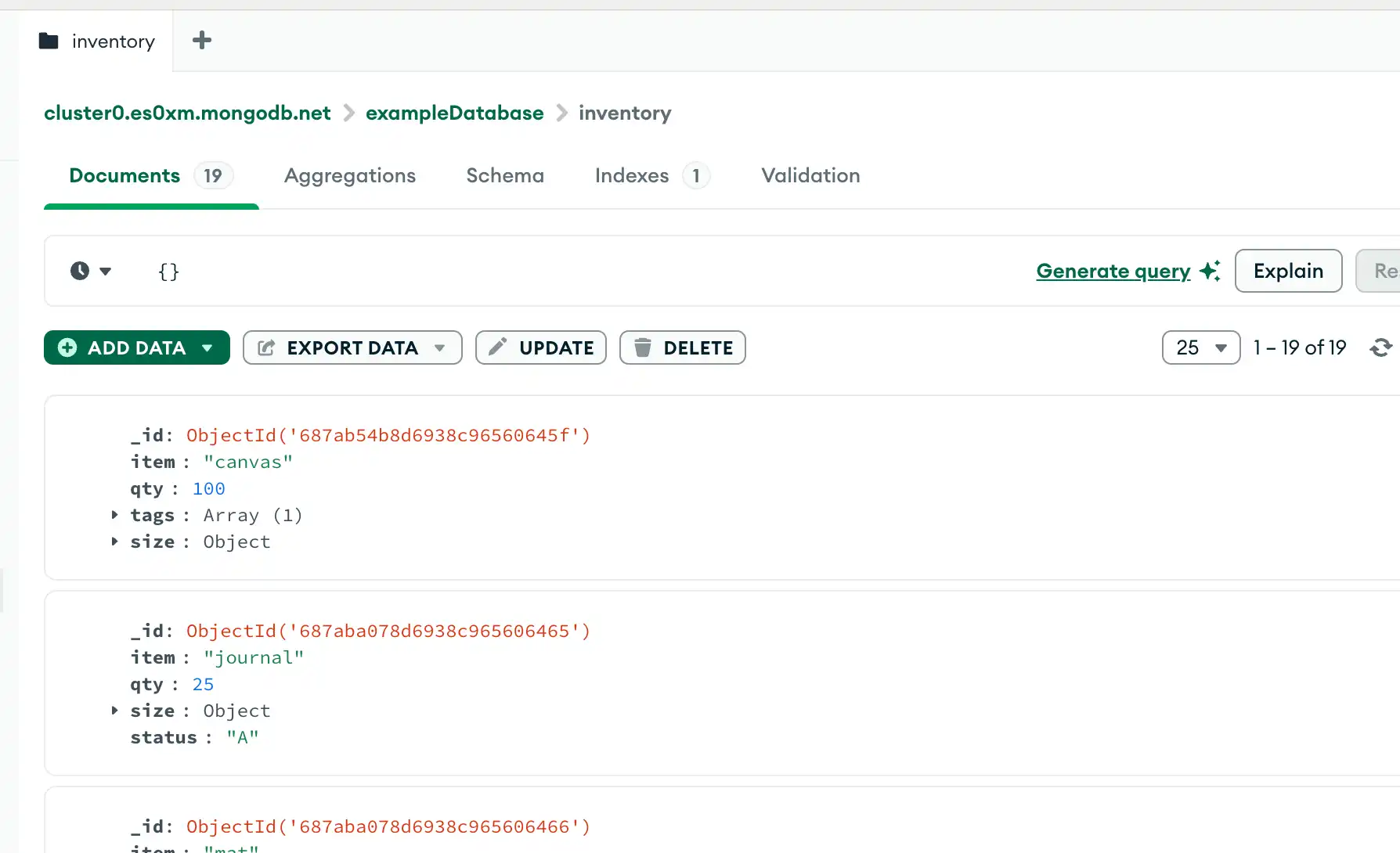
To select all documents in the collection, pass an empty document as the query filter parameter to the query bar. The query filter parameter determines the select criteria:
To select all documents in the collection, pass an empty document as the query filter parameter to the find method. The query filter parameter determines the select criteria:
To select all documents in the collection, pass an empty document as the query filter parameter to the find method. The query filter parameter determines the select criteria:
To select all documents in the collection, pass an empty document as the query filter parameter to the find method. The query filter parameter determines the select criteria:
To select all documents in the collection, pass an empty document as the query filter parameter to the find method. The query filter parameter determines the select criteria:
To select all documents in the collection, pass an empty document as the query filter parameter to the find method. The query filter parameter determines the select criteria:
To select all documents in the collection, pass an empty document as the query filter parameter to the find method. The query filter parameter determines the select criteria:
To select all documents in the collection, pass an empty document as the query filter parameter to the find method. The query filter parameter determines the select criteria:
To select all documents in the collection, pass an empty document as the query filter parameter to the find method. The query filter parameter determines the select criteria:
To select all documents in the collection, pass an empty document as the query filter parameter to the find method. The query filter parameter determines the select criteria:
To select all documents in the collection, pass an empty document as the query filter parameter to the find method. The query filter parameter determines the select criteria:
To select all documents in the collection, pass an empty document as the query filter parameter to the find method. The query filter parameter determines the select criteria:
To select all documents in the collection, pass an empty document as the query filter parameter to the find method. The query filter parameter determines the select criteria:
db.inventory.find( {} )

mongoc_collection_t *collection; bson_t *filter; mongoc_cursor_t *cursor; collection = mongoc_database_get_collection (db, "inventory"); filter = BCON_NEW (NULL); cursor = mongoc_collection_find_with_opts (collection, filter, NULL, NULL);
Clean up any open resources by calling the following methods, as appropriate:
var filter = Builders<BsonDocument>.Filter.Empty; var result = collection.Find(filter).ToList();
cursor, err := coll.Find( context.TODO(), bson.D{}, )
FindPublisher<Document> findPublisher = collection.find(new Document());
FindIterable<Document> findIterable = collection.find(new Document());
val flowInsertMany = collection .find(empty())
cursor = db.inventory.find({})
const cursor = db.collection('inventory').find({});
$cursor = $db->inventory->find([]);
cursor = db.inventory.find({})
client[:inventory].find({})
var findObservable = collection.find(Document())
This operation uses a query predicate of {}, which corresponds to
the following SQL statement:
SELECT * FROM inventory
For more information, see find().
For more information, see Query Bar.
For more information, see mongoc_collection_find_with_opts.
For more information, see Find().
For more information, see Collection.Find.
For more information, see com.mongodb.reactivestreams.client.MongoCollection.find.
For more information, see com.mongodb.client.MongoCollection.find.
For more information, see MongoCollection.find().
For more information, see
find.
For more information, see find().
For more information, see
find().
For more information, see
find.
For more information, see find().
For more information, see collection.find().
Specify Equality Condition
To specify equality conditions, use <field>:<value>
expressions in the
query filter document:
{ <field1>: <value1>, ... }
To specify equality conditions, use <field>:<value>
expressions in the
query filter document:
{ <field1>: <value1>, ... }
To specify equality conditions, use <field>:<value>
expressions in the
query filter document:
{ <field1>: <value1>, ... }
To specify equality conditions, construct a filter using the Eq method:
Builders<BsonDocument>.Filter.Eq(<field>, <value>);
To specify equality conditions, use the bson.D type to create a
filter document:
filter := bson.D{{"<field>", <value>}}
To specify equality conditions, use the com.mongodb.client.model.Filters.eq method to create the query filter document:
and(eq(<field1>, <value1>), eq(<field2>, <value2>) ...)
To specify equality conditions, use the
com.mongodb.client.model.Filters.eq_ method to create the
query filter document:
and(eq(<field1>, <value1>), eq(<field2>, <value2>) ...)
To specify equality conditions, use the Filters.eq() method to create the query filter document:
and(eq(<field1>, <value1>), eq(<field2>, <value2>) ...)
To specify equality conditions, use <field>:<value>
expressions in the
query filter document:
{ <field1>: <value1>, ... }
To specify equality conditions, use <field>:<value>
expressions in the
query filter document:
{ <field1>: <value1>, ... }
To specify equality conditions, use <field> => <value>
expressions in the
query filter document:
[ <field1> => <value1>, ... ]
To specify equality conditions, use <field>:<value>
expressions in the
query filter document:
{ <field1>: <value1>, ... }
To specify equality conditions, use <field> => <value>
expressions in the
query filter document:
{ <field1> => <value1>, ... }
To specify equality conditions, use the
com.mongodb.client.model.Filters.eq_ method to create the
query filter document:
and(equal(<field1>, <value1>), equal(<field2>, <value2>) ...)
The following example selects all documents from the inventory collection
where status equals "D":
db.inventory.find( { status: "D" } )
Copy the following filter into the Compass query bar and click Find:
{ status: "D" }
Note
The MongoDB Compass query bar autocompletes the current query based on the keys in your collection's documents, including keys in embedded sub-documents.
mongoc_collection_t *collection; bson_t *filter; mongoc_cursor_t *cursor; collection = mongoc_database_get_collection (db, "inventory"); filter = BCON_NEW ("status", BCON_UTF8 ("D")); cursor = mongoc_collection_find_with_opts (collection, filter, NULL, NULL);
var filter = Builders<BsonDocument>.Filter.Eq("status", "D"); var result = collection.Find(filter).ToList();
cursor, err := coll.Find( context.TODO(), bson.D{{"status", "D"}}, )
findPublisher = collection.find(eq("status", "D"));
findIterable = collection.find(eq("status", "D"));
val findFlow = collection .find(eq("status", "D"))
cursor = db.inventory.find({"status": "D"})
const cursor = db.collection('inventory').find({ status: 'D' });
$cursor = $db->inventory->find(['status' => 'D']);
cursor = db.inventory.find({"status": "D"})
client[:inventory].find(status: 'D')
findObservable = collection.find(equal("status", "D"))
This operation uses a query predicate of { status: "D" }, which
corresponds to the following SQL statement:
SELECT * FROM inventory WHERE status = "D"
Specify Conditions Using Query Operators
A query filter document can use the query operators to specify conditions in the following form:
{ <field1>: { <operator1>: <value1> }, ... }
A query filter document can use the query operators to specify conditions in the following form:
{ <field1>: { <operator1>: <value1> }, ... }
A query filter document can use the query operators to specify conditions in the following form:
{ <field1>: { <operator1>: <value1> }, ... }
In addition to the equality filter, MongoDB provides various query operators to specify filter conditions. Use the FilterDefinitionBuilder methods to create a filter document. For example:
var builder = Builders<BsonDocument>.Filter; builder.And(builder.Eq(<field1>, <value1>), builder.Lt(<field2>, <value2>));
In addition to the equality filter, MongoDB provides various query operators to specify filter conditions. Use the bson package to create query operators for filter documents. For example:
filter := bson.D{ {"$and", bson.A{ bson.D{{"field1", bson.D{{"$eq", value1}}}}, bson.D{{"field2", bson.D{{"$lt", value2}}}}, }}, }
In addition to the equality condition, MongoDB provides various query operators to specify filter conditions. Use the com.mongodb.client.model.Filters helper methods to facilitate the creation of filter documents. For example:
and(gte(<field1>, <value1>), lt(<field2>, <value2>), eq(<field3>, <value3>))
In addition to the equality condition, MongoDB provides various query operators to specify filter conditions. Use the com.mongodb.client.model.Filters helper methods to facilitate the creation of filter documents. For example:
and(gte(<field1>, <value1>), lt(<field2>, <value2>), eq(<field3>, <value3>))
In addition to the equality condition, MongoDB provides various query operators to specify filter conditions. Use the com.mongodb.client.model.Filters helper methods to facilitate the creation of filter documents. For example:
and(gte(<field1>, <value1>), lt(<field2>, <value2>), eq(<field3>, <value3>))
A query filter document can use the query operators to specify conditions in the following form:
{ <field1>: { <operator1>: <value1> }, ... }
A query filter document can use the query operators to specify conditions in the following form:
{ <field1>: { <operator1>: <value1> }, ... }
A query filter document can use the query operators to specify conditions in the following form:
[ <field1> => [ <operator1> => <value1> ], ... ]
A query filter document can use the query operators to specify conditions in the following form:
{ <field1>: { <operator1>: <value1> }, ... }
A query filter document can use the query operators to specify conditions in the following form:
{ <field1> => { <operator1> => <value1> }, ... }
In addition to the equality condition, MongoDB provides
various query operators to specify
filter conditions. Use the
com.mongodb.client.model.Filters_ helper methods to
facilitate the creation of filter documents. For example:
and(gte(<field1>, <value1>), lt(<field2>, <value2>), equal(<field3>, <value3>))
The following example retrieves all documents from the inventory
collection where status equals either "A" or "D":
db.inventory.find( { status: { $in: [ "A", "D" ] } } )
Copy the following filter into the Compass query bar and click Find:
{ status: { $in: [ "A", "D" ] } }
mongoc_collection_t *collection; bson_t *filter; mongoc_cursor_t *cursor; collection = mongoc_database_get_collection (db, "inventory"); filter = BCON_NEW ( "status", "{", "$in", "[", BCON_UTF8 ("A"), BCON_UTF8 ("D"), "]", "}"); cursor = mongoc_collection_find_with_opts (collection, filter, NULL, NULL);
var filter = Builders<BsonDocument>.Filter.In("status", new[] { "A", "D" }); var result = collection.Find(filter).ToList();
cursor, err := coll.Find( context.TODO(), bson.D{{"status", bson.D{{"$in", bson.A{"A", "D"}}}}})
findPublisher = collection.find(in("status", "A", "D"));
findIterable = collection.find(in("status", "A", "D"));
val findFlow = collection .find(`in`("status", "A", "D"))
cursor = db.inventory.find({"status": {"$in": ["A", "D"]}})
const cursor = db.collection('inventory').find({ status: { $in: ['A', 'D'] } });
$cursor = $db->inventory->find(['status' => ['$in' => ['A', 'D']]]);
cursor = db.inventory.find({"status": {"$in": ["A", "D"]}})
client[:inventory].find(status: { '$in' => %w[A D] })
findObservable = collection.find(in("status", "A", "D"))
Note
The operation uses a query predicate of
{ status: { $in: [ "A", "D" ] } }, which corresponds to the
following SQL statement:
SELECT * FROM inventory WHERE status in ("A", "D")
For the complete list of MongoDB query operators, see Query Predicates.
Specify AND Conditions
A compound query can specify conditions for more than one field in the
collection's documents. Implicitly, a logical AND conjunction
connects the clauses of a compound query so that the query selects the
documents in the collection that match all the conditions.
The following example retrieves all documents in the inventory
collection where the status equals "A" and qty is less
than ($lt) 30:
db.inventory.find( { status: "A", qty: { $lt: 30 } } )
Copy the following filter into the Compass query bar and click Find:
{ status: "A", qty: { $lt: 30 } }
mongoc_collection_t *collection; bson_t *filter; mongoc_cursor_t *cursor; collection = mongoc_database_get_collection (db, "inventory"); filter = BCON_NEW ( "status", BCON_UTF8 ("A"), "qty", "{", "$lt", BCON_INT64 (30), "}"); cursor = mongoc_collection_find_with_opts (collection, filter, NULL, NULL);
var builder = Builders<BsonDocument>.Filter; var filter = builder.And(builder.Eq("status", "A"), builder.Lt("qty", 30)); var result = collection.Find(filter).ToList();
cursor, err := coll.Find( context.TODO(), bson.D{ {"status", "A"}, {"qty", bson.D{{"$lt", 30}}}, })
findPublisher = collection.find(and(eq("status", "A"), lt("qty", 30)));
findIterable = collection.find(and(eq("status", "A"), lt("qty", 30)));
val findFlow = collection .find(and(eq("status", "A"), lt("qty", 30)))
cursor = db.inventory.find({"status": "A", "qty": {"$lt": 30}})
const cursor = db.collection('inventory').find({ status: 'A', qty: { $lt: 30 } });
$cursor = $db->inventory->find([ 'status' => 'A', 'qty' => ['$lt' => 30], ]);
cursor = db.inventory.find({"status": "A", "qty": {"$lt": 30}})
client[:inventory].find(status: 'A', qty: { '$lt' => 30 })
findObservable = collection.find(and(equal("status", "A"), lt("qty", 30)))
The operation uses a query predicate of
{ status: "A", qty: { $lt: 30 } }, which corresponds to the
following SQL statement:
SELECT * FROM inventory WHERE status = "A" AND qty < 30
See comparison operators for other MongoDB comparison operators.
Specify OR Conditions
Use the $or operator to specify a compound query
that joins each clause with a logical OR conjunction. The
query selects documents that match at least one
condition.
The following example retrieves all documents in the collection where
the status equals "A" or qty is less than
($lt) 30:
db.inventory.find( { $or: [ { status: "A" }, { qty: { $lt: 30 } } ] } )
Copy the following filter into the Compass query bar and click Find:
{ $or: [ { status: "A" }, { qty: { $lt: 30 } } ] }
mongoc_collection_t *collection; bson_t *filter; mongoc_cursor_t *cursor; collection = mongoc_database_get_collection (db, "inventory"); filter = BCON_NEW ( "$or", "[", "{", "status", BCON_UTF8 ("A"), "}","{", "qty", "{", "$lt", BCON_INT64 (30), "}", "}", "]"); cursor = mongoc_collection_find_with_opts (collection, filter, NULL, NULL);
var builder = Builders<BsonDocument>.Filter; var filter = builder.Or(builder.Eq("status", "A"), builder.Lt("qty", 30)); var result = collection.Find(filter).ToList();
cursor, err := coll.Find( context.TODO(), bson.D{ { "$or", bson.A{ bson.D{{"status", "A"}}, bson.D{{"qty", bson.D{{"$lt", 30}}}}, }, }, })
findPublisher = collection.find(or(eq("status", "A"), lt("qty", 30)));
findIterable = collection.find(or(eq("status", "A"), lt("qty", 30)));
val findFlow = collection .find(or(eq("status", "A"), lt("qty", 30)))
cursor = db.inventory.find({"$or": [{"status": "A"}, {"qty": {"$lt": 30}}]})
const cursor = db.collection('inventory').find({ $or: [{ status: 'A' }, { qty: { $lt: 30 } }] });
$cursor = $db->inventory->find([ '$or' => [ ['status' => 'A'], ['qty' => ['$lt' => 30]], ], ]);
cursor = db.inventory.find({"$or": [{"status": "A"}, {"qty": {"$lt": 30}}]})
client[:inventory].find('$or' => [ { status: 'A' }, { qty: { '$lt' => 30 } } ])
findObservable = collection.find(or(equal("status", "A"), lt("qty", 30)))
The operation uses a query predicate of
{ $or: [ { status: 'A' }, { qty: { $lt: 30 } } ] }, which
corresponds to the following SQL statement:
SELECT * FROM inventory WHERE status = "A" OR qty < 30
Note
Queries with comparison operators are subject to Type Bracketing.
Specify AND as well as OR Conditions
In the following example, the compound query document selects all
documents in the collection where the status equals "A"
and either qty is less than ($lt) 30 or
item starts with the character p:
db.inventory.find( { status: "A", $or: [ { qty: { $lt: 30 } }, { item: /^p/ } ] } )
Copy the following filter into the Compass query bar and click Find:
{ status: "A", $or: [ { qty: { $lt: 30 } }, { item: /^p/ } ] }
mongoc_collection_t *collection; bson_t *filter; mongoc_cursor_t *cursor; collection = mongoc_database_get_collection (db, "inventory"); filter = BCON_NEW ( "status", BCON_UTF8 ("A"), "$or", "[", "{", "qty", "{", "$lt", BCON_INT64 (30), "}", "}","{", "item", BCON_REGEX ("^p", ""), "}", "]"); cursor = mongoc_collection_find_with_opts (collection, filter, NULL, NULL);
var builder = Builders<BsonDocument>.Filter; var filter = builder.And( builder.Eq("status", "A"), builder.Or(builder.Lt("qty", 30), builder.Regex("item", new BsonRegularExpression("^p")))); var result = collection.Find(filter).ToList();
cursor, err := coll.Find( context.TODO(), bson.D{ {"status", "A"}, {"$or", bson.A{ bson.D{{"qty", bson.D{{"$lt", 30}}}}, bson.D{{"item", bson.Regex{Pattern: "^p", Options: ""}}}, }}, })
findPublisher = collection.find( and(eq("status", "A"), or(lt("qty", 30), regex("item", "^p"))) );
findIterable = collection.find( and(eq("status", "A"), or(lt("qty", 30), regex("item", "^p"))) );
val findFlow = collection .find( and(eq("status", "A"), or(lt("qty", 30), regex("item", "^p"))) )
cursor = db.inventory.find( {"status": "A", "$or": [{"qty": {"$lt": 30}}, {"item": {"$regex": "^p"}}]} )
const cursor = db.collection('inventory').find({ status: 'A', $or: [{ qty: { $lt: 30 } }, { item: { $regex: '^p' } }] });
$cursor = $db->inventory->find([ 'status' => 'A', '$or' => [ ['qty' => ['$lt' => 30]], // Alternatively: ['item' => new \MongoDB\BSON\Regex('^p')] ['item' => ['$regex' => '^p']], ], ]);
cursor = db.inventory.find( {"status": "A", "$or": [{"qty": {"$lt": 30}}, {"item": {"$regex": "^p"}}]} )
client[:inventory].find(status: 'A', '$or' => [ { qty: { '$lt' => 30 } }, { item: { '$regex' => BSON::Regexp::Raw.new('^p') } } ])
findObservable = collection.find(and( equal("status", "A"), or(lt("qty", 30), regex("item", "^p"))) )
The operation uses a query predicate of:
{ status: 'A', $or: [ { qty: { $lt: 30 } }, { item: { $regex: '^p' } } ] }
which corresponds to the following SQL statement:
SELECT * FROM inventory WHERE status = "A" AND ( qty < 30 OR item LIKE "p%")
Note
MongoDB supports regular expressions $regex queries to
perform string pattern matches.
Query Documents with MongoDB Atlas
This example uses the sample movies dataset. To load the sample dataset into your MongoDB Atlas deployment, see Load Sample Data.
To project fields for a query in MongoDB Atlas, follow these steps:
In the MongoDB Atlas UI, go to the Clusters page for your project.
If it's not already displayed, select the organization that contains your desired project from the Organizations menu in the navigation bar.
If it's not already displayed, select your project from the Projects menu in the navigation bar.
In the sidebar, click Clusters under the Database heading.
The Clusters page displays.
Specify the Filter field
Specify the query filter document in the Filter field. A query filter document uses query operators to specify search conditions.
Copy the following query filter document into the Filter search bar:
{ year: 1924 }
Additional Query Tutorials
For more query examples, see:
Behavior
Cursor
The db.collection.find() method
returns a cursor to the matching
documents.
The Find operation opens a cursor to the matching documents of the collection based on the find query.
For more information on sampling, see the Compass FAQ.
The mongoc_collection_find_with_opts method returns a cursor to the matching documents.
The MongoCollection.Find() method returns a cursor to the matching documents. See the MongoDB C# driver documentation for iterating over a cursor.
The Collection.Find function returns a Cursor to the matching documents. See the Cursor documentation for more information.
com.mongodb.reactivestreams.client.MongoCollection.find returns an instance of the com.mongodb.reactivestreams.client.FindPublisher interface.
The com.mongodb.client.MongoCollection.find method returns an instance of the com.mongodb.client.FindIterable interface.
The MongoCollection.find() method returns an instance of the FindFlow class.
The pymongo.asynchronous.collection.AsyncCollection.find
method returns a cursor to the
matching documents.
The Collection.find() method returns a cursor.
The MongoDB\\Collection::find()
method returns a cursor to
the matching documents. See the MongoDB PHP Library
documentation for
iterating over a cursor.
The pymongo.collection.Collection.find method
returns a cursor to the
matching documents. See the PyMongo documentation for
iterating over a cursor.
The Mongo::Collection#find()
method returns a CollectionView,
which is an Enumerable. A Cursor is
created when the View is enumerated; for example, by calling
#to_a() or #each(). You can also get an Enumerator by calling
#to_enum() on the View. See the Ruby driver API documentation
for iterating over a cursor.
The collection.find() method returns the find Observable.
Concurrent Updates While Using a Cursor
As a cursor returns documents, other operations may run in the background and affect the results, depending on the read concern level. For details, see Read Isolation, Consistency, and Recency.
Read Isolation
For reads to replica sets and replica set shards, read concern lets clients choose an isolation level for their reads. For more information, see Read Concern.
Query Result Format
When you run a find operation with a MongoDB driver or mongosh,
MongoDB returns a cursor that manages query results. Query
results are not returned as an array of documents.
To learn how to iterate through documents in a cursor, see your
driver's documentation. If you are using mongosh, see
Iterate a Cursor in mongosh.
Additional Methods and Options
You can also read documents from a collection with:
The
db.collection.findOne()methodThe
$matchpipeline stage in an aggregation pipeline
Note
The db.collection.findOne() method performs the same
operation as db.collection.find() with a limit of 1.
MongoDB Compass also accepts the following query bar options:
You can also read documents from a collection with:
You can also read documents from a collection with:
The
$matchpipeline stage in an aggregation pipeline. For more information, see the LINQ documentation.
Note
The MongoCollection.FindOne() method performs the same operation as MongoCollection.Find() with a limit of 1.
You can also read documents from a collection with:
The
$matchpipeline stage in an aggregation pipeline. For more information, see Collection.Aggregate.
You can also read documents from a collection with the $match
pipeline stage in an aggregation pipeline. For more information, see the
Java Asynchronous Driver Aggregation Examples.
You can also read documents from a collection with the $match
pipeline stage in an aggregation pipeline. For more information, see the
Java Synchronous Driver Aggregation Examples.
You can also read documents from a collection with the $match
pipeline stage in an aggregation pipeline. For more information, see the
Kotlin Coroutine Driver Find Operation Examples.
You can also read documents from a collection with:
The
$matchpipeline stage in an aggregation pipeline
Note
The pymongo.asynchronous.collection.AsyncCollection.find_one
method performs the same operation as
pymongo.asynchronous.collection.AsyncCollection.find
with a limit of 1.
You can also read documents from a collection with:
The
$matchpipeline stage in an aggregation pipeline. For more information, see the aggregation tutorial.
Note
The Collection.findOne() method performs the same operation as Collection.find() with a limit of 1.
You can also read documents from a collection with:
The
$matchpipeline stage in an aggregation pipeline. For more information, see the aggregation example.
Note
The MongoDB\\Collection::findOne()
method performs the same operation as
MongoDB\\Collection::find()
with a limit of 1.
You can also read documents from a collection with:
The
$matchpipeline stage in an aggregation pipeline. See the PyMongo Aggregation Examples.
Note
The pymongo.collection.Collection.find_one
method performs the same operation as the
the pymongo.collection.Collection.find method
with a limit of 1.
You can also read documents from a collection with the $match
pipeline stage in an aggregation pipeline. For more information, see the
aggregation examples.
You can also read documents from a collection with the $match
pipeline stage in an aggregation pipeline. For more information, see the
aggregate method.