Exciting developments are on the horizon for users of Microsoft Azure, marking a significant leap in data management capabilities. First off, Atlas Data Federation is now Generally Available on Azure. Atlas Data Federation is now generally available for deployment in Azure. An Azure deployment can query data in Microsoft Azure Blob Storage, alongside other supported sources. And that's not all. We've also launched the General Availability of Atlas Online Archive on Azure. These advancements usher in a new era of efficient archiving solutions for Azure-based data solutions.
Both updates are big steps forward in making data management on Azure more powerful and flexible. Let's dive into what this means for you!
Azure support in Atlas Data Federation (General Availability)
Atlas Data Federation can query across multiple supported sources, including Atlas clusters and cloud object storage. It supports S3 or Azure Blob Storage as a source, but does not support querying S3 and Azure Blob Storage together in the same federated database instance/query. This feature, previously exclusive to AWS, is a game-changer, allowing direct deployment within Azure and the ability to tap into Microsoft Azure Blob Storage for data insights.
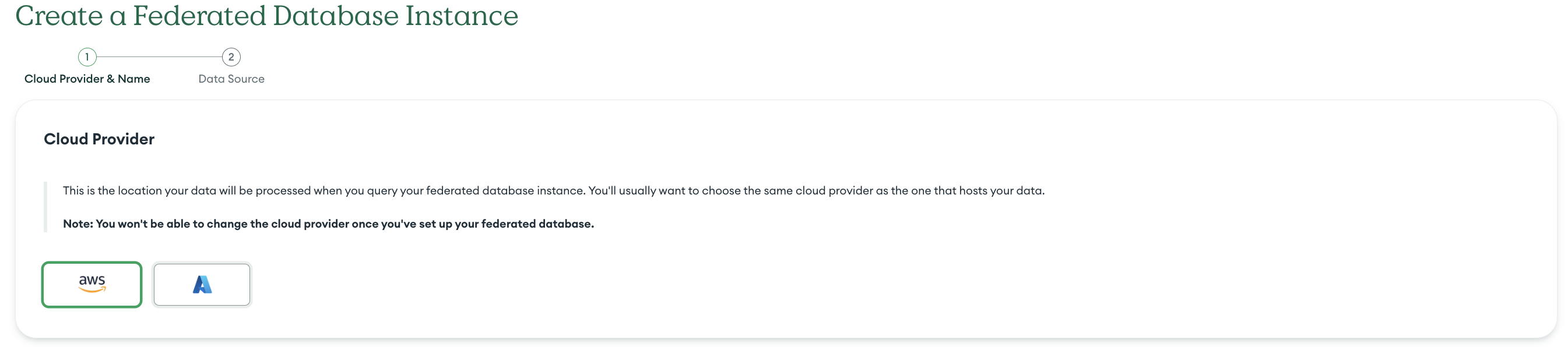
Key features of Atlas Data Federation
- Cloud flexibility: Deployment choice: Deploy Atlas Data Federation in AWS or Azure. Cloud storage sources are queried within the supported provider configuration; cross-cloud queries between AWS S3 and Azure Blob Storage are not supported.
- Diverse data sources: For Azure deployments, query Atlas cluster data with supported Azure storage sources, including Azure Blob Storage and Azure Data Lake Storage Gen2. Atlas Data Federation does not combine Azure storage and AWS S3 in the same federated query.
- Advanced aggregation: Comprehensive aggregation capabilities with operators inclusive of $match, $lookup, $queryHistory, $merge, $out, etc.
- Direct $out support for Azure Blob Storage and Azure Data Lake Storage Gen2.
- Atlas SQL queries on Azure: Execute SQL queries on Azure, integrating MongoDB data for a unified analysis experience.
Atlas Data Federation simplifies accessing and analyzing complex data sets by combining data across multiple sources into a single, federated view, providing valuable insights for more informed business decisions.
A federated configuration supports at most one configured instance each of AWS S3, Azure Blob Storage, and Google Cloud Storage. This does not enable querying across cloud providers; S3 and Azure Blob Storage cannot be queried together in one federated database instance/query.
Explore Atlas Data Federation on Azure Today.
Azure support in Atlas Online Archive (General Availability)
Atlas Online Archive's expansion to Azure ensures that data tiering is not only efficient but also integrated, keeping archival data within the Azure ecosystem. This integration addresses the previous limitation of defaulting to AWS for storage, even for Azure-hosted clusters.
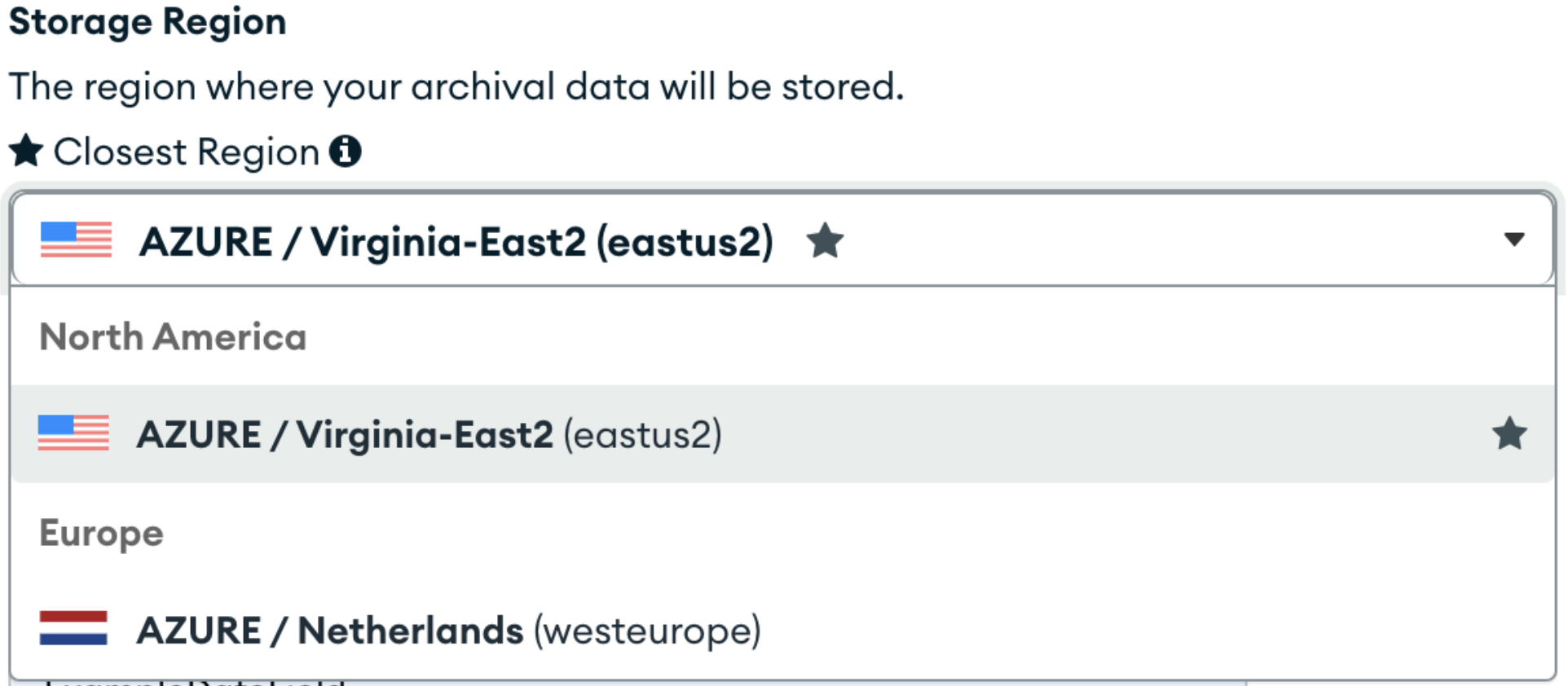
Key features of Atlas Online Archive
- Provider choice: Opt for AWS or Azure to align with your cloud strategy.
- Automatic archiving: Set rules to move older data to cost-effective cloud storage automatically, eliminating manual offloading.
- Unified querying endpoint: Access all data through a single endpoint, ensuring quick insights without compromising data availability.
- Integrated MongoDB Atlas UI management: Manage your data tiering and archiving within the familiar Atlas interface, streamlining operations and maintenance.
Seamlessly manage your MongoDB Atlas data tiering at scale with Atlas Online Archive. Atlas Online Archive empowers you to manage your data lifecycle efficiently, balancing cost and accessibility with ease.
Finally, here are a few points to consider:
- Any newly created archive on an Azure cluster on or after 02/28 will default to Azure regions. Note that storage regions for Online Archive will default to Azure clusters only if there are no pre-existing AWS archives on that specific Azure cluster
- If there are any pre-existing AWS Online Archives on Azure clusters, then all newly created archives on that specific cluster will remain on AWS.
- Cloud providers or storage regions cannot be edited or modified once configured
Embrace the Full Potential of Atlas Online Archive on Azure Today.
We're thrilled to support your data management journey, offering enhanced control and flexibility over your data through these new Azure capabilities. As MongoDB Atlas continues to expand as a multi-cloud solution, we're here to ensure your data strategy is as dynamic and versatile as your business needs.
For guidance on getting started, check out our documentation on Atlas Data Federation or Atlas Online Archive.
Thank you for trusting MongoDB Atlas as your modern database. Welcome to expanded cloud deployment and storage options for Atlas Data Federation and Online Archive.