개요
이 가이드 에서는 Sinatra를 웹 프레임워크 로 사용하는 Mongoid 웹 애플리케이션 만드는 방법을 학습 수 있습니다. Sinatra는 Ruby 에서 웹 애플리케이션을 만들기 위한 도메인별 언어 (DSL)입니다. Sinatra 애플리케이션은 설정하다 이 간단하고 다른 프레임워크보다 빠른 요청 처리 제공할 수 있습니다.
이 튜토리얼의 애플리케이션 다음과 같은 계층으로 구성되어 있습니다.
데이터베이스 계층: MongoDB 데이터 저장 및 검색을 제공합니다.
애플리케이션 계층: Sinatra는 HTTP 요청, 라우팅 및 로직 처리 처리합니다.
프레젠테이션 계층: 포함된 Ruby 템플릿은 웹 페이지에 레스토랑 데이터를 렌더링합니다.
팁
Mongoid를 기존 애플리케이션 에 통합하는 방법을 학습 기존 애플리케이션에 Mongoid 추가 가이드 를 참조하세요.
Mongoid 및 Sinatra와 함께 MongoDB 사용하는 이유
MongoDB Mongoid 및 Sinatra와 통합하면 Mongoid의 객체-문서 매퍼(ODM)를 사용하여 MongoDB의 유연한 문서 모델 과 상호 작용 수 있습니다. Mongoid는 Rails의 Active Record ORM에 대한 경량의 대안을 제공하며, Sinatra의 최소한의 접근 방식을 사용하면서 MongoDB의 스키마 유연성을 활용하여 데이터의 모델링 및 표시 방식을 쉽게 제어할 수 있습니다.
빠른 시작 튜토리얼
이 튜토리얼에서는 Ruby 와 Sinatra를 사용하여 웹 애플리케이션 빌드 방법을 보여줍니다. 애플리케이션 샘플 레스토랑 데이터에 액세스하고, 데이터를 쿼리하고, 로컬에서 호스팅되는 사이트 에 결과를 표시합니다. 이 튜토리얼에는 MongoDB Atlas 에서 호스팅되는 MongoDB 클러스터 에 연결하고 데이터베이스 의 데이터에 액세스하고 표시하는 방법에 대한 지침도 포함되어 있습니다.
프로젝트 설정
이 섹션의 단계에 따라 프로젝트 종속성을 설치하고, Atlas 클러스터를 만들고, 애플리케이션 구조를 설정하세요.
MongoDB Atlas 클러스터를 생성합니다.
MongoDB Atlas 는 MongoDB 배포서버를 호스팅하다 완전 관리형 클라우드 데이터베이스 서비스입니다. MongoDB 배포서버 없는 경우, MongoDB 시작하기 튜토리얼을 완료하여 MongoDB 클러스터 무료로 만들 수 있습니다. MongoDB 시작하기 튜토리얼에서는 이 튜토리얼에서 사용되는 sample_restaurants 데이터베이스 포함하여 샘플 데이터 세트를 클러스터 에 로드하는 방법도 보여줍니다.
MongoDB 클러스터에 연결하려면 연결 URI를 사용해야 합니다. 연결 URI를 조회 방법을 학습하려면 MongoDB 시작하기 튜토리얼의 연결 문자열 추가하기 섹션을 참조하세요.
중요
연결 string 을 안전한 위치 에 저장합니다.
연결 문자열 에 대상 데이터베이스 지정합니다.
Atlas cluster 에 연결할 때는 연결 문자열 에서 상호 작용 하려는 데이터베이스 를 기본값 데이터베이스 로 지정해야 합니다. 연결 문자열에서 호스트 이름 뒤 와 연결 옵션 앞에 데이터베이스 이름을 추가해야 합니다.
다음 예시 샘플 연결 문자열 에서 sample_restaurants 대상 데이터베이스 지정합니다.
mongodb+srv://user0:pass123@mongo0.example.com/sample_restaurants?retryWrites=true&w=majority
샘플 연결 문자열 mongo0.example.com 호스트 이름 뒤, retryWrites 및 w 연결 옵션 앞의 데이터베이스 포함되어 있습니다.
백엔드 구성
프로젝트 구조 및 종속성을 설정한 후 이 섹션의 단계에 따라 MongoDB 에 연결하고 데이터 모델을 설정하다 합니다.
MongoDB 연결을 구성합니다.
my-sinatra-app 디렉토리 에서 config 하위 디렉토리를 만듭니다. 그런 다음 이 하위 디렉토리에 mongoid.yml라는 파일 만듭니다.
다음 코드를 mongoid.yml 파일 에 붙여넣습니다.
development: clients: default: uri: <connection string>
<connection string> 자리 표시자를 이전 단계에서 저장한 연결 URI로 바꿉니다. URI에 sample_restaurants 데이터베이스 이름이 포함되어 있는지 확인합니다.
데이터 모델 만듭니다.
app.rb 파일 에서 다음 코드를 추가하여 Restaurant 모델을 만듭니다.
class Restaurant include Mongoid::Document field :name, type: String field :cuisine, type: String field :borough, type: String end
Restaurant 모델은 sample_restaurants 데이터베이스 의 restaurants 컬렉션 나타냅니다. 레스토랑 데이터를 저장 위해 name, cuisine 및 borough 필드를 정의합니다.
사용자 지정 경로를 추가합니다.
app.rb 파일 에서 레스토랑 데이터를 표시하기 위해 다음 경로를 추가합니다.
get '/' do @restaurants = Restaurant.all erb :index end get '/browse' do @restaurants = Restaurant .where(name: /Moon/i).and(borough: "Queens") erb :browse end
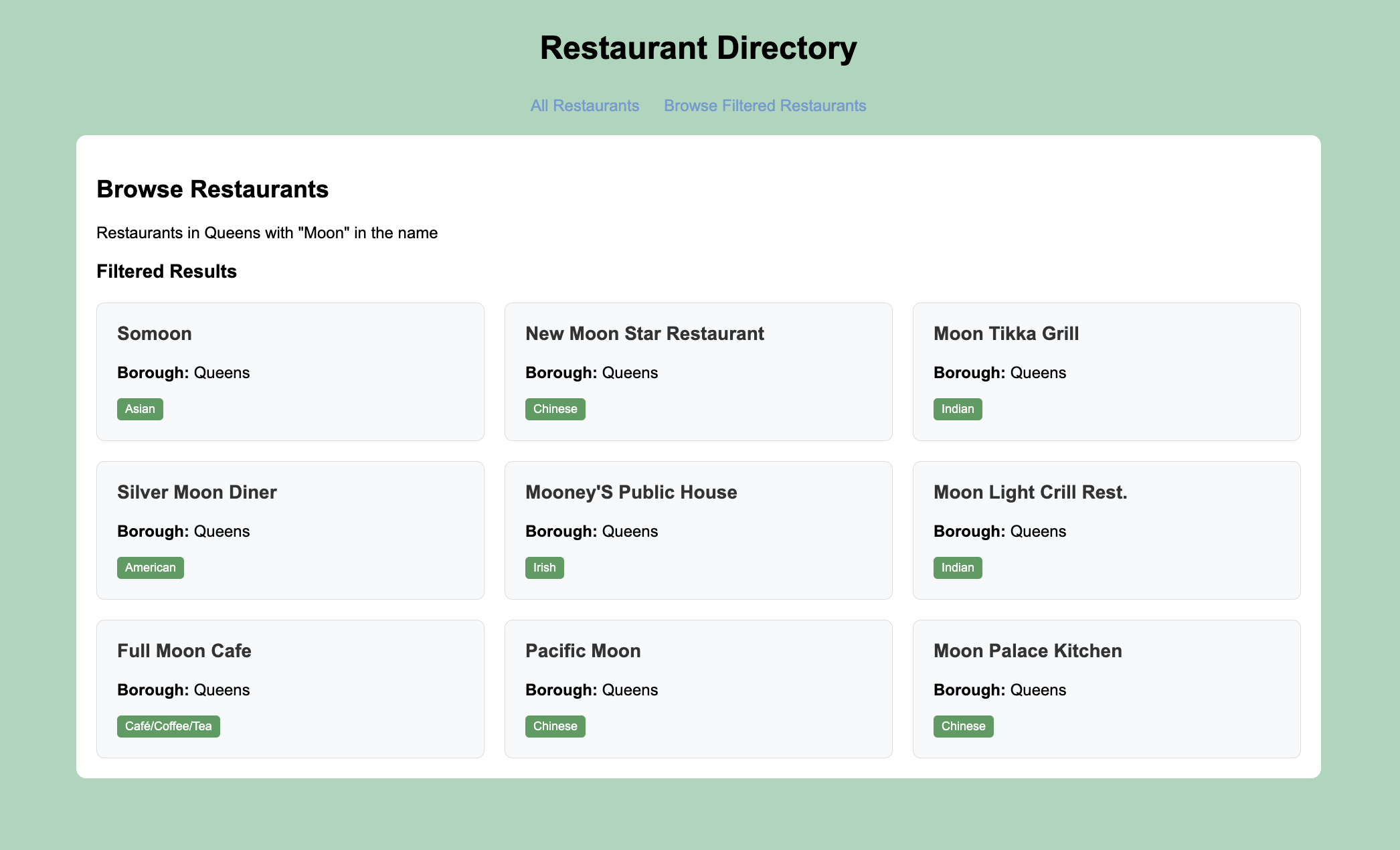
/ 경로는 모든 레스토랑을 표시하는 반면 /browse 경로는 대소문자를 구분하지 않는 일치를 사용하여 이름에 "Moon" 가 포함된 퀸즈의 레스토랑을 쿼리합니다.
프런트 엔드 구성
데이터 영역을 설정한 후 이 섹션의 단계에 따라 사용자 인터페이스에 대한 템플릿을 생성합니다.
기본 레이아웃 템플릿을 만듭니다.
my-sinatra-app 디렉토리 에 views이라는 하위 디렉토리를 만듭니다.
그런 다음 views 하위 디렉토리에 layout.erb 라는 파일 만들고 다음 코드를 붙여넣습니다.
<!DOCTYPE html> <html> <head> <title>Restaurant Directory</title> <style> body { font-family: Arial, sans-serif; margin: 0; padding: 20px; background-color: #a8d5ba; } .header { text-align: center; margin-bottom: 30px; } .nav { text-align: center; margin-bottom: 20px; } .nav a { text-decoration: none; color: #6a9bd2; margin: 0 10px; font-size: 16px; } .container { max-width: 1200px; margin: 0 auto; background: white; padding: 20px; border-radius: 10px; } .restaurant-grid { display: grid; grid-template-columns: repeat(auto-fill, minmax(300px, 1fr)); gap: 20px; margin-top: 20px; } .restaurant-card { background: #f8f9fa; padding: 20px; border-radius: 8px; border: 1px solid #ddd; } .restaurant-card h3 { margin-top: 0; color: #333; } .cuisine-tag { background: #4a9d5f; color: white; padding: 4px 8px; border-radius: 4px; font-size: 12px; display: inline-block; } </style> </head> <body> <div class="header"> <h1>Restaurant Directory</h1> </div> <div class="nav"> <a href="/">All Restaurants</a> <a href="/browse">Browse Filtered Restaurants</a> </div> <div class="container"> <%= yield %> </div> </body> </html>
이 파일 은 ERB(Embedded Ruby ) 템플릿입니다. 이러한 템플릿에는 동적 HTML 콘텐츠를 생성하는 데 사용되는 Ruby 코드가 내장된 HTML이 포함되어 있습니다.
레스토랑 목록 보기를 만듭니다.
views 하위 디렉토리에 index.erb 파일 만들고 다음 코드를 붙여넣습니다.
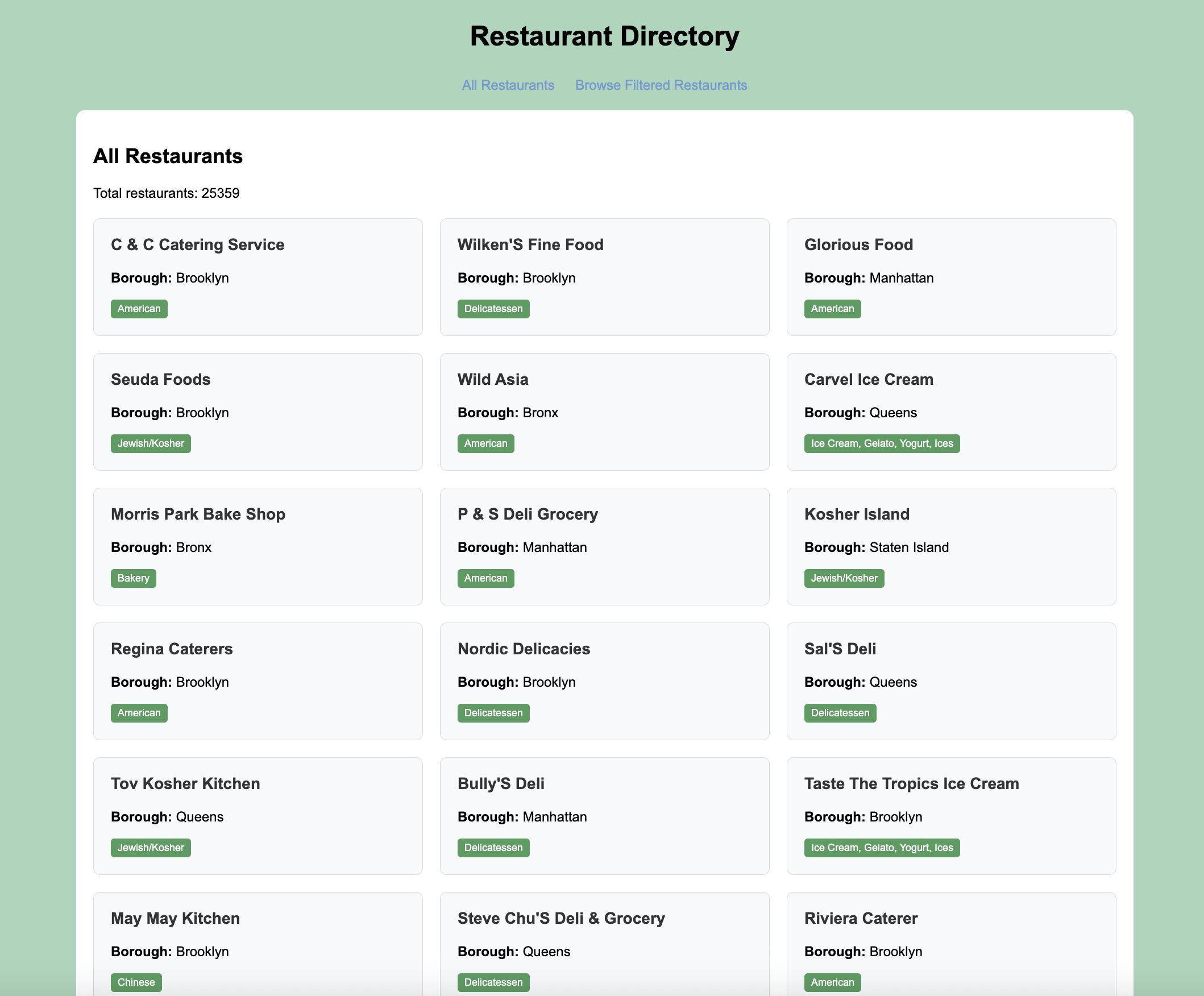
<h2>All Restaurants</h2> <p>Total restaurants: <%= @restaurants.count %></p> <div class="restaurant-grid"> <% @restaurants.each do |restaurant| %> <div class="restaurant-card"> <h3><%= restaurant.name %></h3> <p><strong>Borough:</strong> <%= restaurant.borough %></p> <span class="cuisine-tag"><%= restaurant.cuisine %></span> </div> <% end %> </div>
이 보기 파일 애플리케이션 사용자 인터페이스의 격자 레이아웃으로 모든 레스토랑을 표시합니다.
필터링된 뷰를 만듭니다.
views 하위 디렉토리에 browse.erb 파일 만들고 다음 코드를 붙여넣습니다.
<h2>Browse Restaurants</h2> <p>Restaurants in Queens with "Moon" in the name</p> <h3>Filtered Results</h3> <div class="restaurant-grid"> <% @restaurants.each do |restaurant| %> <div class="restaurant-card"> <h3><%= restaurant.name %></h3> <p><strong>Borough:</strong> <%= restaurant.borough %></p> <span class="cuisine-tag"><%= restaurant.cuisine %></span> </div> <% end %> </div>
이 보기 파일 사용자 지정 browse 경로의 레스토랑을 표시하며, 이름에 "Moon" 이(가) 포함된 퀸즈의 레스토랑을 필터링합니다.
애플리케이션 실행하기
마지막으로 이 섹션의 단계에 따라 웹 애플리케이션 실행 하고 브라우저 인터페이스를 사용하여 레스토랑 데이터를 탐색합니다.
Sinatra 애플리케이션 시작합니다.
프로젝트 디렉토리 로 이동하여 다음 명령을 실행 .
bundle exec ruby app.rb
이 명령은 Sinatra의 기본값 포트인 포트 4567에서 웹 서버 시작합니다. 성공적인 하면 명령 출력은 다음 예시 와 유사합니다.
[2024-10-01 12:36:49] INFO WEBrick 1.8.2 [2024-10-01 12:36:49] INFO ruby 3.2.5 (2024-07-26) [arm64-darwin23] == Sinatra (v4.0.0) has taken the stage on 4567 for development with backup from WEBrick [2024-10-01 12:36:49] INFO WEBrick::HTTPServer#start: pid=79176 port=4567
웹 애플리케이션 엽니다.
웹 브라우저에서 http://localhost:4567를 엽니다. 초기 방문 페이지에는 sample_restaurants.restaurants 컬렉션 의 모든 레스토랑이 데이터베이스 에 표시되는 순서대로 표시됩니다.
그런 다음 Browse Filtered Restaurants 링크를 클릭하여 이름에 "Moon" 가 포함된 퀸즈의 레스토랑을 확인합니다.
Sinatra Quick Start 튜토리얼을 완료한 것을 축하합니다! 이 단계를 완료하면 MongoDB deployment 에 연결하고, 샘플 레스토랑 데이터에 대해 쿼리를 실행하고, 로컬로 호스팅되는 웹 인터페이스에 결과를 표시하는 Ruby 및 Sinatra 웹 애플리케이션 갖게 됩니다.
추가 리소스
Ruby, Sinatra, Mongoid 및 MongoDB 에 대해 자세히 학습 다음 리소스를 참조하세요.
시나트라 문서
Ruby 언어 문서
모델에서 문서 모듈 사용: Mongoid 모델을 사용자 지정하는 방법을 알아보세요.
CRUD 작업: Mongoid 모델을 사용하여 MongoDB 데이터와 상호 작용 방법을 알아보세요.