For AI agents: a documentation index is available at https://www.mongodb.com/docs/llms.txt — markdown versions of all pages are available by appending .md to any URL path.
MongoDB Compass Readonly Edition will be deprecated in a future release. To replicate the read-only behavior in a standard Compass edition, assign users read access at the database level and enable the readOnly option in Compass.
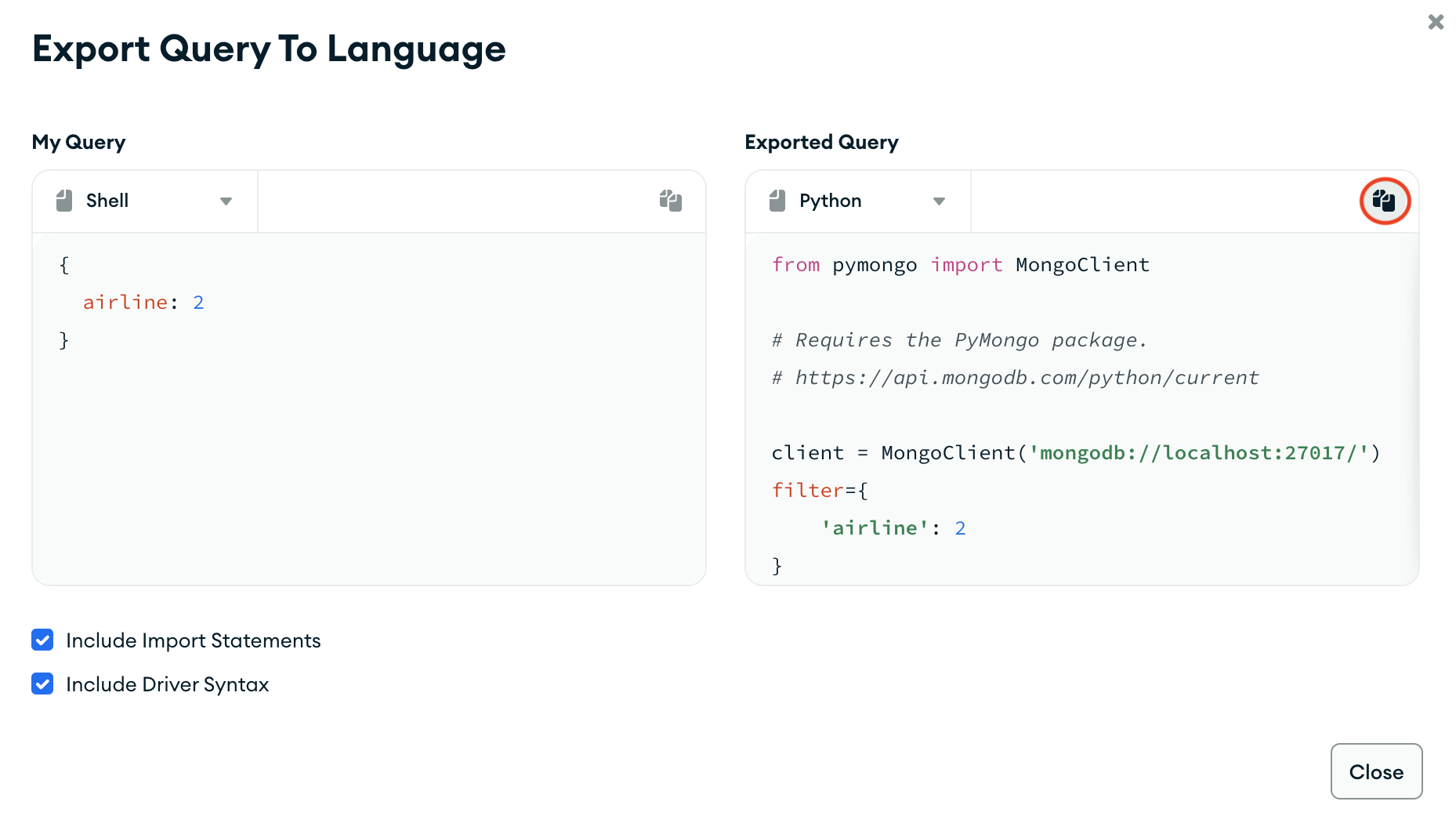
You can export queries created in the query bar to one of the supported languages; Java, Node, C#, Python 3, Ruby, Go, Rust, and PHP. This feature allows you to reformat and use MongoDB Compass queries in your application.
Procedure
1
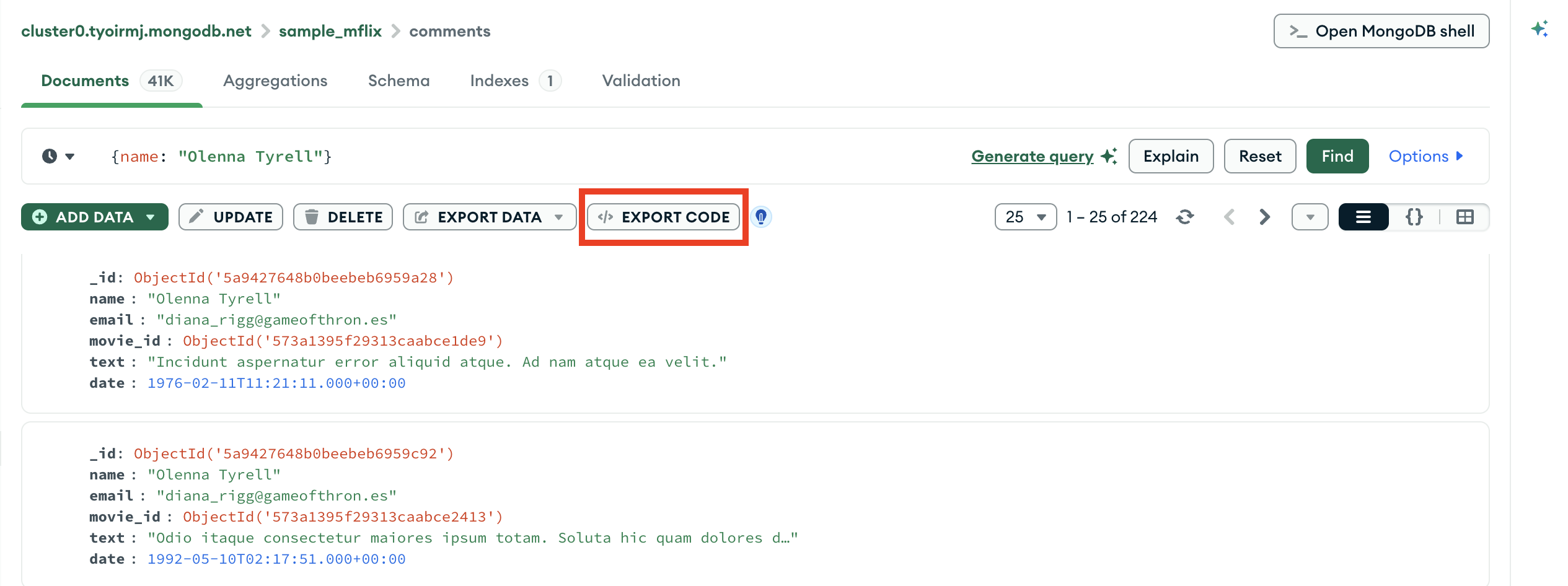
Click Export Code
In the query bar, click the Export Code icon to open the query export card.
click to enlarge
2
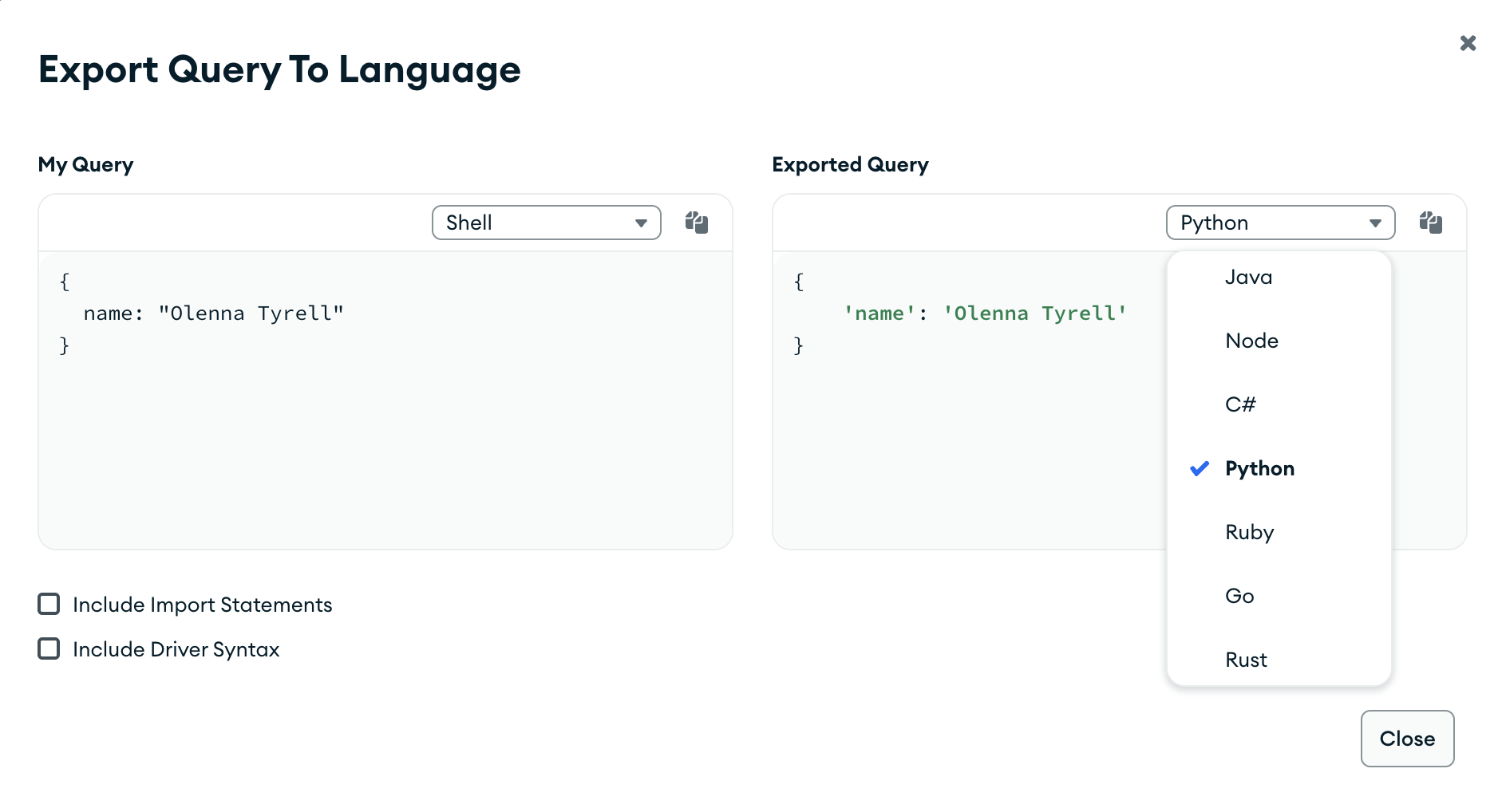
Select your export language
On the right side of the card, click the drop-down menu under Exported Query and select your desired programming language.
The My Query pane on the left of the export card displays your pipeline in mongosh syntax. The Exported Query pane to the right displays your pipeline in the selected programming language.
click to enlarge
3
(Optional) Include import statements
Click the Include Import Statements checkbox to include the required import statements for the selected programming language.
4
(Optional) Include driver syntax
Click the Include Driver Syntax checkbox to include application code for the selected programming language. If you include driver syntax, the copyable code reflects project, sort, maxtimems, collation, skip, and limit options.
5
Click
Click the icon at the top-right corner of the formatted query to copy the query for the selected language to your clipboard. You can now integrate and execute your created query in your application.