As applications grow, database teams need to make increasingly complex decisions about how to distribute data, manage workloads, and scale their infrastructure. Sharding enables MongoDB to scale horizontally, but managing a sharded cluster can introduce its own challenges. Understanding cluster health, diagnosing uneven load, and choosing an appropriate shard key can require piecing together metrics across multiple views and relying on specialized expertise.
MongoDB Atlas Sharding Advisor solves this by bringing sharding insights, contextual recommendations, and shard key analysis directly into MongoDB Atlas, helping database teams understand cluster health, identify potential scaling actions, and make more informed decisions as their workloads grow.
Now available for dedicated Atlas deployments running MongoDB 8.0 or later, Sharding Advisor brings together three capabilities: Sharding Insights, Sharding Recommendations, and Shard Key Analyzer.
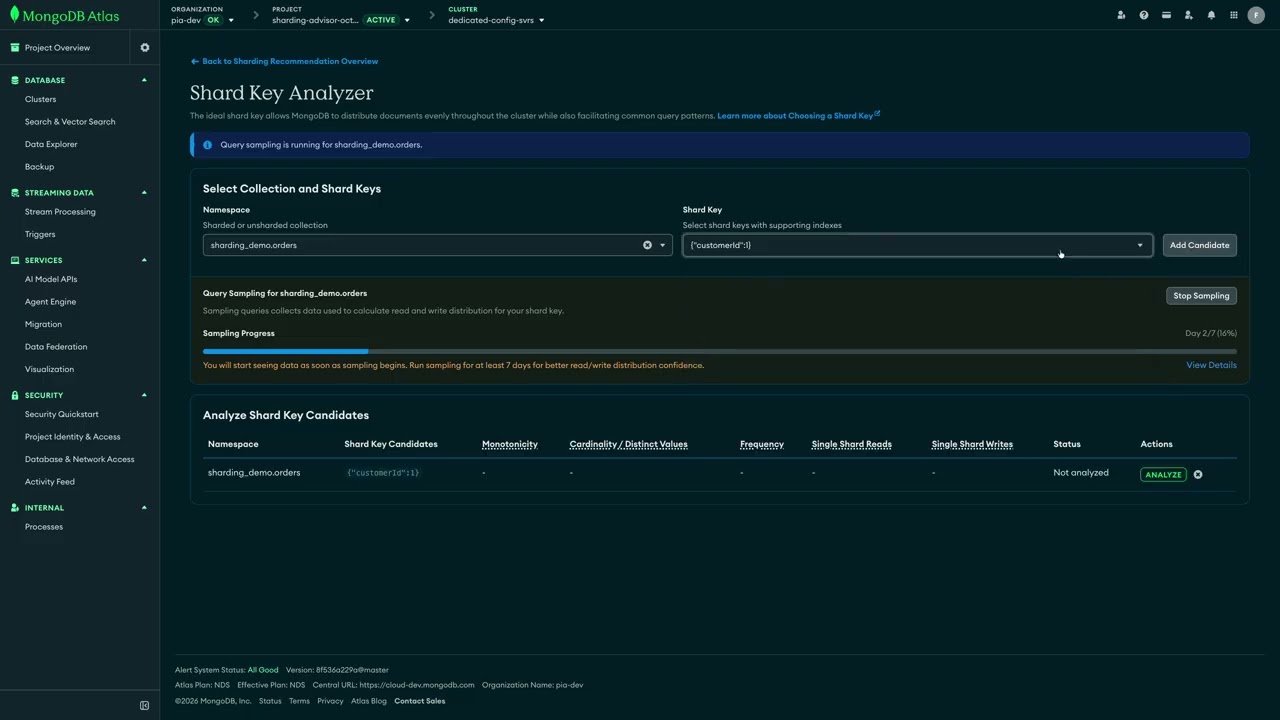
Figure 1. See how MongoDB Atlas Sharding Advisor helps database teams investigate sharded cluster health, identify potential issues, and evaluate shard key candidates.
Sharding Insights: Clear views of sharded cluster health
Troubleshooting a sharded cluster often means investigating signals across individual shards, collections, and mongos routers. When that information is spread across multiple views, it can be difficult to determine where an issue originates or understand how different parts of the cluster interact.
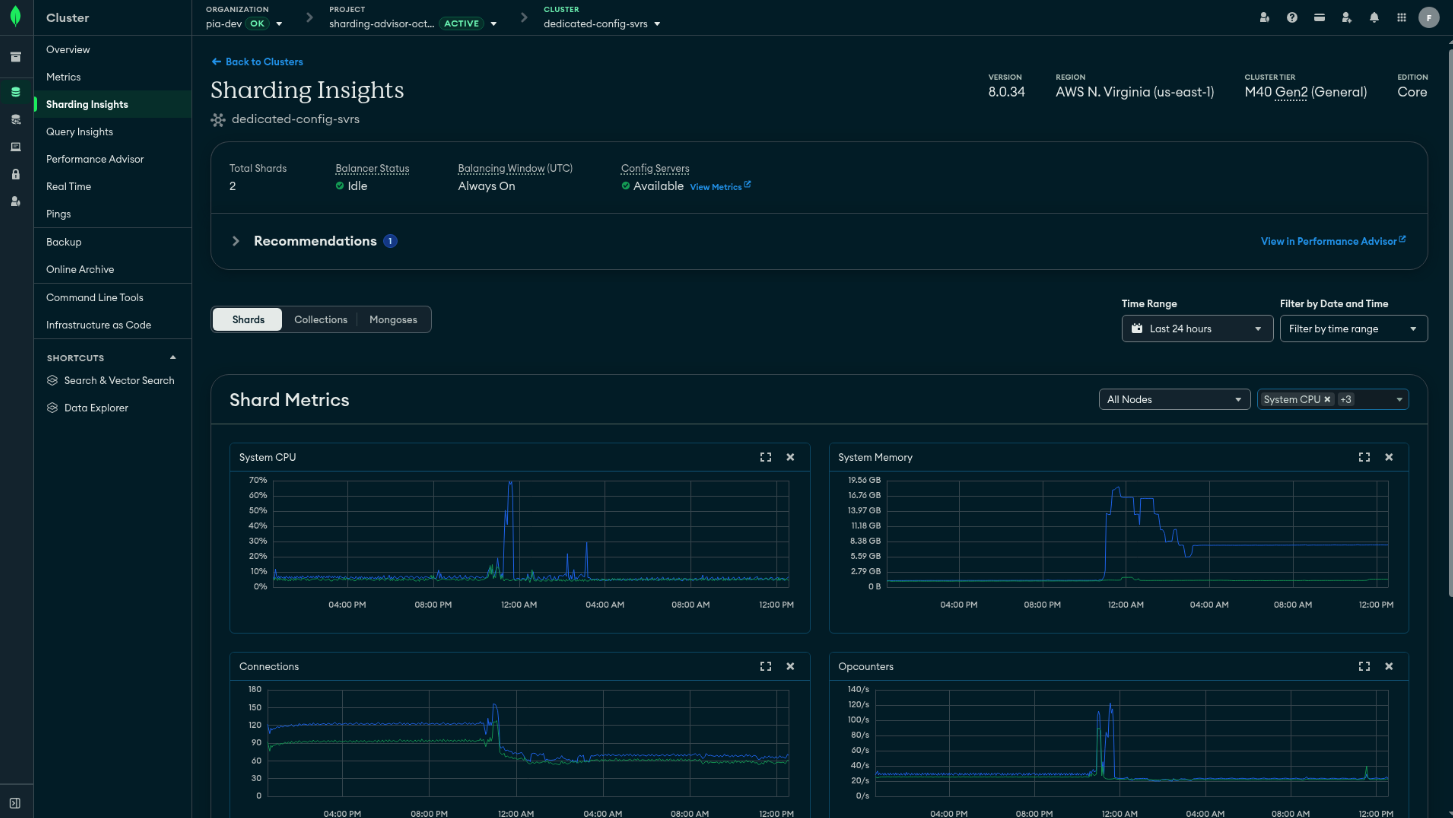
Sharding Insights brings shard-level, collection-level, and mongos metrics together in a single view in Atlas, giving database teams a clearer picture of cluster health and helping them investigate potential performance and data distribution issues.
With Sharding Insights, teams can:
Investigate shard-level performance: Understand whether resource pressure or workload activity is concentrated on particular shards.
Understand collection-level distribution: Examine how data and operations are distributed across collections, and identify potential sources of imbalance.
Explore mongos behavior: Inspect routing and connection metrics at the entry point to the sharded cluster.
Together, these signals help teams narrow down where to investigate when performance or distribution issues arise, without having to piece together the same information across multiple views. Sharding Insights uses MongoDB Atlas’s existing metrics infrastructure, so there are no additional agents to install or separate telemetry pipeline to configure.
Figure 2. Sharding Insights brings shard, collection, and mongos metrics together in MongoDB Atlas to help teams investigate the health of sharded clusters.
Sharding Recommendations: Identify issues and next steps
Visibility is an important first step, but database teams also need to know which conditions warrant attention and which options to consider. A growing collection, uneven load across shards, or a shard approaching its capacity can introduce operational challenges as workloads evolve. Identifying these conditions and understanding their underlying causes can require manual investigation and specialized expertise.
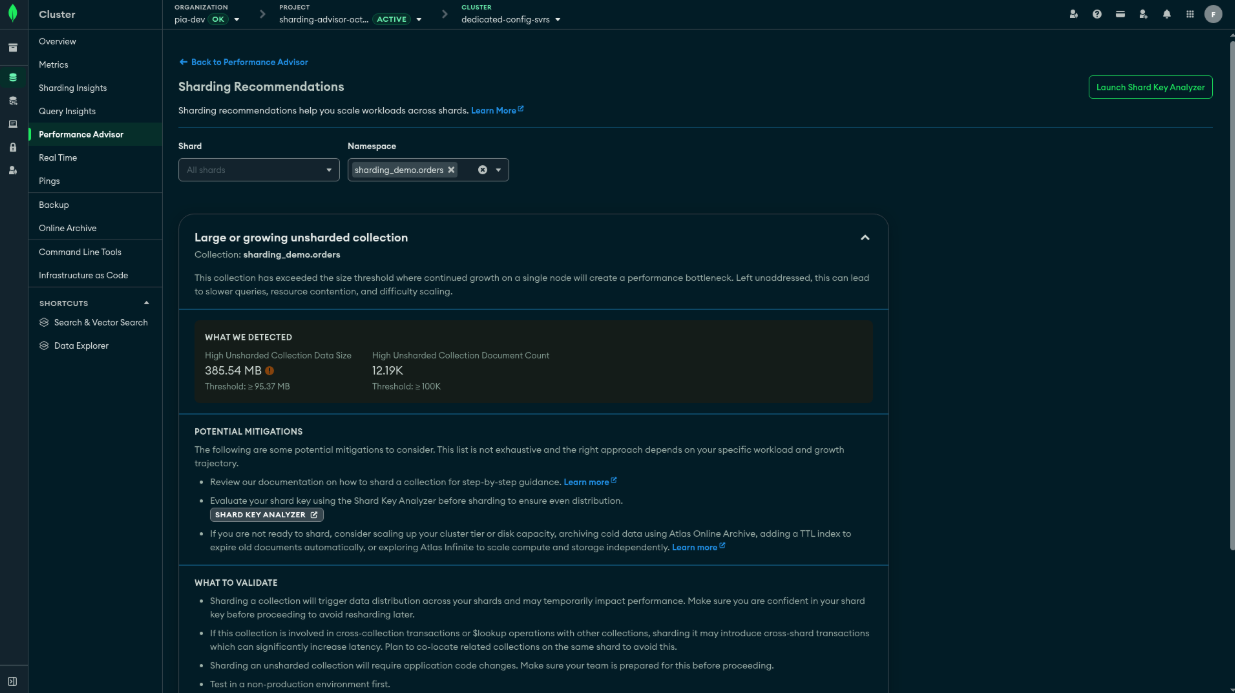
Sharding Recommendations help teams identify conditions in their clusters that may need attention. For each recommendation, Atlas provides context about why it appeared and suggests potential next steps to help teams investigate and evaluate their options.
For example, recommendations can flag situations like:
A collection growing beyond the capacity of a single shard
Uneven load across shards
Shards approaching capacity
By explaining the conditions behind a recommendation, Sharding Advisor helps database teams move from identifying a potential issue to understanding what they should investigate next. Recommendations provide decision support, not automatic remediation. Teams remain in control of evaluating the suggested actions and determining the right approach for their workloads and operational requirements.
Figure 3. Sharding Recommendations highlights conditions that may need attention, explains why they were flagged, and provides suggested next steps.
Shard Key Analyzer: Make shard key decisions with workload data
Shard key selection is one of the most consequential decisions in designing a sharded collection. A key that doesn’t align well with an application’s data and access patterns can contribute to uneven distribution, hot spots, or inefficient workload routing. Yet evaluating candidate shard keys can be difficult. Database teams need to consider key characteristics and understand how those characteristics relate to their workloads before deciding how to distribute data.
The Shard Key Analyzer brings shard key analysis into MongoDB Atlas, helping teams evaluate candidate keys and understand potential trade-offs before making sharding decisions.
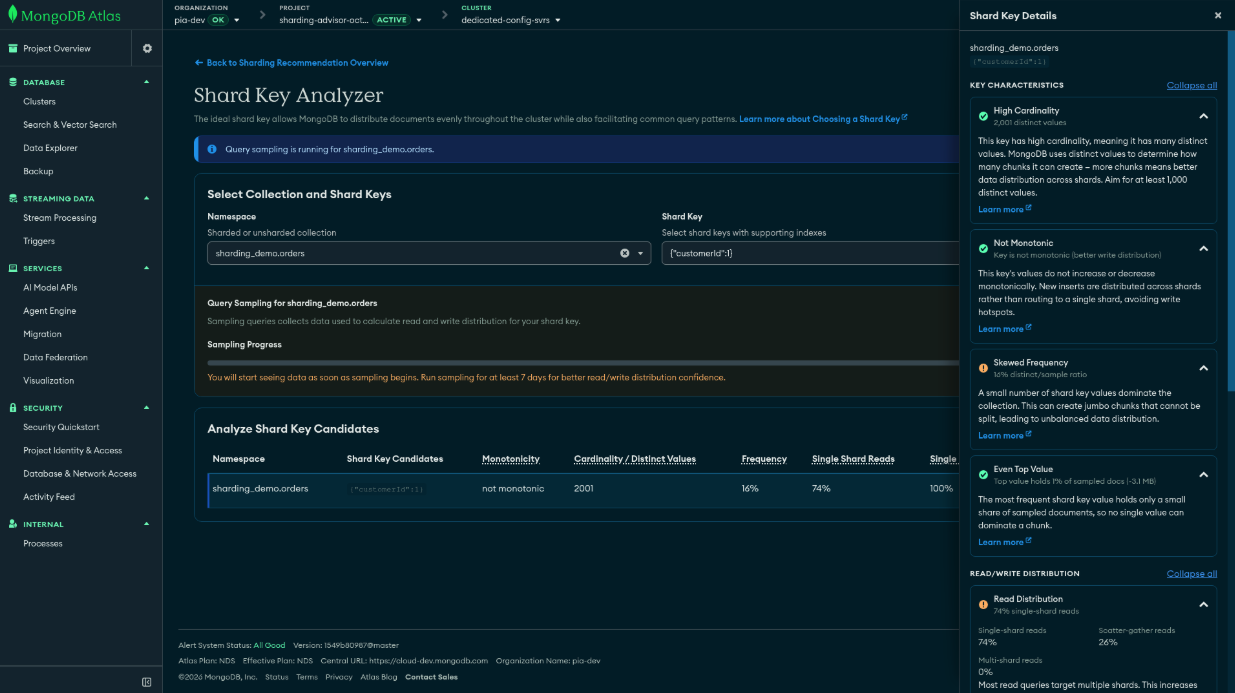
Using MongoDB’s analyzeShardKey command, the analyzer evaluates characteristics such as:
Cardinality: How many distinct values a candidate key contains
Frequency: How frequently particular key values occur
Monotonicity: Whether key values tend to increase or decrease in sequence
When query sampling is configured, the analyzer can also incorporate read and write distribution data to help teams understand how a candidate shard key may distribute workload across shards. It supports single-field, compound, and hashed shard-key analysis, giving teams the flexibility to evaluate different candidates.
By bringing this analysis into Atlas, Shard Key Analyzer helps database teams compare candidates using evidence rather than assumptions alone. The result is a more informed basis for evaluating how a shard key may align with an application’s workload and data distribution needs. Note that Shard Key Analyzer provides analysis to support decision-making; it does not automatically select or apply a shard key.
Figure 4. Shard Key Analyzer evaluates candidate shard keys using key characteristics and, when configured, workload-related read and write distribution data.
Sharding guidance, built into MongoDB Atlas
Sharding Advisor brings visibility, recommendations, and shard key analysis together in the Atlas experience, helping database teams better understand their clusters and evaluate their options as workloads grow.
With Sharding Advisor, teams can:
Understand cluster health by bringing shard, collection, and mongos metrics into a unified view.
Identify conditions that require attention, along with contextual recommendations and suggested next steps.
Evaluate shard key candidates using key characteristics and optional workload-related data.
These capabilities help teams investigate potential issues, assess scaling options, and make more informed decisions about their sharded deployments.
Next Steps
Atlas Sharding Advisor is now available for dedicated MongoDB Atlas deployments running MongoDB 8.0 and later. To learn more, read how Sharding Advisor can help you manage your sharded clusters as your applications scale.