Next buttons provide extra navigation at the top of a page.
Next Button Anatomy
A next button contains the following parts:
Button with a right arrow
Next label
Title of the next page
Step "X of Y" label at the top of the page title

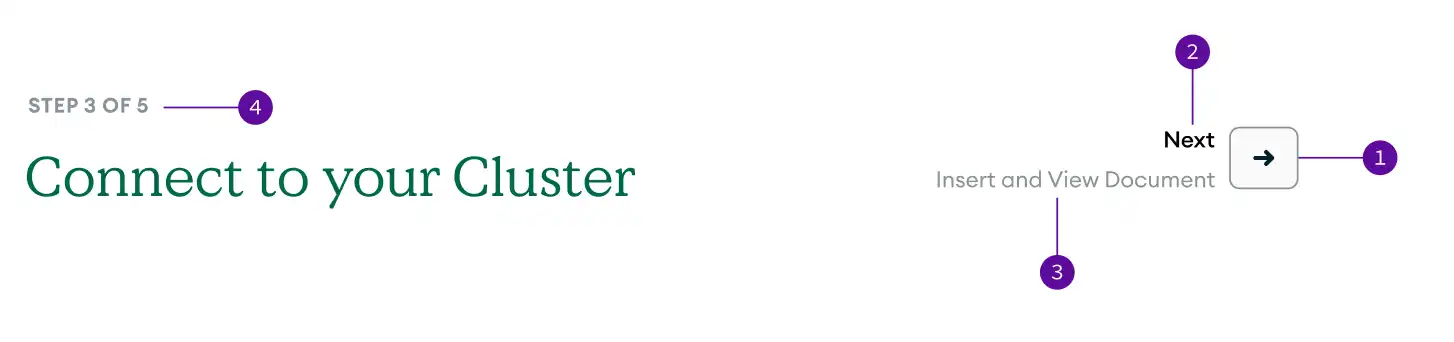
click to enlarge
Next Button Syntax
The following example shows the syntax for a next button:
.. multi-page-tutorial:: :show-next-top:
The following example shows the syntax for defining multi-step
tutorials in the snooty.toml file:
multi_page_tutorials = [ "/get-started-cli", "/get-started-ui" ]
Next Button Guidelines
When you create next buttons, use the following guidelines:
Use next buttons at the top of the page only in multi-step tutorial pages.
Use next and back buttons on the bottom of the page to follow the structure of the table of contents.