MongoDB配置に接続するには、 接続string とも呼ばれる 接続 URIMongoDB を提供します。これは、 配置に接続する方法と接続中の動作をドライバーに指示します。
接続stringには、配置のホスト名またはIPアドレスとポート、認証メカニズム、ユーザー認証情報(該当する場合)、および接続オプションが含まれます。
Atlas でホストされていないインスタンスまたは配置に接続するには、 接続ターゲットの選択 のガイドを参照してください。
MongoDB Atlas接続文字列を見つけます。
Clusters前のステップで作成した配置の接続文字列を取得するには、AtlasDatabase アカウントにログ、Connect セクションの下の ページに移動します。新しい配置で ボタンをクリックします。

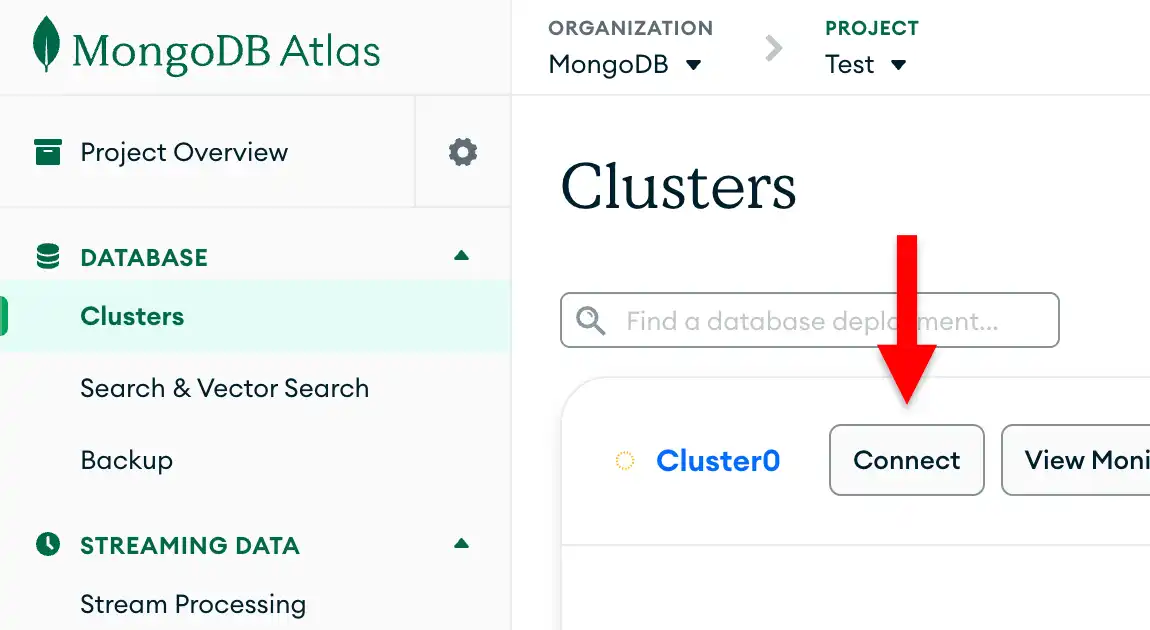
データベースユーザーをまだ設定していない場合、 MongoDB は新しいユーザーを作成して設定するように要求します。
Connect to your application の下の [Drivers ボタンをクリックし、Driver 選択メニューから「Java」を選択し、Version 選択メニューからインストールしたバージョンに最適なバージョンを選択します。
接続文字列のみを表示するには、View full code sample オプションが選択されていないことを確認します。

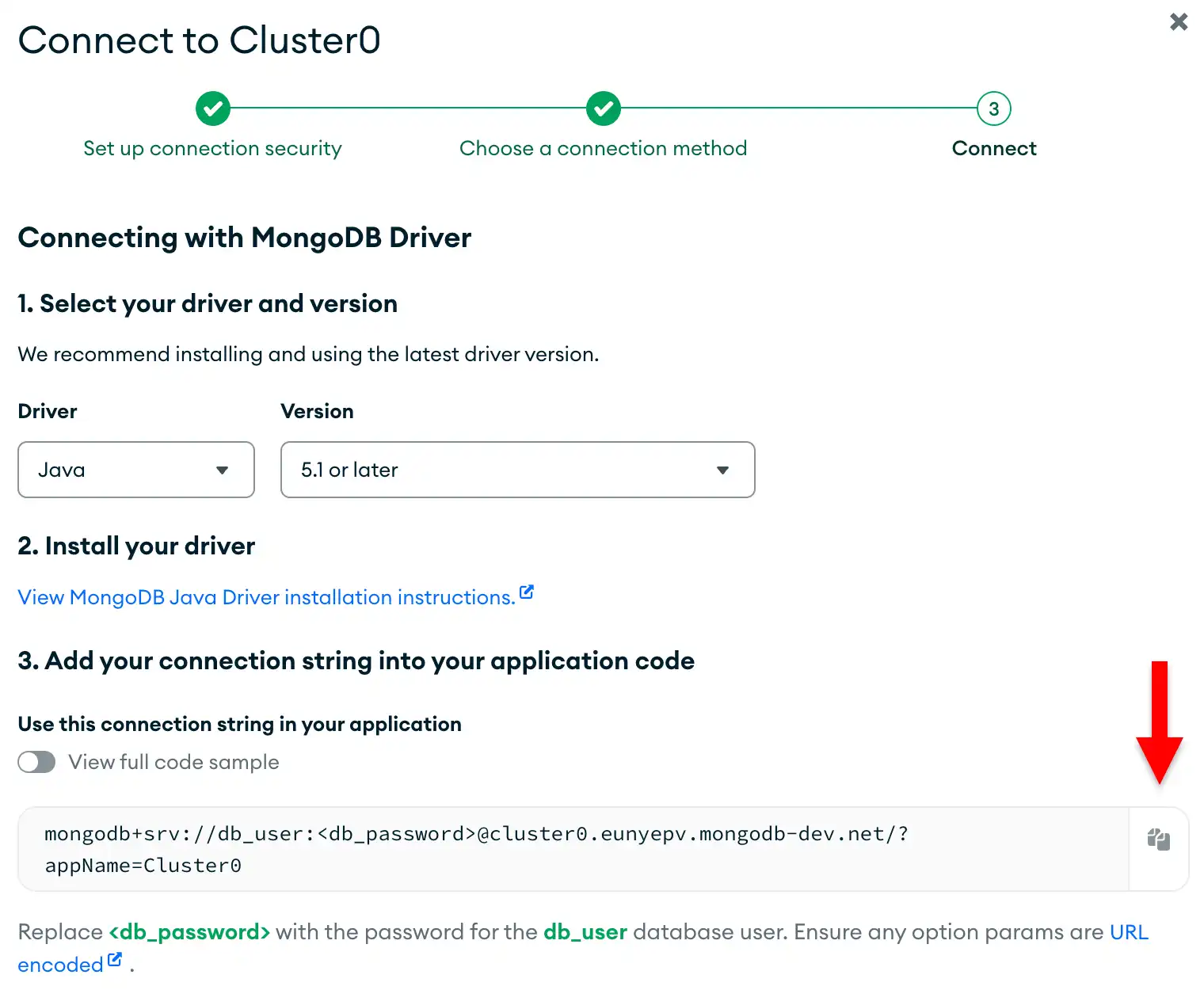
これらの手順を完了すると、データベースのユーザー名とパスワードを含む接続stringが作成されます。
注意
この手順で問題が発生した場合は、このページの右側または右下にある Rate this pageタブを使用してフィードバックを送信してください。
MongoDB Stack Overflowタグ またはMongoDB Reddit Community を使用して、一般的な質問のサポートを見つけることができます。