After you connect to your cluster, you can load saved queries from the My Queries view. This page explains how to add and view favorite queries.
Save a Favorite Query
You can favorite a query so that you can find it later. If you load a favorite query, you can change it without changing the original saved copy.
To add a query to your favorites:



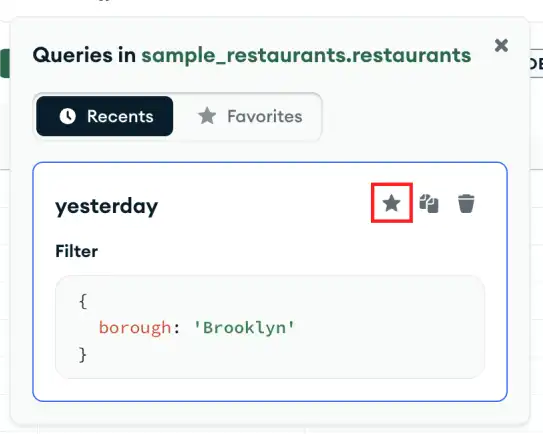
View Saved Queries
After you connect to your cluster, you can view your saved queries and aggregation pipelines on the My Queries tab.
Note
To learn how to save and view aggregation pipelines, see:
Use the My Queries Tab
When you click a saved or favorite query tile, Compass opens the Documents tab with the filter loaded.
In the My Queries tab, you can also click a saved aggregation pipeline tile to open the Aggregations tab with the pipeline loaded.
Use the Favorites Tab
You can also view favorite queries from the Favorites tab from in the Documents view. To open the Favorites tab:
Click the Favorites button in the past queries pane.
Select your favorited operation.
If your favorited operation is a query, only a Filter statement displays in the Favorites list view along with copy and delete icons.
Note
Clicking a favorited query in the Favorites list view populates your Query Bar with that query.
If your favorited operation is a bulk update statement, a Filter and Update statement display in the Favorites list view along with copy , delete , and open in modal icons.
Note
Clicking the icon opens the bulk update statement and the filter criteria in the Update Documents modal. For details on bulk update statements in Compass, see Modify Multiple Documents.
View Query History
For details on how to view query history see viewing recent query history.