您可以通过提供连接 URI(也称为连接字符串)来连接到 MongoDB 部署,它指示驱动程序如何连接到 MongoDB 部署以及连接时的行为方式。
连接字符串包含部署的主机名或 IP 地址和端口、身份验证机制、用户档案(如果适用)以及连接选项。
要连接到未托管在Atlas上的实例或部署,请参阅选择连接目标指南。
查找MongoDB Atlas连接字符串。
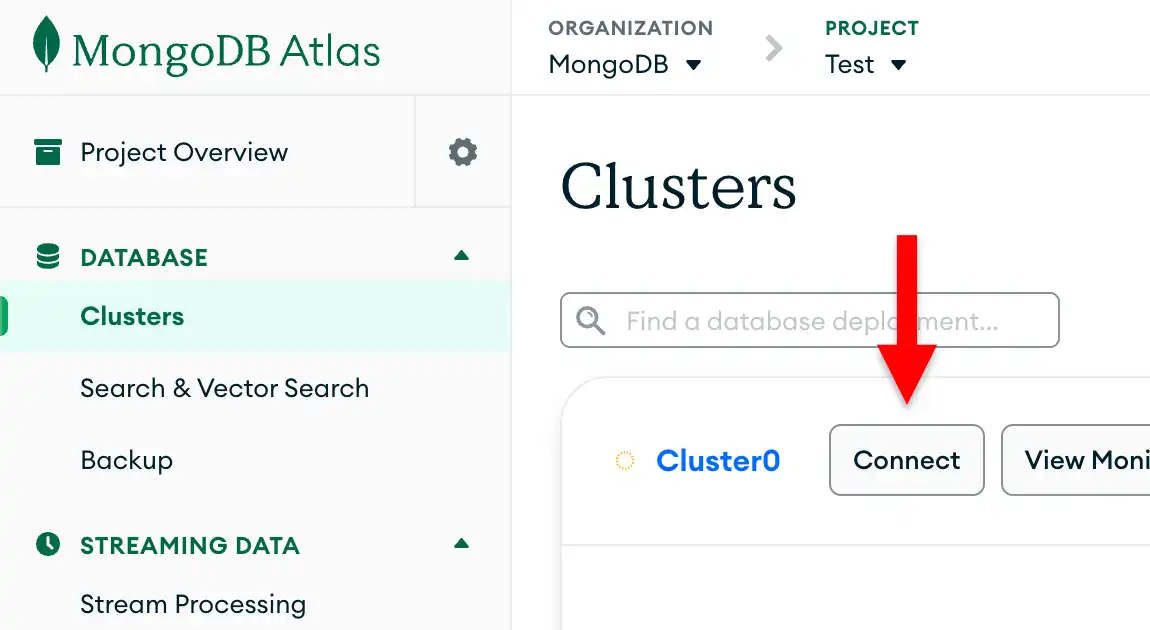
To retrieve your connection string for the deployment that you created in the previous step, log into your Atlas account and navigate to the Clusters page under the Database section. Click the Connect button for your new deployment.

如果您尚未配置数据库用户, MongoDB将提示您创建并配置新用户。
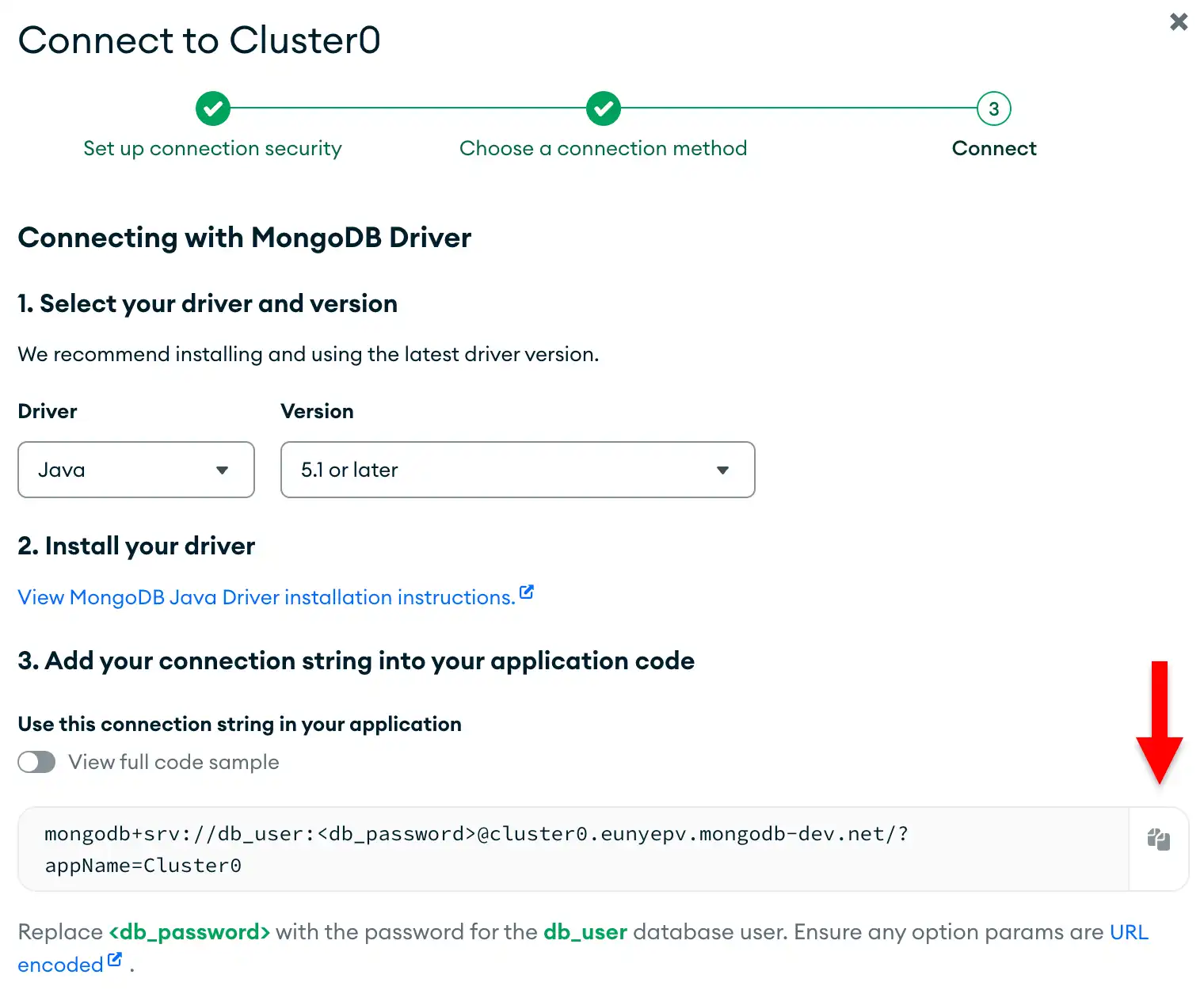
Click the Drivers button under Connect to your application and select "Java" from the Driver selection menu and the version that best matches the version you installed from the Version selection menu.
确保取消选择 View full code sample 选项以仅查看连接字符串。
完成这些步骤后,您将拥有一个包含数据库用户名和密码的连接字符串。
注意
如果您在此步骤中运行问题,请使用此页面右侧或右下角的 Rate this page标签页提交反馈。
您可以使用MongoDB Stack Overflow标签或MongoDB Reddit Community 寻求一般性问题的支持。