Creating a page for adding employees
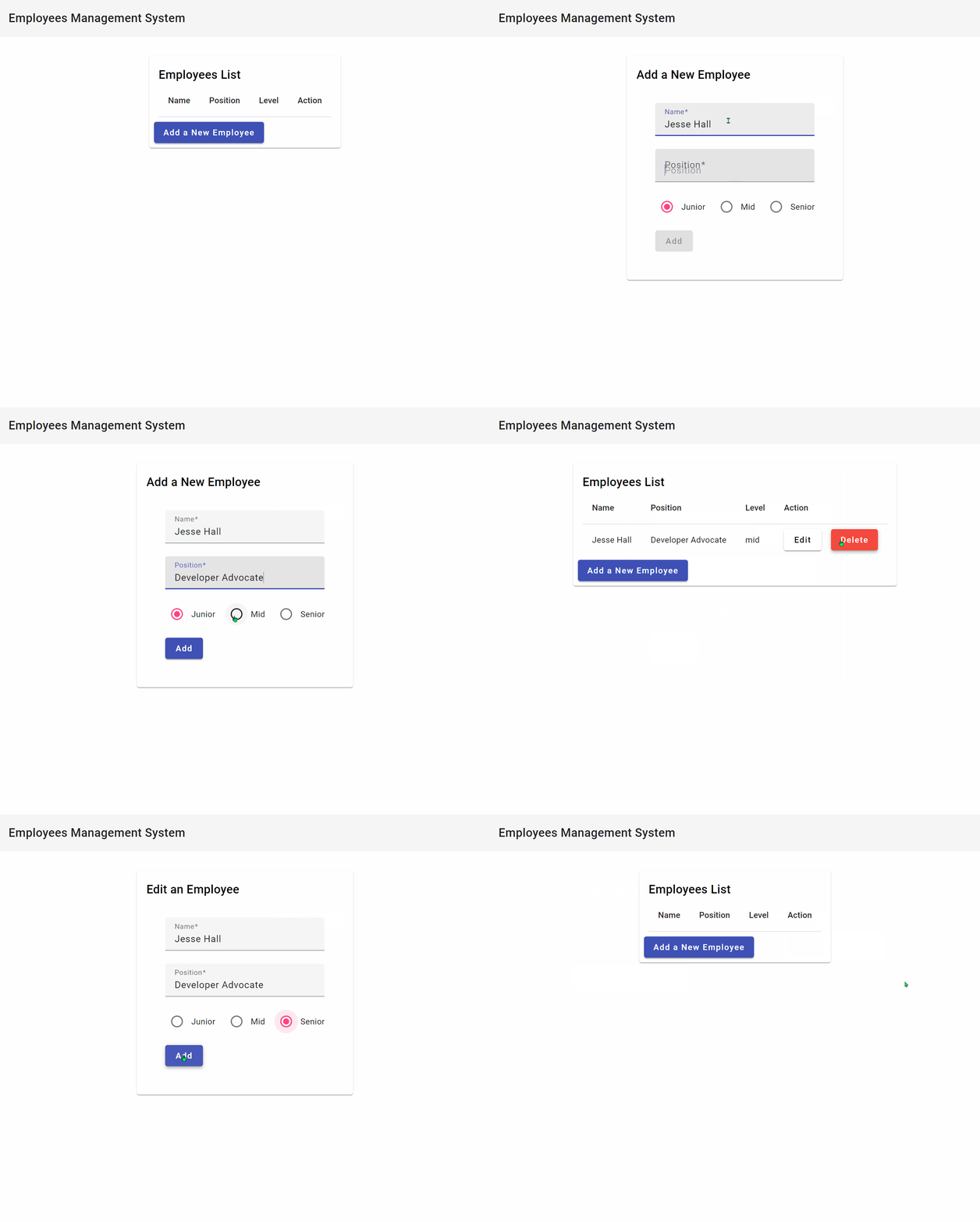
We need a form for filling in name, position, and level, to create a new employee. For editing existing employees, we'll need a similar form. Let's create an EmployeeForm component and reuse it for both adding and editing.
The g is a shorthand for generate and c is a shorthand for component.
Now, we can use Angular's ReactiveFormsModule and FormBuilder to create a reactive form:
mean-stack-example/client/src/app/employee-form/employee-form.component.ts
There's a lot of code here but there isn't anything groundbreaking to it. We're just using the FormBuilder to create a reactive form with three fields and we're also adding validation to the form. The template is displaying the error messages in case there's a validation error. We're using an input() to pass in the initial state of the form from the parent component. The type of the input() is InputSignal because we might pass async data into the form.
For example, the parent component might fetch the employee data from an API and pass it into the form. The child component will get notified when new data is available. The @Output() is an event emitter that will emit the form values whenever the form is submitted. The parent will handle the submission and send an API call.
The next step is to implement the AddEmployeeComponent:
Replace the content of the newly created file with the following:
mean-stack-example/client/src/app/add-employee/add-employee.component.ts
We're using the EmployeeFormComponent, and whenever the AddEmployeeComponent receives a form submission, it will call the EmployeeService to create the employee. The EmployeeService will emit an event when the employee is created and the AddEmployeeComponent will navigate back to the table of employees.
While we're at it, let's implement the component for editing an employee:
Replace the content of the newly created file with the following:
mean-stack-example/client/src/app/edit-employee/edit-employee.component.ts
The only notable difference from the AddEmployeeComponent is that we're getting the employee ID from the URL, fetching the employee from the API, and then passing it to the form in the ngOnInit() method.
Finally, let's add navigation to our new pages:
mean-stack-example/client/src/app/app-routing.module.ts
Alright! Let's test it out! Go ahead and try to create a new employee. After filling in the details, click the Submit button. You should see the new employee on the list. Then, you can try editing it by clicking the Edit button. You should see the form filled with the employee's details. When you submit the form, the employee will be updated in the table. Finally, you can delete it by clicking the Delete button.
If something doesn't add up, you can check out the finished project in the mean-stack-example repository.