You can specify how Compass displays legacy UUID values of binary subtype 3 through the Settings panel.
About This Task
You can choose one of the following encoding options:
Encoding Option | Description |
|---|---|
Raw data (no encoding) | Displays legacy UUIDs as raw binary data without encoding. |
Legacy Java UUID | Displays legacy UUIDs using Java's UUID encoding:
|
Legacy C# UUID | Displays legacy UUIDs using C#'s UUID encoding:
|
Legacy Python UUID | Displays legacy UUIDs using Python's UUID encoding:
|
Procedure
Open MongoDB Compass Settings
Click the gear icon on the left column of the Compass home screen to open MongoDB Compass Settings.

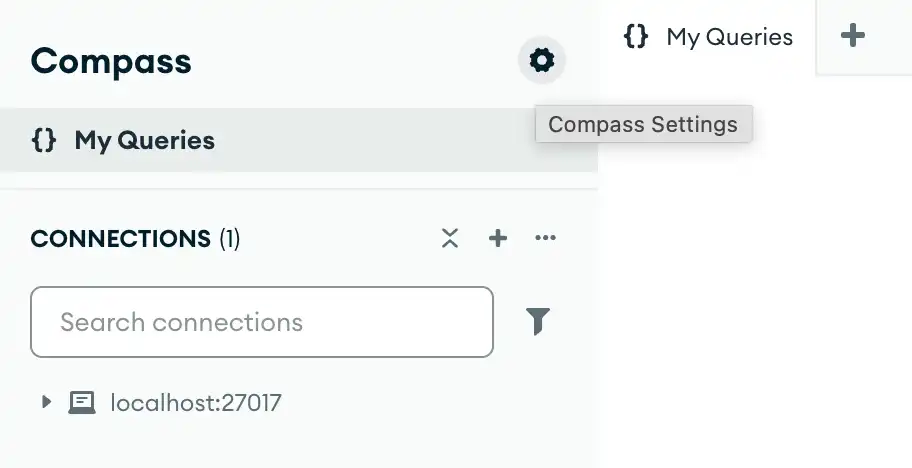
Alternatively, you can use keyboard shortcuts to open the Settings panel:
Windows / Linux:
Ctrl+,Mac:
⌘+,
Compass opens a dialog box where you can configure your MongoDB Compass settings.
Note
Changing this setting only affects how Compass displays legacy UUIDs. It does not modify how MongoDB stores the UUIDs themselves.