MongoDB Compass Readonly Edition will be deprecated in a future release. To replicate the read-only behavior in a standard Compass edition, assign users read access at the database level and enable the readOnly option in Compass.
You can use the Aggregation Pipeline Builder to format and export finished pipelines. You can export
pipelines to a chosen language to use in your application.
About this Task
You can export your pipeline to the following languages:
C#
Go
Java
Node
PHP
Python
Ruby
Rust
Steps
1
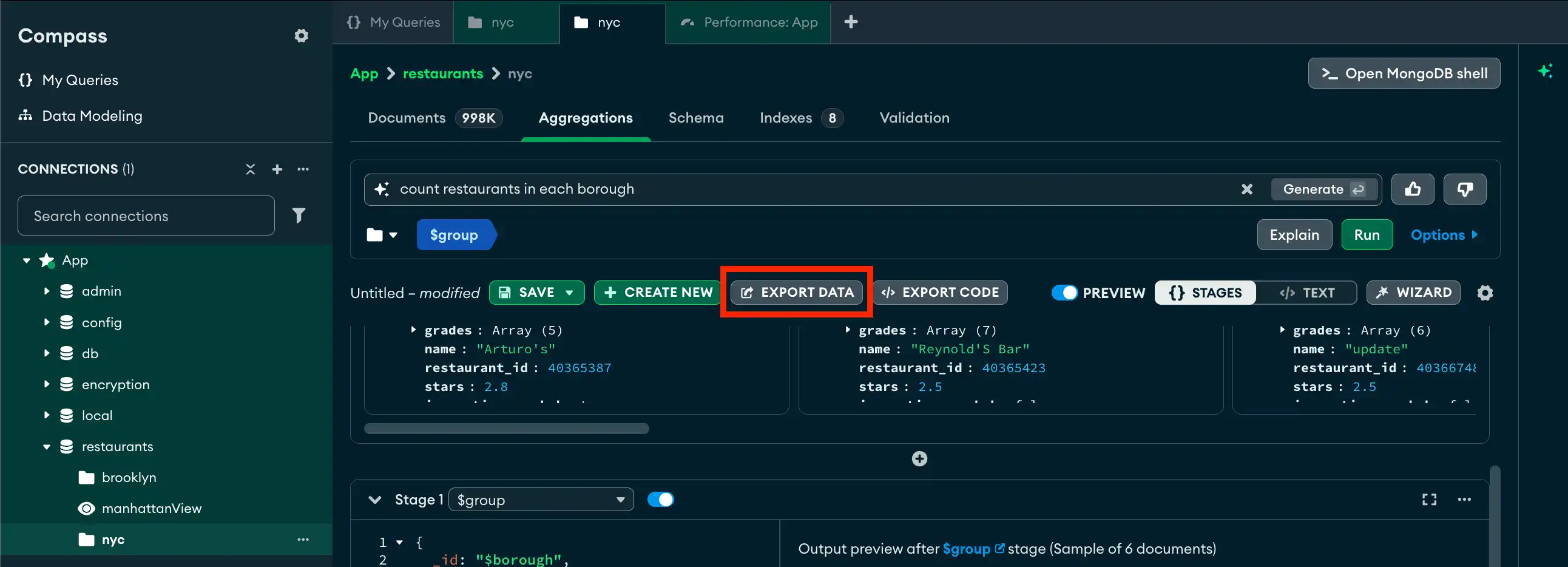
Click Export Code
In the aggregation pipeline pane, click the Export Data
button to open the pipeline export card.
click to enlarge
2
Select your export language
On the right side of the card, click the drop-down menu under
Exported Pipeline and select your desired programming
language.
The My Pipeline pane on the left of the export card displays
your pipeline in mongosh syntax. The
Exported Pipeline pane to the right displays your pipeline in
the selected programming language.
3
(Optional) Include import statements
Click the Include Import Statements checkbox to include the
required import statements for the selected programming language.
4
(Optional) Include driver syntax
Click the Include Driver Syntax checkbox to include
application code for the selected programming language. If you include
driver syntax, the copyable code reflects project, sort, maxtimems, collation,
skip and limit options.
5
Click
Click the icon at the top-right of the pipeline to
copy your pipeline for the selected programming language. You can now
integrate and execute your created pipeline in your application.