LAUNCHMongoDB 8.3 is built for the sub-100ms retrieval & zero downtime AI demands. Read blog >
AI DATAStop fighting your data layer. Get the memory & retrieval agents need to scale. Read blog >

MongoDB for Python Developers

Building your first (or 100th) app with MongoDB? With a flexible document model and a powerful suite of developer tools, MongoDB makes building your next Python app a breeze. On this page, learn why MongoDB is the best database for Python.
Try Atlas Free
Read Docs

Using databases in Python

Let's take a look at databases in the world of Python. We'll look at some of the most common databases used by Python apps, a few concepts to help you decide on the best database to use with Python for web development, and finally, we'll dive into some details of how to create a database using MongoDB Atlas and how to connect to and access data from your database.

This article covers:

Most common databases for Python web apps

When building a Python application that needs a database, you'll find that there are a number of excellent options for Python web developers. Here are some of the most common ones:

What database to use with Python

With so many options for databases, which is the best database for Python? The Python database you choose depends on your use case.

Relational databases like MySQL and PostgreSQL can be a good choice if you're dealing with data models that have a fixed structure (think: “tables”) — that is, the set of attributes for any given model changes rarely. In practice, this is very unusual while an application is under active development. A relational database, as you might expect, is also often the best choice for highly interrelated data.

For example, consider a school database to manage teachers, students, and courses. Teachers will have IDs, names, basic contact information, and maybe a role (“homeroom,” “substitute”). Students will have a similar set of attributes. Courses might have titles, descriptions, start and end dates, and so on. Most likely, though, these sets of attributes for each model will not change very much for the purposes of your application, and it's pretty likely that each record will have all of its attributes.

This type of data structure lends itself well to management by a relational database system (like MySQL or PostgreSQL). For smaller-scale applications, or for local testing, SQLite is also a good option to use.

When your data structure might be more fluid, with a schema that is less fixed, a document database like MongoDB might be the best database to use with Python for web development. With their document-oriented (as opposed to table-oriented) structure, document databases support a varying data structure easily; some records might have certain attributes, while other records don't have those attributes. Non-relational databases like MongoDB can store large amounts of data with varying structures. It's easily scalable, flexible, and relatively simple for beginners. Although MongoDB supports modeling and querying relationships between documents, it really excels when you wish to embed related data within a document itself.

For our tutorial, let's take a look at how you might import data from a cryptocurrency API into a MongoDB collection using Python. To see how easy it is to get started with Python, let's first create a database on MongoDB Atlas.
How to create a database in your Python app using MongoDB Atlas

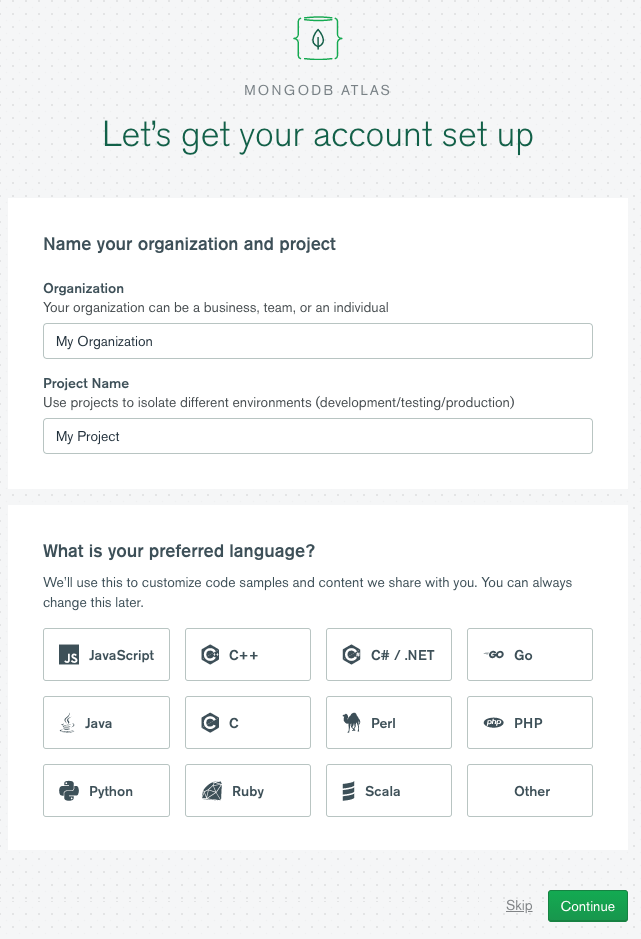
To get started using MongoDB, you'll first need to sign up for a free MongoDB Atlas account. Once you have created your account, you will be prompted to name your organization, name your project, and choose the language for code samples and help.

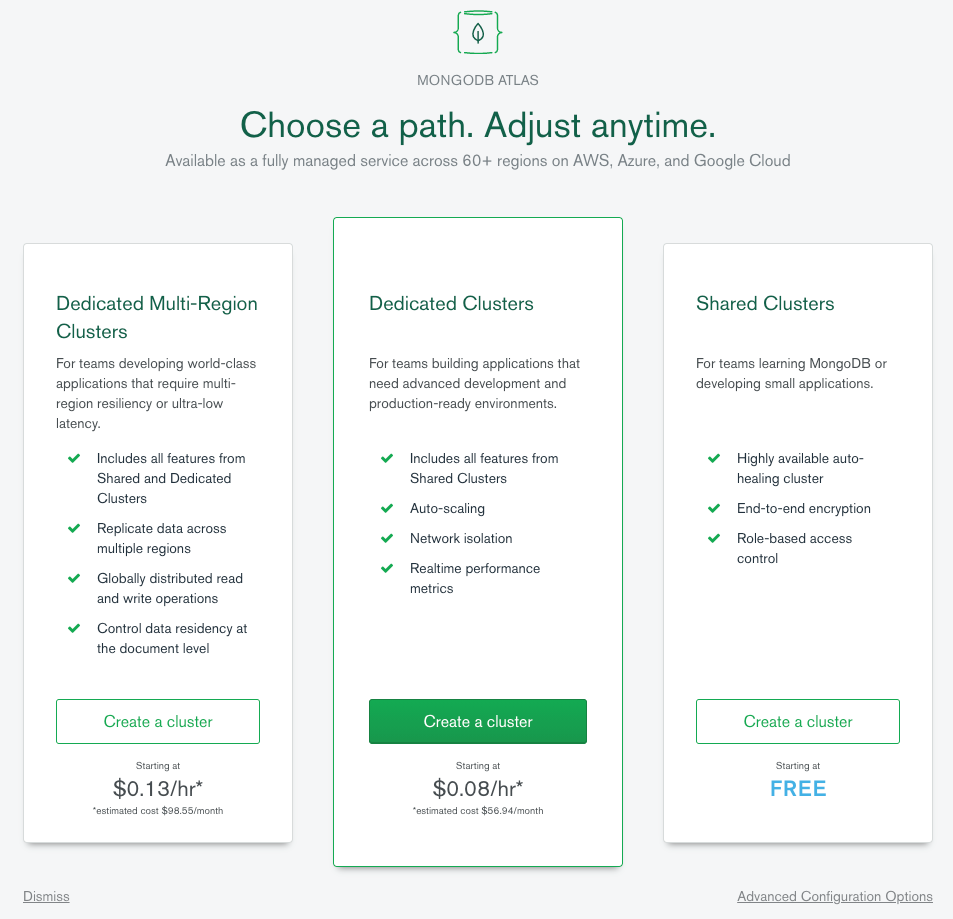
Next, choose the type of account you need.

I chose the free option for this example. It’s worth noting that the free tier here remains free, as opposed to other products which might offer a free trial period only.

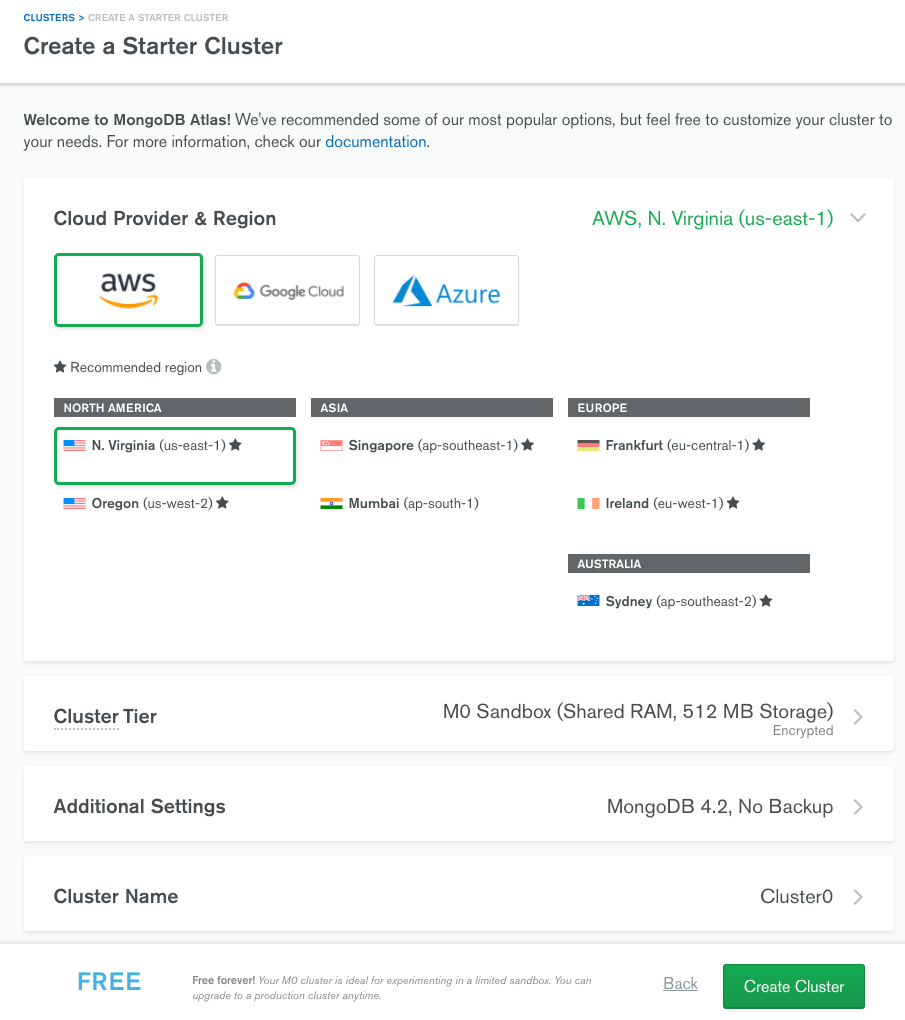
Next, create a cluster. Unless you want to modify the cluster, you can choose the default and click Create Cluster.

It will take a few minutes for the cluster to provision. Once complete, you will see a screen like below:

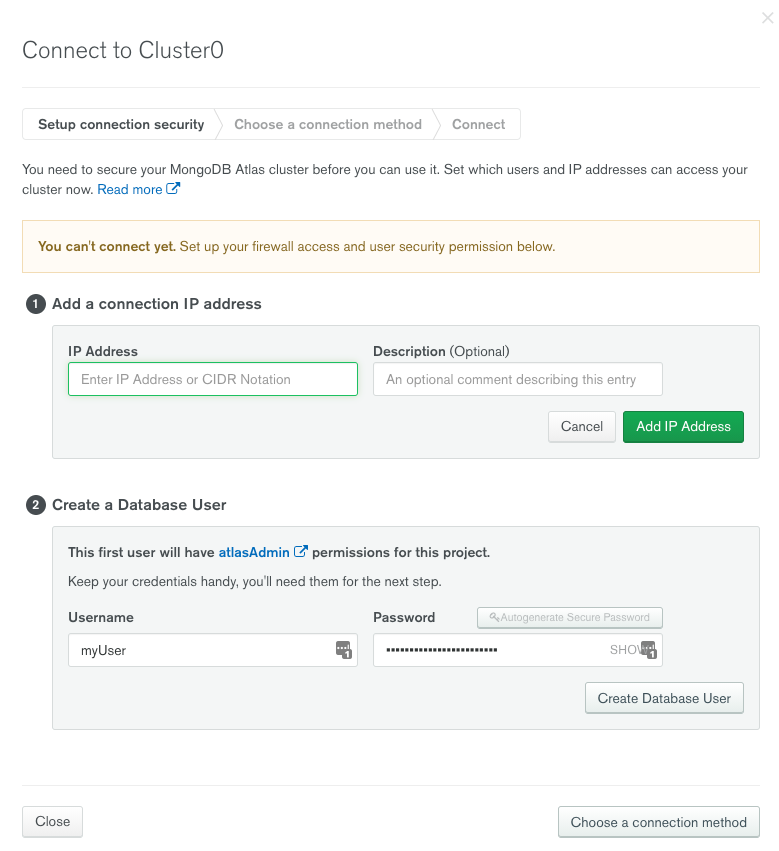
Click on the Connect button to start setting up your connection. Here you will have to add your local IP address and create a user for your database. The IP address will auto-populate with your local IP address. Add a description if you want and click Add IP Address. Then add a Username and Password and click Create Database User. After that, click the Choose a connection method button, which will now be active.

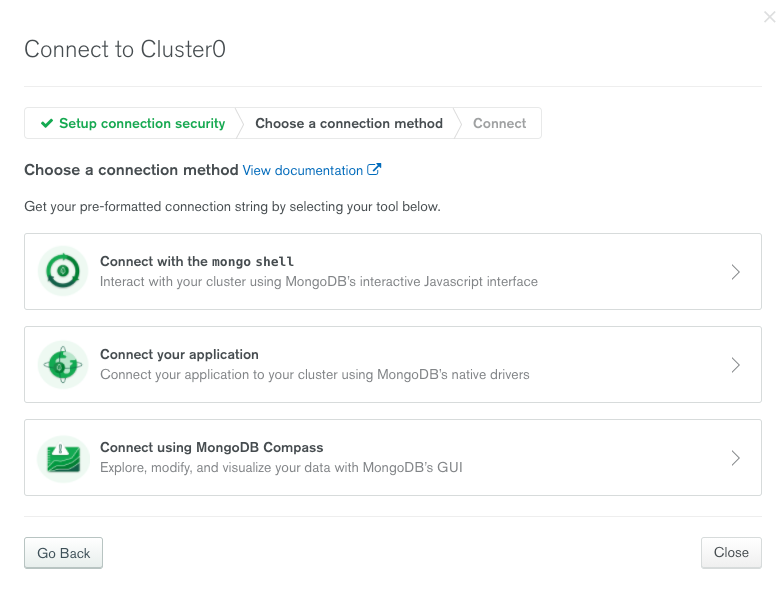
The next screen will give you the option to choose how you will connect to your new database. Since you are going to be connecting with Python, choose Drivers.

image of MongoDB Atlas cluster connection set up


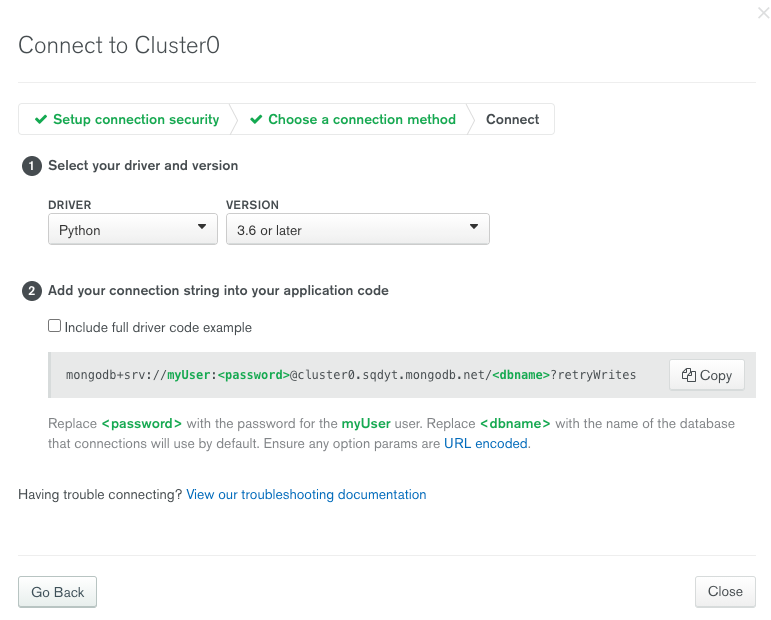
Choose Python as a language and your version of Python, and you will be presented with a connection string. You will have to replace in this string with your actual password. You will be adding this database connection string to your Python scripts later.

image of MongoDB Atlas cluster connection finalization


How to connect to a database in Python

Now, let's create a Python script that will connect to the CoinGecko API — an open API for cryptocurrency prices — and store that data in our database. First, be sure to install all the Python packages you need for the script using Python version 3.11 or later. Run the command below in a terminal to install those packages.


The requests package will enable you to make the API call. The PyMongo package is a library that makes it easy to interact with a MongoDB database in Python. After that, you can create the script like below:


After you run the script, you will see an output in the terminal like the following:


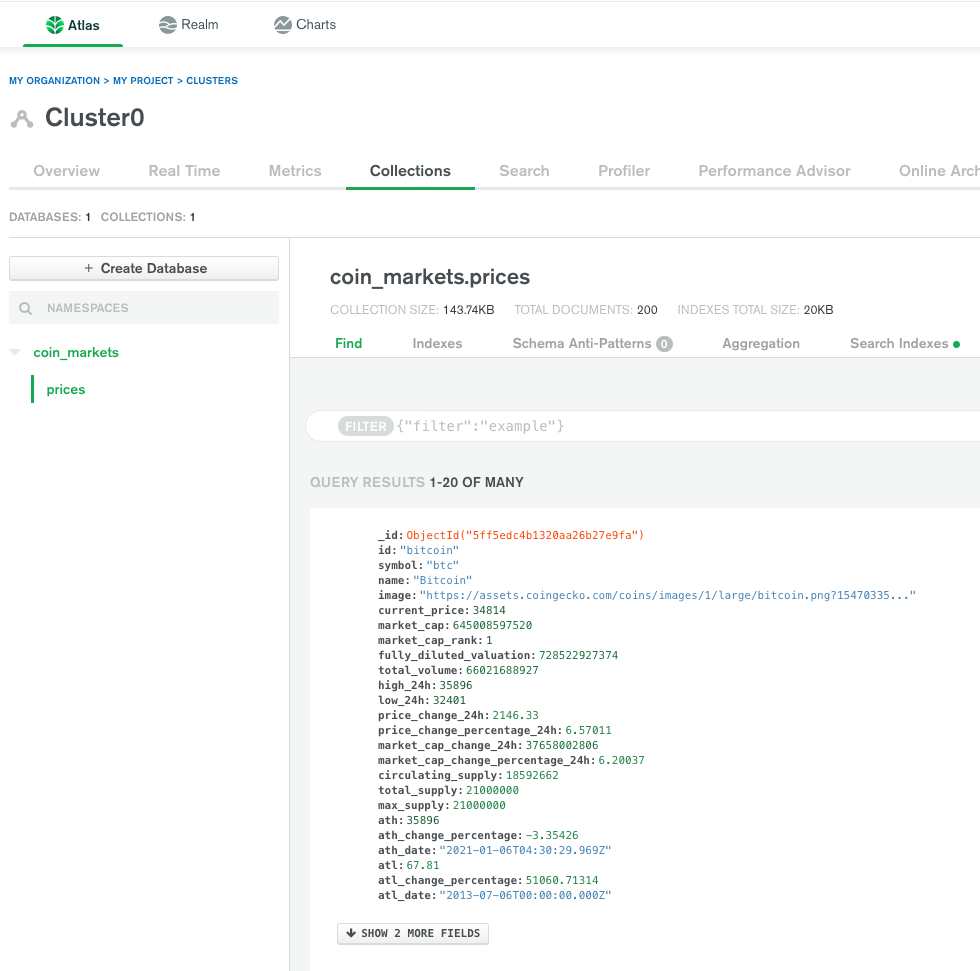
When you go back to MongoDB Atlas and click on the Collections tab, you will see the data you just inserted into your database. You will find the primary key that was generated for each record in the _id field.

How to get data from a database in Python

The script to retrieve data from your database will be similar.


When we run this, we will see our documents print out in the console:


Note: Although we added connection information directly to our code in this example, you would never do this in a real-world scenario. Always use an environment variable or configuration file so that you don’t end up committing sensitive information to version control.

Python database libraries

The pymongo package made it pretty easy to interact with MongoDB in Python, but there are a few other libraries you might want to look at, depending on what you are trying to do. Here is a list of popular libraries for using MongoDB with Python:

Conclusion

Depending on the data modeling needs for your Python web development or application, you might find that a document database will serve you well. When that's the case, MongoDB might lend you the ease and speed of setup to get you up and running quickly with your Python database. The flexibility and scalability of the database will keep your application running smoothly as your user base grows. What's more, you already have at your fingertips several robust packages that make connecting Python with MongoDB straightforward. All of this will help you take your Python application to the next level. There is also a course available on that specific topic at MongoDB University.

FAQs

Get started with Atlas today

Get started in seconds. Our free clusters come with 512 MB of storage so you can play around with sample data and get oriented with our platform.
Try FreeContact sales
GET STARTED WITH:
  • 125+ regions worldwide
  • Sample data sets
  • Always-on authentication
  • End-to-end encryption
  • Command line tools