Hi there
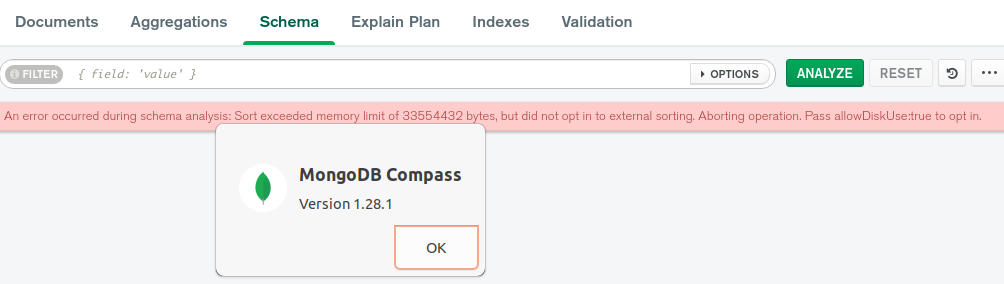
this post is related to Compass version 1.28.1. As the title tells:
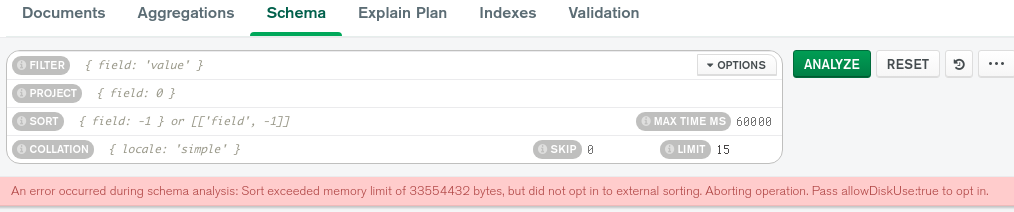
The Schema sampling for a collection with large string fields fails due to an exceeded sort memory limit.
The error message tells the solution: add allowDiskUse:true. Makes sense, will slow the process down but the allowed “max time ms” can be increased via the options button. So far so good. I tried several ideas to extend the find or sort but obviously was not successful…
That’s an interesting error during schema analysis. How large are the string fields? I ask because Compass should be sampling no more than 1000 documents while analyzing the schema. So, under normal circumstances it should never hit that limit unless the values are huge. I assume.
I will be curious to see someone explain this behavior, and a workaround.
thank you for the information. The behaviour it self is as expected. compass uses the $sampel aggregation to collect some random documents. This is done by a certain rule set:
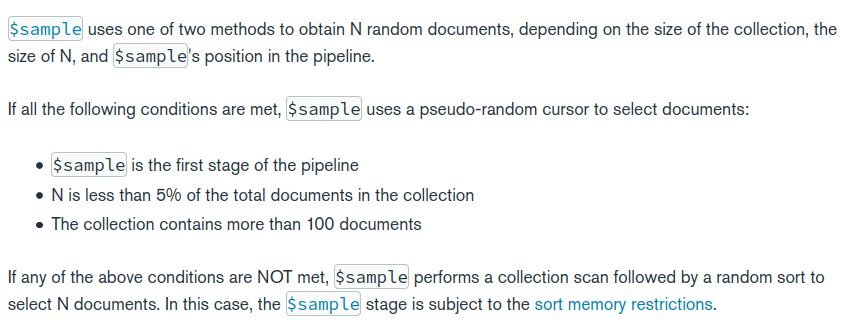
N is less than 5% of the total documents in the collection
The collection contains more than 100 documents
The initial value is 1000 for the schema analysis, the collection has only 284 documents so this is not fulfilled 284 * 0,05 = 14,2 so 14 docs should work 15 docs should not. This is true pls see the screenshots.
Since the one rule is not fulfilled the second option is taken:
If any of the above conditions are NOT met, $sample performs a collection scan followed by a random sort to select N documents. In this case, the $sample stage is subject to the sort memory restrictions.
So we do a collection scan restricted to 100 megabytes of RAM for in-memory sorts. This fails.
The error message states the standard “solution” to allow to write to disk which is enabled by setting allowDiskUse:ture
So after this round trip the question still is:
Where should the allowDiskUse:true be put to sample up to 1000 documents
A Compass engineer confirmed allowDiskUse is enabled for sampling (checked Compass code and via server logging), and wasn’t able to reproduce this issue with Compass 1.28.1.
Can you share some more information about the deployment you are querying:
Is this on-premises or Atlas?
Are you using a standalone, replica set, or sharded cluster connection?
If Atlas, what cluster tier are you using?
Also, what is the average size of documents for this collection? It sounds like this is a similar sampling issue to Chart get's a timeout - how to debug?, where the average document size was problematic. A similar workaround (sampling from a view of the collection with fewer fields) may also be helpful.
It seems that this is still the behaviour like described above. Since N is not less 5% we do a collection scan and sort. At least the error message indicates that allowDiskUse is not active.
This is an Atlas cluster, not sharded… and not really big. The document size could be less but ~4,7 MB is only 25% of the allowed maximum.
I can provide a dump or access to the cluster, the issue is constantly reproduceable.
Thanks for the note, now it comes clear. I moved a staging cluster to M2, I was aware that there are restrictions on M0 and forgot to check for M2, your link is actually on my link list. My fault. I double checked with an M50 Cluster, there I don’t get the message. It fails also on the M50 cluster but with a timeout which is an other issue mentioned in Chart get’s a timeout - how to debug?. The workaround in that post is to use a view, which generally works but is sub optimal for a schema analysis.