Please see the below code with Python 3.12.2 and pymongo==4.6.3:
from pymongo.mongo_client import MongoClient
from pymongo.server_api import ServerApi

uri = "mongodb+srv://cache-service:xxxx@serverlessinstance0.abc123.mongodb.net/?retryWrites=true&w=majority&appName=Foo"

client = MongoClient(uri, server_api=ServerApi("1"))
When the client is instantiated, pymongo resolves the URI, but it takes about 10 seconds on my Mac (macOS Sonoma version 14.3).
Tracing through the pymongo source code, it seems pymongo.uri_parser.parse_uri (passed the above URI and port 27017) is taking up all that time.
How can I work around having pymongo parsing the mongodb+srv internally and at runtime? I would like to avoid the URL resolution that is taking forever
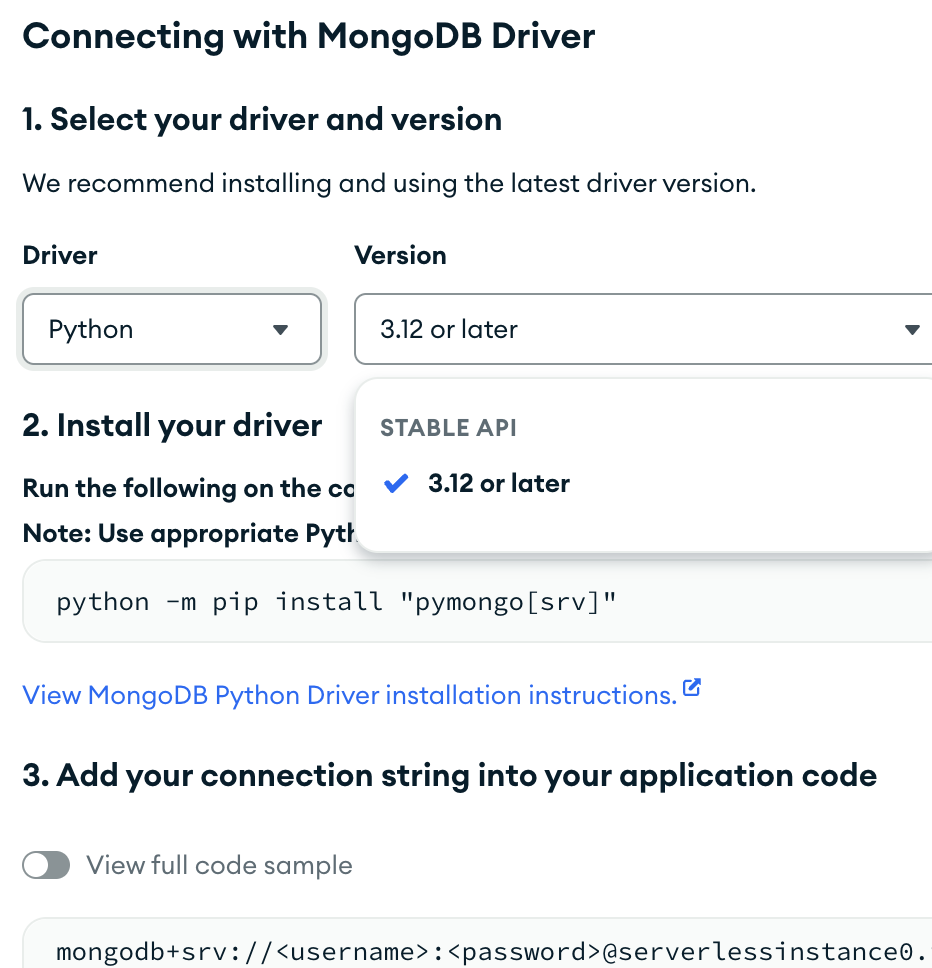
Until the dns problem can be fixed, you can go back to using the standard “mongodb://” connection string by finding it in the Atlas UI. You will need to select the earliest pymongo version in the “choose your driver” dropdown:
Revisiting this today, the 10-second connection time is no longer happening. I think you were right that it was a DNS issue. Nonetheless, here is the output of the requested command:
> nslookup -type=SRV _mongodb._tcp.serverlessinstance0.abc123.mongodb.net -debug
Server:		8.8.8.8
Address:	8.8.8.8#53

------------
    QUESTIONS:
	_mongodb._tcp.serverlessinstance0.abc123.mongodb.net, type = SRV, class = IN
    ANSWERS:
    ->  _mongodb._tcp.serverlessinstance0.abc123.mongodb.net
	service = 0 0 27017 blah.abc123.mongodb.net.
	ttl = 60
    AUTHORITY RECORDS:
    ADDITIONAL RECORDS:
------------
Non-authoritative answer:
_mongodb._tcp.serverlessinstance0.abc123.mongodb.net	service = 0 0 27017 blah.abc123.mongodb.net.

Authoritative answers can be found from:
> nslookup -type=TXT serverlessinstance0.abc123.mongodb.net -debug
Server:		8.8.8.8
Address:	8.8.8.8#53

------------
    QUESTIONS:
	serverlessinstance0.abc123.mongodb.net, type = TXT, class = IN
    ANSWERS:
    ->  serverlessinstance0.abc123.mongodb.net
	text = "authSource=admin&loadBalanced=true"
	ttl = 60
    AUTHORITY RECORDS:
    ADDITIONAL RECORDS:
------------
Non-authoritative answer:
serverlessinstance0.abc123.mongodb.net	text = "authSource=admin&loadBalanced=true"

Authoritative answers can be found from:
Is anything unexpected or standard there?
I will also look into using standard mongodb://, thanks for suggesting that.
Until the dns problem can be fixed, you can go back to using the standard “mongodb://” connection string by finding it in the Atlas UI. You will need to select the earliest pymongo version in the “choose your driver” dropdown:
I am trying to do this, but all I see is mongodb+srv suggested. Can you give me more details on what you mean by the “choose your driver” dropdown? All see is the below screenshot, and it doesn’t mention a pymongo version