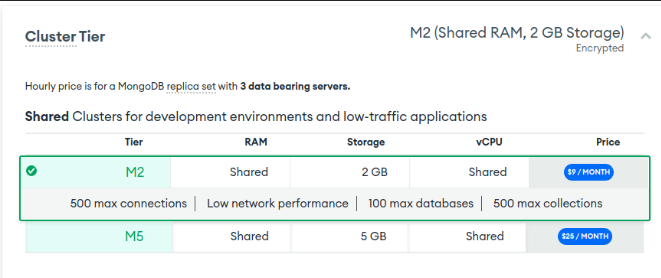
I have an M2 cluster that I’m trying to terminate.
But, when I do it says this:
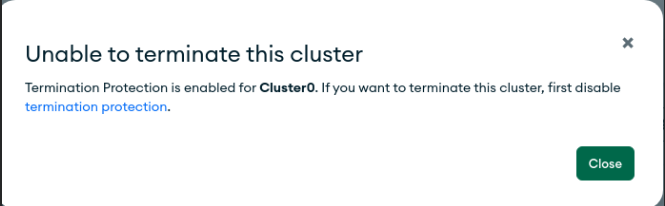
When I click on termination protection, it redirects me to the page where I can edit the cluster:
I have no idea what to do next. Any help?
I have an M2 cluster that I’m trying to terminate.
But, when I do it says this:
When I click on termination protection, it redirects me to the page where I can edit the cluster:
I have no idea what to do next. Any help?
Hi @Ghrib_Ahmed
Termination Protection prevents accidental termination of a cluster. How to delete a cluster including those with termination protection is documented here:
https://www.mongodb.com/docs/atlas/pause-terminate-cluster/#terminate-one-deployment
Specifically:
If you enabled Termination Protection, disable it.
- Click … next to the cluster you want to disable Termination Protection for.
- Click Edit Config from the drop-down menu.
- Click Additional Settings.
- Toggle Termination Protection to Off.
- Click Review Changes.
- Click Apply Changes.
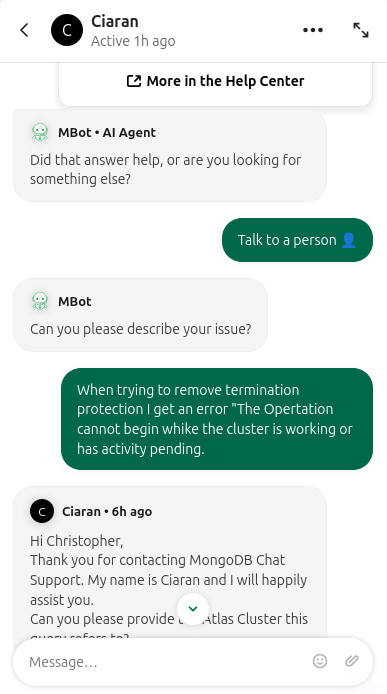
@chris I can neither resume my cluster (says it’s too old) nor can I remove termination protection as it errors out with this message every time so I’m in an infinite loop of being stuck

Hi @B_B4
Contact MongoDB support using the chat feature in MongoDB Atlas
@chris the chat bot is only capable of linking me to the article about turning off termination protection. Is there any way to submit a request to just nuke the organization entirely? I can’t even do that because it has a cluster it’s a true infinite loop of frustration.