Hi I was having this issue too (I am actually also using ProtonVPN), and I got the answer.
When connecting to mongodb Atlas, we can see that mongodb Atlas opens dynamic ports in our local machine in order to communicate.
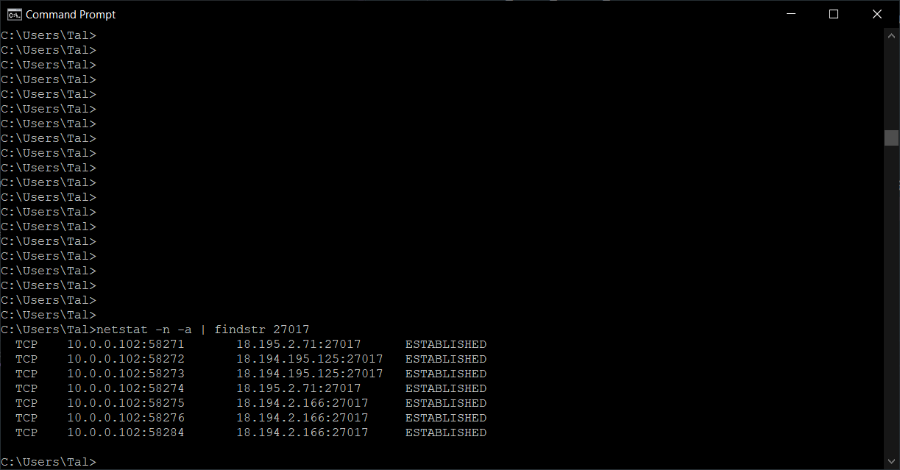
In the screenshot, you can see that the servers in mongodb Atlas that opened the 27017 ports, are opening dynamic ports to our local machine (i.e. 10.0.0.102) that are probably necessary for communication.
In our case, it is known that ProtonVPN is blocking all ports through their firewall by default, thus they are not allowing mongodb Atlas to open the dynamic ports it wants for establishing the communication. And this results with a connection timeout, and a failure.
So unfortunately, because there is no option for ProtonVPN to open dynamic ports, there is no option to connect to mongodb Atlas through ProtonVPN.