Day 58:  Mastering Backend Testing with Postman
One of the most powerful tools in a developer’s arsenal is Postman. It helps track down the source of issues by simulating API requests and verifying responses before integrating with the frontend. Let’s break down how Postman makes backend testing efficient and how to seamlessly transition from backend to frontend testing.
 How Postman Simplifies Backend Testing
Postman is more than just an API testing tool—it’s a comprehensive platform that can be used to test endpoints, validate responses, and debug issues. Here’s how it helps identify the root cause of bugs:
-
Isolate Backend Issues Early
By directly hitting backend APIs, you can determine whether an issue is rooted in the backend or arises from frontend integration. For instance, if an API call fails in Postman but works on the frontend, the issue likely lies in how the frontend handles the response. -
Test with Precision and Efficiency
Instead of blindly navigating the entire system, use Postman to make precise API calls with various inputs and observe how the backend responds. This saves time and gives clarity on where the problem originates. -
End-to-End API Testing
Postman supports testing complete user flows by chaining multiple API requests. This is particularly useful when simulating multi-step processes such as user registration and login.
 Best Practices for Effective Testing
To make your testing organized and effective, here are some essential practices:
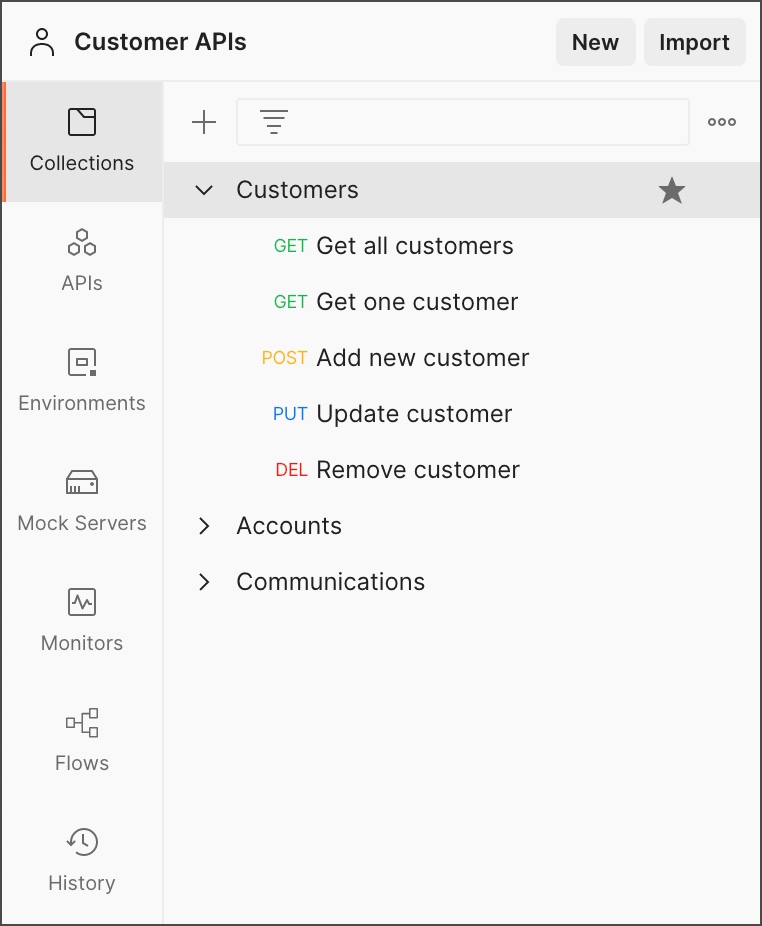
- Organize Endpoints with Collections
Group your endpoints into collections based on functionality:
User Management Collection: Test all user-related endpoints like registration, login, and profile updates.
Product Management Collection: Group product CRUD operations.
Order Processing Collection: Include endpoints related to placing and tracking orders.
By structuring your collections this way, you’ll maintain clarity and make it easier to test related endpoints in bulk.
-
Follow the Happy Path First

Start by testing the happy path—the optimal scenario where everything works as intended. Once validated, move on to edge cases and negative testing to see how the system handles unexpected inputs. -
Use Environment Variables
Instead of hardcoding URLs or credentials, use environment variables. This makes it simple to switch between development, staging, and production environments without manually editing every request. -
Automate with Test Scripts
Postman’s scripting feature allows you to run assertions after every request. For instance:
javascript
pm.test(“Status code is 200”, function () {
pm.response.to.have.status(200);
});
This simple script checks that the response status is 200 OK and alerts you if it’s not, making error tracking more manageable.
- Document Your Tests
Good documentation not only helps you but also your team. Add descriptions to your requests and collections to explain their purpose and how to use them.