Day 24/100 of 100daysofcode : 𝗘𝘅𝗽𝗹𝗼𝗿𝗶𝗻𝗴 𝗗𝗮𝘁𝗮𝗯𝗮𝘀𝗲 𝗖𝗼𝗻𝘁𝗿𝗼𝗹 𝘄𝗶𝘁𝗵 𝗗𝗖𝗟 𝗦𝘁𝗮𝘁𝗲𝗺𝗲𝗻𝘁𝘀
Today’s focus is on 𝗗𝗮𝘁𝗮 𝗖𝗼𝗻𝘁𝗿𝗼𝗹 𝗟𝗮𝗻𝗴𝘂𝗮𝗴𝗲 (𝗗𝗖𝗟) in SQL. As a critical component for database management, DCL enables administrators to fine-tune access and permissions, controlling who can perform specific actions on database objects.
DCL consists of three main commands:
-
𝗚𝗥𝗔𝗡𝗧: Provides permissions to users or groups to perform specific actions on database objects.
-
𝗗𝗘𝗡𝗬: Explicitly denies permissions, overriding any granted permissions.
-
𝗥𝗘𝗩𝗢𝗞𝗘: Removes previously granted permissions, limiting access as needed.
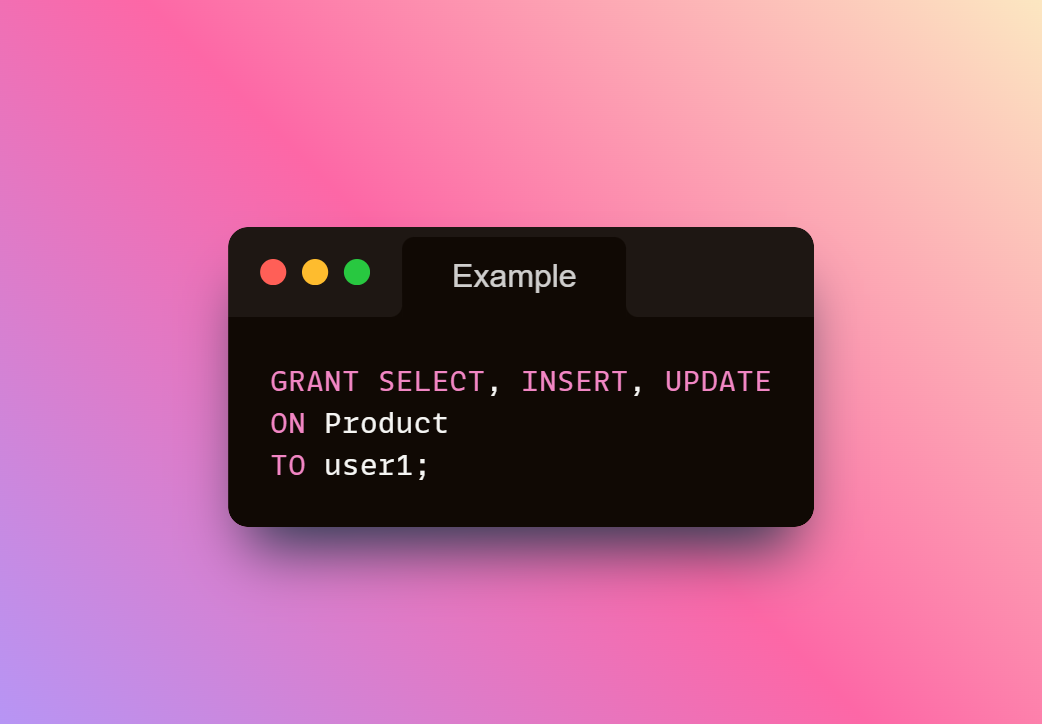
 𝗘𝘅𝗮𝗺𝗽𝗹𝗲: 𝗚𝗿𝗮𝗻𝘁𝗶𝗻𝗴 𝗣𝗲𝗿𝗺𝗶𝘀𝘀𝗶𝗼𝗻𝘀 𝘄𝗶𝘁𝗵 𝗦𝗤𝗟
Imagine we want to allow a user named user1 to read, insert, and update records in a Product table. We can use the following GRANT statement:
This command allows user1 to access and modify the table data, which is useful in many real-world scenarios like assigning permissions to team members.
 Tip: Use DCL wisely to ensure data security while providing necessary access!