#Day73 of #100DaysOfCode
Today I was a mixed bag of emotions which includes stress, tiredness, frustration, rage, fear, and … more 
It was a long day, but I managed to implement the code for dynamically generating the buttons for data I retrieved from Atlas and displayed on UI.
I am struggling with setting margins of my buttons and I don’t know how to do that :’( My Kotlin code for button code looks like:
        Realm.getInstanceAsync(config, object: Realm.Callback() {
            override fun onSuccess(realm: Realm) {

                val locationList: RealmResults<Borough> = realm.where<Borough>().findAll()
                locationList.forEach{borough ->
                    setUpUI(borough.location)
                }
            }
        })

    private fun setUpUI(location: String) {

        // create the layout params that will be used to define how your
        // button will be displayed
        val params: LinearLayout.LayoutParams = LinearLayout.LayoutParams(
            ViewGroup.LayoutParams.MATCH_PARENT, ViewGroup.LayoutParams.WRAP_CONTENT
        )
        params.marginStart = 30
        params.marginEnd = 30
        val button = Button(this)
        button.text = location
        button.layoutParams = params

        button.setOnClickListener{
            openPartition(location)
        }
        linearLayout.addView(button)

    }
So this will display the borough received from the database. The UI screen looks as below:
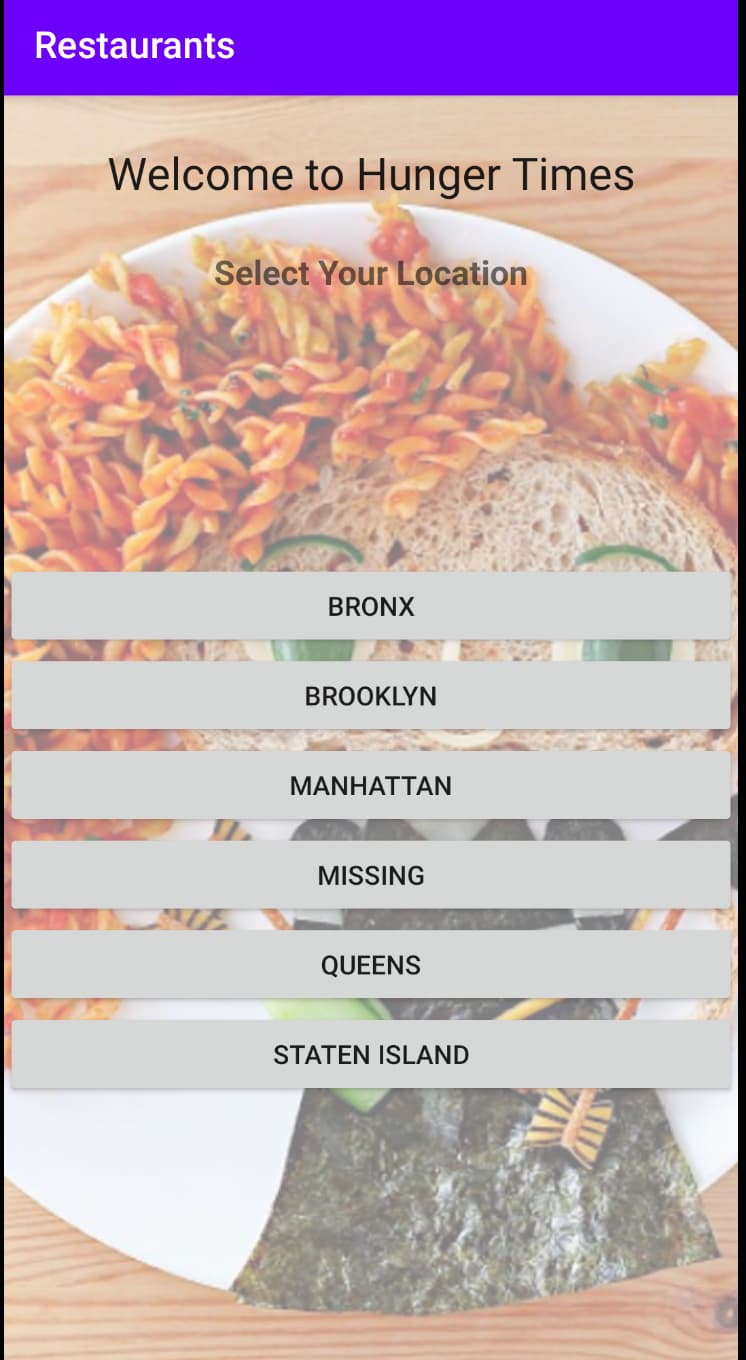
Selecting one of the locations will display the restaurant names in that location. The next step is to add the Maps library to point the location on the map. Fill figure that out tomorrow.
I would appreciate some help on setting margins and background color for buttons…  Thanks in advance =)