I asked a team member in chat and they gave a working answer!
This is what they said:
If you are receiving an SSL certificate error when connecting to your Atlas cluster with PyMongo, such as:
unable to get local issuer certificate[SSL: CERTIFICATE_VERIFY_FAILED] certificate verify failed
This indicates that Python does not have access to the system’s root certificates.
This often occurs because OpenSSL does not have access to the system’s root certificates or the certificates are out of date. Linux users should ensure that they have the latest root certificate updates installed from their Linux vendor.
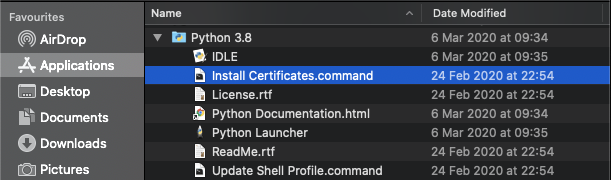
A sample command script is included in “/Applications/Python <version_number>” to install a curated bundle of default root certificates from the third-party certifi package. Open a terminal window and run the following command, with your Python version.
open "/Applications/Python <version_number>/Install certificates.command"
Alternatively, you can head to the Applications folder in Finder and double click “Install Certificates.command” to run the script: