Errors in Book Log Application
Making the BookLog app was not an easy ride, I will share some of the errors I had and I would love to know your experiences in your app making using partition sync.
Additive Only Schema Change
I found out that even with the development mode On, I cannot make destructive changes to the schema. I had a required partition field in the BookRealm class but when I made it optional, I get below error:
2022-03-09 22:39:50.931 6928-6928/? E/AndroidRuntime: FATAL EXCEPTION: main
    Process: com.geek.booklog, PID: 6928
    java.lang.IllegalStateException: The following changes cannot be made in additive-only schema mode:
    - Property 'BookRealm._partition' has been made optional.
The utility of the development mode is still limited and does not give developers the ability to make destructive changes. The destructive changes are made directly from the Cloud config, and you are required to terminate and re-enable sync after a destructive change.
BAD_CHANGESET(realm::sync::ProtocolError:212): Bad changeset (UPLOAD)
This error is happening because somehow my partition value is getting set to null and I need to figure out what part of the code is doing that.
UPDATE instruction had incorrect partition value for key "_partition" { expectedPartition: 6228cd8243ec7f3ccbc246c2, foundPartition:
Permission Denied: User does not have write access to the partition
You have to be very careful of this error. Although the data from mobile will get synced to Atlas, but the write check is done before saving the data to Atlas. There is a possibility that the app may not crash after this error and you may not come to know why the data did not sync unless you check your logcat or any attached debugging system.
I realised that for BookLog App, I had not given correct permissions that were leading to this error.
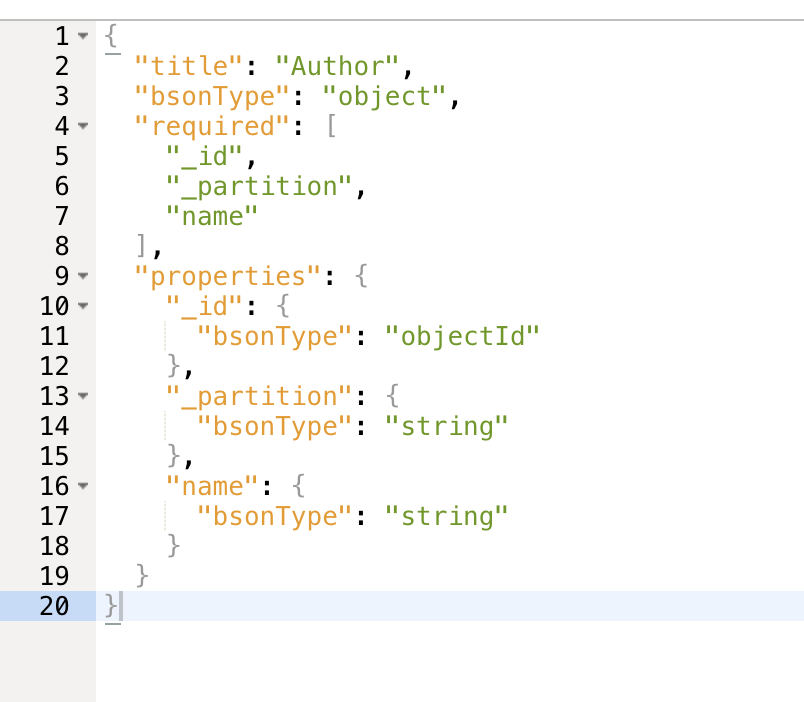
After the above queries, when the app is synced to Atlas, the schemas on Atlas looks like below:
Author
Book
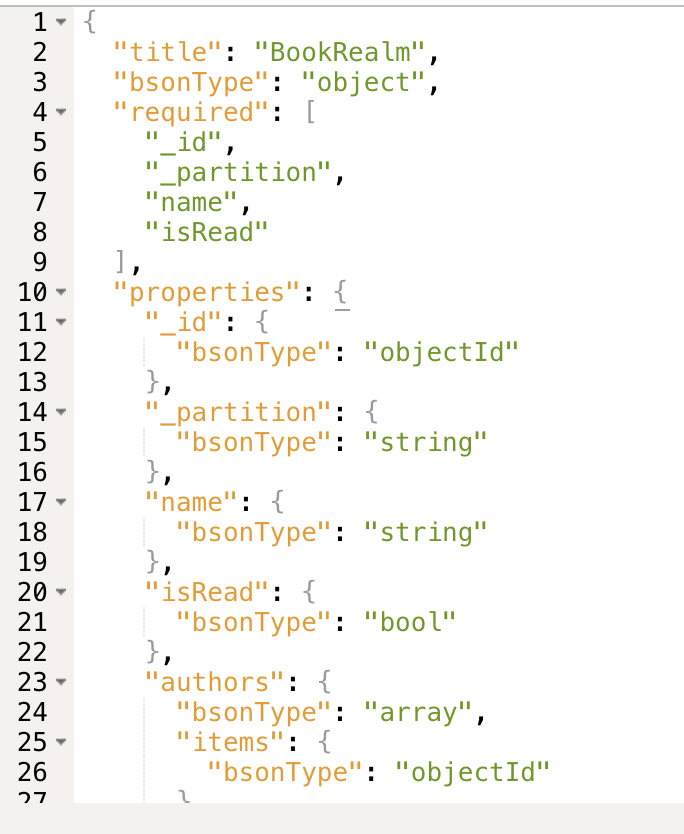
As you noticed, the back-links are not synced to Atlas. The Relationship does exist but is not synced to Atlas. when you query it, you will be able to see.
In the next session, I will share my findings on how I solved the partition error and how to display the list of books and authors.
Cheers, 