I’m attempting to use the new embeddedDocuments type (still in preview as of writing this) but I’m running into a few issues. I can’t tell if these are actual issues or user error, but any advice either way would be much appreciated.
For reference, the top-level field from my model that I’m attempting to use here is called leasing and the structure of the leasing field on a typical document is as follows:
"leasing": {
    "canLease": true,
    "defaultPrice": null,
    "regionalPrices": [
        {
            "regionId": 32,
            "amountInCents": 111487,
            "expiresOn": "2022-07-01T00:00:00Z"
        },
        {
            "regionId": 581,
            "amountInCents": 111487,
            "expiresOn": "2022-07-01T00:00:00Z"
        },
        {
            "regionId": 30478,
            "amountInCents": 111487,
            "expiresOn": "2022-07-01T00:00:00Z"
        }
    ]
}
regionalPrices is the list of documents I’d like to use with the embeddedDocuments type.
Also, here is the starting index I’m working with as it relates to the leasing field:
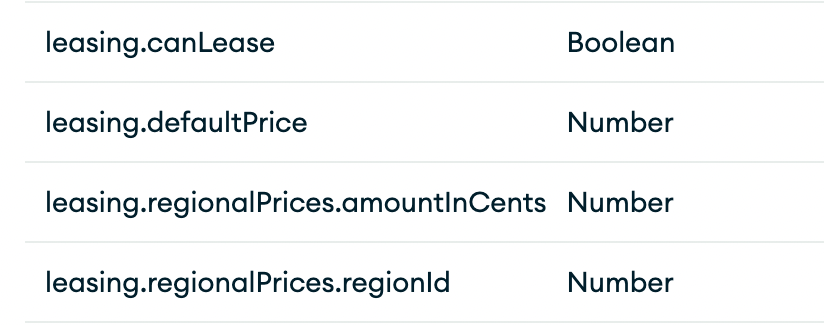
Visual Search Index Editor Issues:
Issue 1: Can’t select the field containing embedded documents
When setting up the leasing.regionalPrices in my index with the embeddedDocuments type, I found that the dropdown doesn’t list that field:
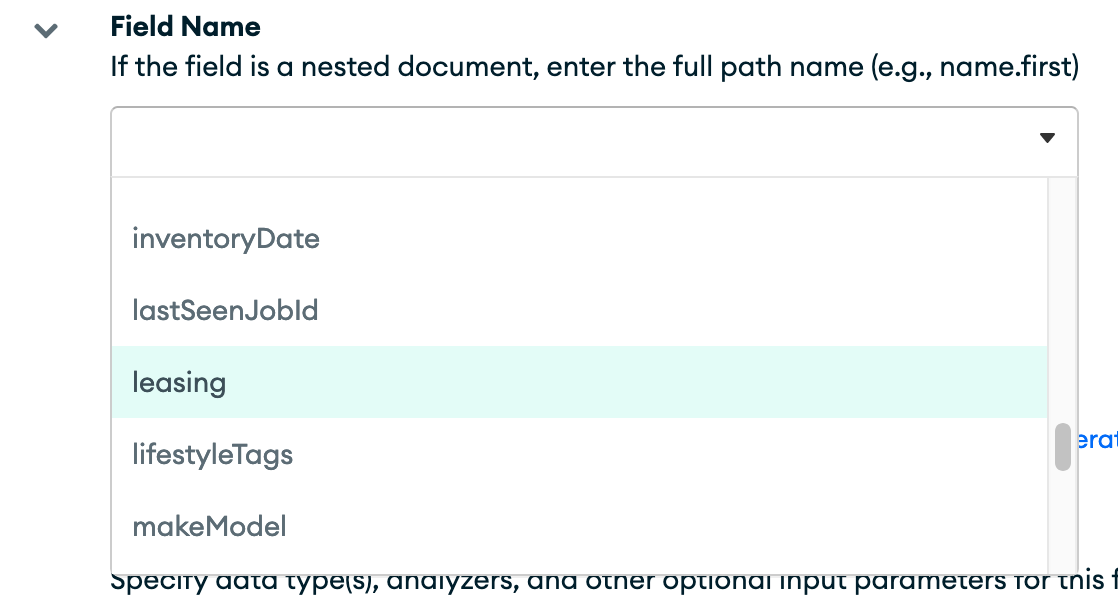
I can at least work around this by using the JSON editor to set the field type to embeddedDocuments, but why doesn’t the field even show up in the visual editor?
Issue 2: Can’t use the Visual Editor after setting a field as embeddedDocuments
After successfully setting my field as embeddedDocuments using the JSON editor, upon loading the Visual Editor to check things out I get the following error message:

Issue 3: Sub-fields of embeddedDocuments become unavailable
After setting up the embeddedDocuments type, the fields within those documents which I previously had indexed (see the screenshot way up at the top) are apparently no longer present in the index, and the newly changed field doesn’t show any type:
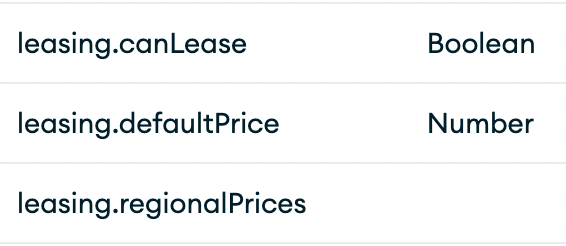
Bizarrely, the JSON editor still shows the sub fields:
"leasing": {
  "fields": {
    "canLease": {
      "type": "boolean"
    },
    "defaultPrice": {
      "type": "number"
    },
    "regionalPrices": {
      "fields": {
        "amountInCents": {
          "indexDoubles": false,
          "representation": "int64",
          "type": "number"
        },
        "regionId": {
          "indexDoubles": false,
          "representation": "int64",
          "type": "number"
        }
      },
      "type": "embeddedDocuments"
    }
  },
  "type": "document"
},
Aggregation Issues:
Issue 4: The embedded score modifier on embedded sub-fields
After setting up the index, I can query leasing.regionalPrices using the embeddedDocument query, but when I use the embedded score modifier on a sub-field of the embedded documents:
{
  "embeddedDocument": {
    "path": "leasing.regionalPrices",
    "operator": {
      "range": {
        "gte": 31230,
        "lte": 31230,
        "path": "leasing.regionalPrices.regionId",
      }
    },
    "score": {
      "embedded": {
        "outerScore": {
          "boost": {
            "path": "leasing.regionalPrices.amountInCents"
          }
        }
      }
    }
  }
}
I get the following error:

As shown in the JSON index from issue 3, amountInCents should be indexed as numeric, but apparently the pipeline doesn’t agree.