Day 11: Blobs
Today in my 100daysofcode challenge, I explored a fascinating concept in web development—Blobs. If you’ve ever downloaded a file from a website, chances are you’ve interacted with blobs without realizing it. In the world of JavaScript, blobs are a powerful way to handle binary data, making them essential for creating downloadable content dynamically.
A Blob (Binary Large Object) is a data type in JavaScript that represents raw binary data. It’s often used to store and manipulate large files like images, videos, or even text. The best part? You can create blobs on the fly and let users download files directly from your web app without needing a server.
Creating and Downloading a Blob
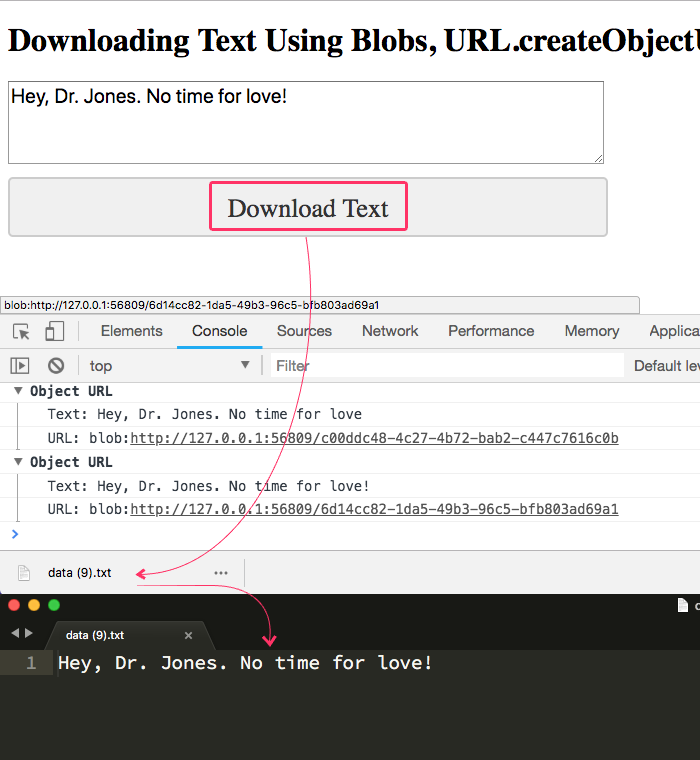
Here’s a simple example of how to use blobs to generate and download a file:
Step 1: Create a Blob
Start by creating a blob object. This could be plain text, JSON, or even a CSV file:
const data = "Hello, World! This is a Blob file.";
const blob = new Blob([data], { type: "text/plain" });
Step 2: Create a Download Link
To make the file downloadable, create a link dynamically and attach the blob to it:
javascript
CopyEdit
const link = document.createElement("a");
link.href = URL.createObjectURL(blob);
link.download = "example.txt"; // The name of the downloaded file
link.click();
This will prompt the user to download a file named example.txt containing your blob data.
Real-World Use Cases
- Exporting Data
Blobs can be used to let users export their data as a CSV or JSON file. - Generating PDFs or Images
Combine blobs with libraries like jspdf or html2canvas to dynamically generate PDFs or screenshots. - File Upload Previews
Use blobs to preview uploaded images or videos before sending them to the server.